TikTok Shop Introduces Auto-Approval for Refund-Only Requests Starting 26 Jan 2026
Erra30 Jan 2026 02:52ENCopy link & title
As of 26 January 2026, TikTok Shop has rolled out changes to how refund-only requests are handled. Under this update, certain refund-only cases are now automatically approved by the platform, even without seller action.
This change mainly affects situations involving platform enforcement, and it’s important for sellers to understand how it works to avoid unexpected losses and aftersales disruptions.

What Has Changed?
TikTok Shop now auto-approves refund-only requests when sellers are no longer able to fulfil or respond to aftersales cases due to enforcement actions.
This applies when:
-
The product has been deactivated by TikTok Shop, or
-
The shop has been closed due to policy violations
In these cases, sellers may no longer be able to fulfil orders or respond to aftersales requests. To avoid delays and protect buyer trust, TikTok Shop will step in and approve refund-only requests automatically.
The goal of this update is to improve the customer experience and ensure faster aftersales resolution, especially when seller response is no longer possible.
What TikTok Sellers Need to Know
1. Refund Requests Must Still Be Within the Aftersales Period
This update does not remove the aftersales time limit. Buyers can only submit refund-only requests within TikTok Shop’s official aftersales period. Requests made after this window will still be rejected.
2. Appeals Are Possible in Certain Situations
If:
-
A refund-only request was auto-approved by the platform, and
-
The related policy violation is later revoked
Sellers may submit an appeal via TikTok Shop Seller Center. This provides a recovery path for sellers when enforcement actions are reversed after investigation.
3. Policy Compliance Is Now Even More Critical
Because auto-approval is triggered by platform enforcement, policy compliance directly affects your refund exposure.
To reduce business disruptions:
-
Regularly review TikTok Shop’s seller policies
-
Stay updated through TikTok Shop Academy
-
Resolve violations early before they lead to product deactivation or shop closure
What Is a Refund-Only Request?
A refund-only request allows buyers to receive a refund without returning the item. These requests usually occur when:
-
The buyer is dissatisfied with the product
-
The item was not received
-
The product is non-returnable
Sellers are expected to review the refund reason carefully and respond promptly. If a seller fails to take action within the required timeframe, TikTok Shop may auto-approve the request, even if the seller disagrees with the outcome.
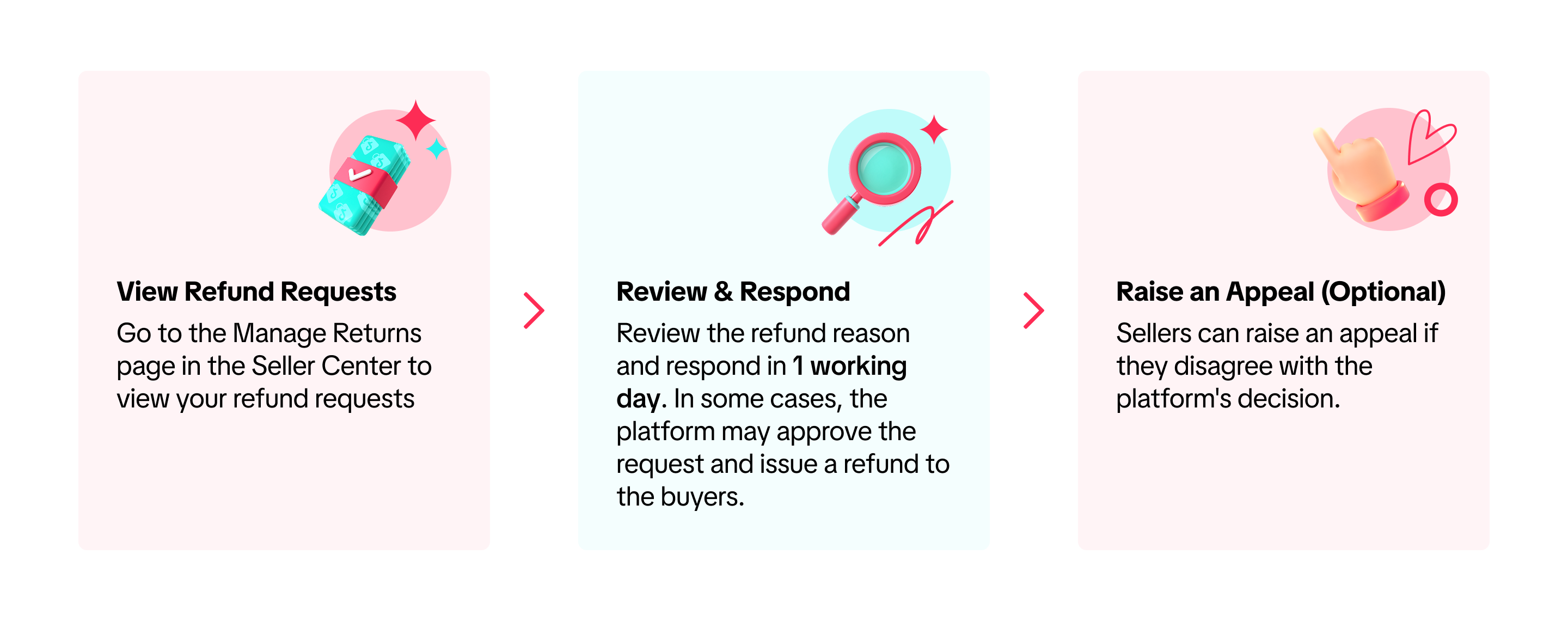
How to Manage Refund-Only Requests in TikTok Shop Seller Center
Managing refund-only requests promptly is crucial. If you miss the response deadline, TikTok Shop may auto-approve the refund, even if you disagree with the request. Follow these steps to stay in control.
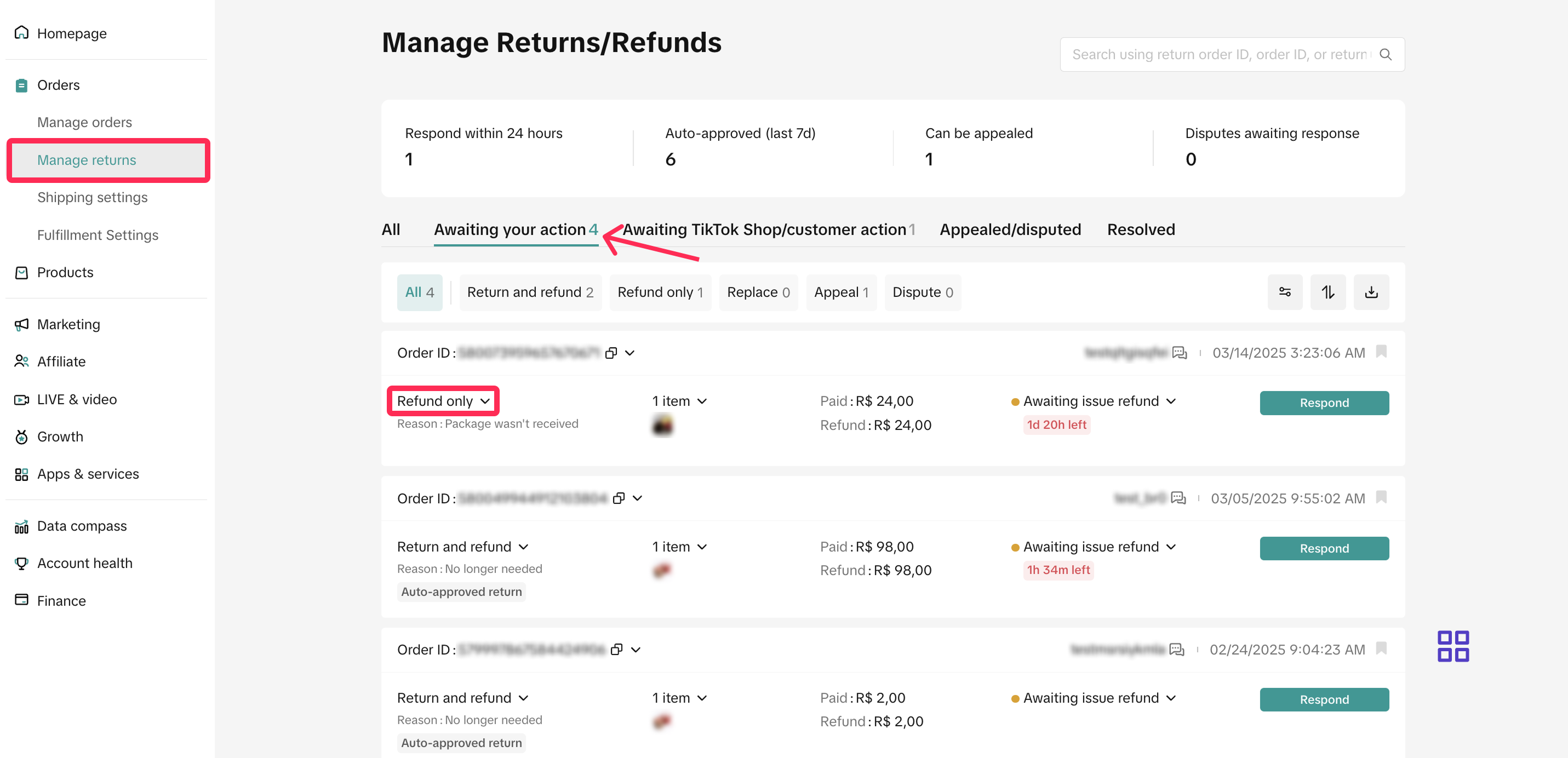
Where to Find Refund-Only Requests
-
Log in to TikTok Shop Seller Center
-
Go to Orders > Manage Returns
-
Open the “Awaiting Action” tab
-
Identify requests labelled “Refund-Only”
These are the requests that require your immediate attention.
Respond Within 1 Working Day (No Extensions)
Once a refund-only request appears under Awaiting Action, sellers have 1 working day to respond.
-
If you do not take action within this timeframe, TikTok Shop will automatically approve the refund
-
There are no exceptions or extensions to this rule
This makes daily monitoring of Seller Center essential for all active sellers.
Actions Available to Sellers
✅ Issue Refund
Choose this option when:
-
The refund reason is valid
-
You agree with the buyer’s request
Once approved, TikTok Shop will process the refund automatically to the buyer.
❌ Reject Request
Use this option if:
-
The refund does not meet your criteria
-
The request lacks valid justification
Always provide a clear and transparent reason when rejecting. This helps reduce disputes and supports your case if the buyer escalates the issue.
When TikTok Shop Steps In
In certain situations, TikTok Shop may approve a refund on your behalf, even if you did not manually approve it. This usually happens when:
-
Response deadlines are missed, or
-
Platform enforcement limits seller action
If you disagree with the platform’s decision:
-
You may submit an appeal within 7 calendar days from the refund date
-
Appeals must be filed through Seller Center
Monitoring Refund Outcomes
To track the status of refund-only requests:
-
Visit the Appealed/Disputed tab to view cases under review
-
Visit the Resolved tab to see completed refunds
For approved cases, TikTok Shop will automatically issue the refund to the buyer, and no further action is required from the seller.
Staying on Top of Refund-Only Requests Without the Mess
With refund-only auto-approvals now active on TikTok Shop, aftersales is no longer something sellers can afford to check “later.” A missed request, a shipped order that should’ve been stopped, or a delayed stock update can easily turn into avoidable losses.
Handling all this directly in Seller Center works, but once order volume grows, it becomes easy to miss details. BigSeller helps simplify the aftersales flow by putting TikTok Shop after-sales orders in one place. Sellers can clearly see refund-only, return & refund, abnormal return, and exchange cases, track their status, and act before deadlines are missed. Features like after-sales order interception also help prevent refund-only orders from being shipped by mistake, saving time and unnecessary returns.
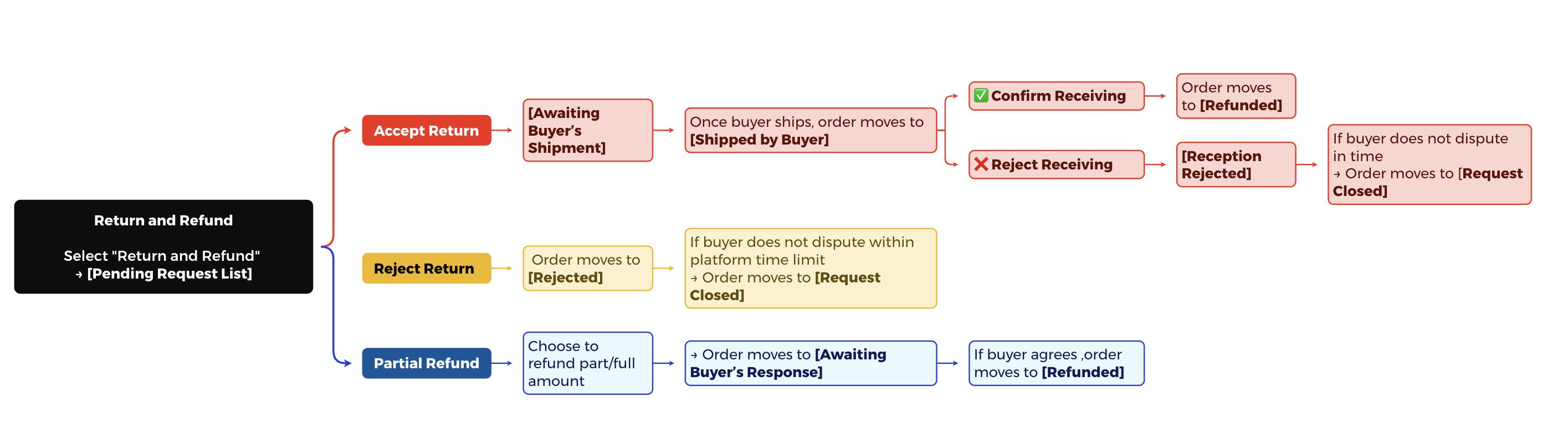
On the inventory side, BigSeller automatically releases stock for refund-before-shipment cases and helps sellers manage stock-in for returned items once parcels arrive. That means fewer manual adjustments and fewer inventory mismatches. If you’re already dealing with refund-only requests regularly, having clearer visibility and fewer manual steps makes a big difference day to day.
Try BigSeller for free and see how much easier TikTok Shop aftersales can be when everything is organised in one system.
(All information in this article is based on the “Managing Refund-Only Request” from TikTok Shop Academy.)