What is bump/boost on Shopee?
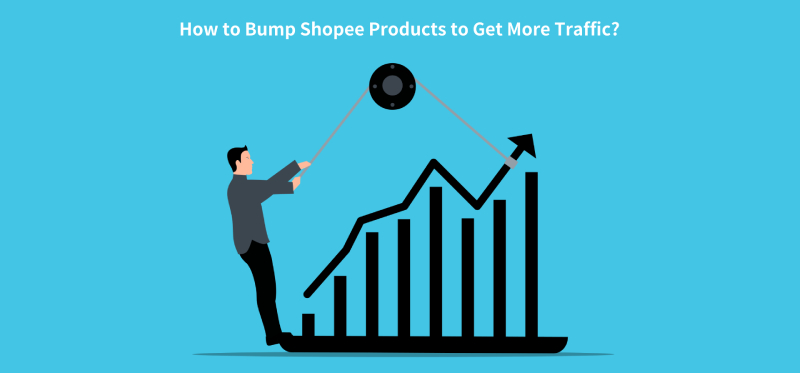
To help Shopee sellers to get more traffic, Shopee introduced the Bump function, also called Shopee Boost. The bump feature will help place your products on top of the category’s search results. It allows you to improve your products’ search ranking temporarily to increase the number of views and potential sales.Each seller has 5 slots and you can bump up to 5 products at any one time. And each slot can be used for 4 hours, which means you can bump 5 products every 4 hours. The bump button will be disabled if the number of bumped products has reached the limit.
How to bump products?
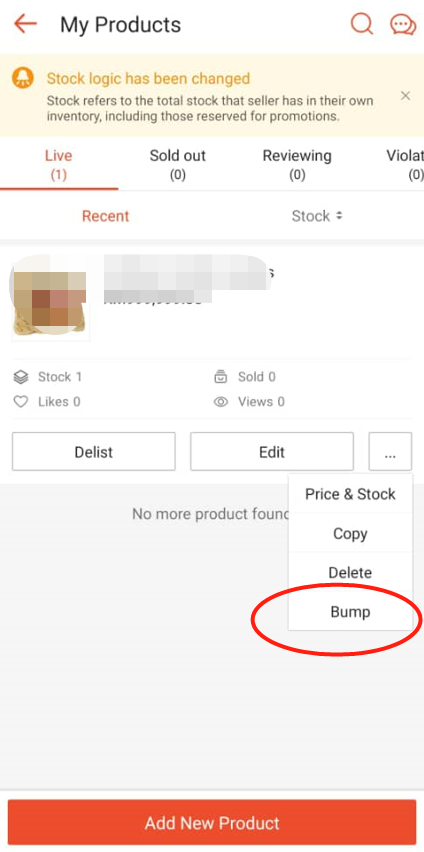
1. Bump products on Shopee APPTo bump products on Shopee APP, you can navigate to My Products and click the More dropdown menu, then you can find the Bump function.
2. Bump products on Seller Center
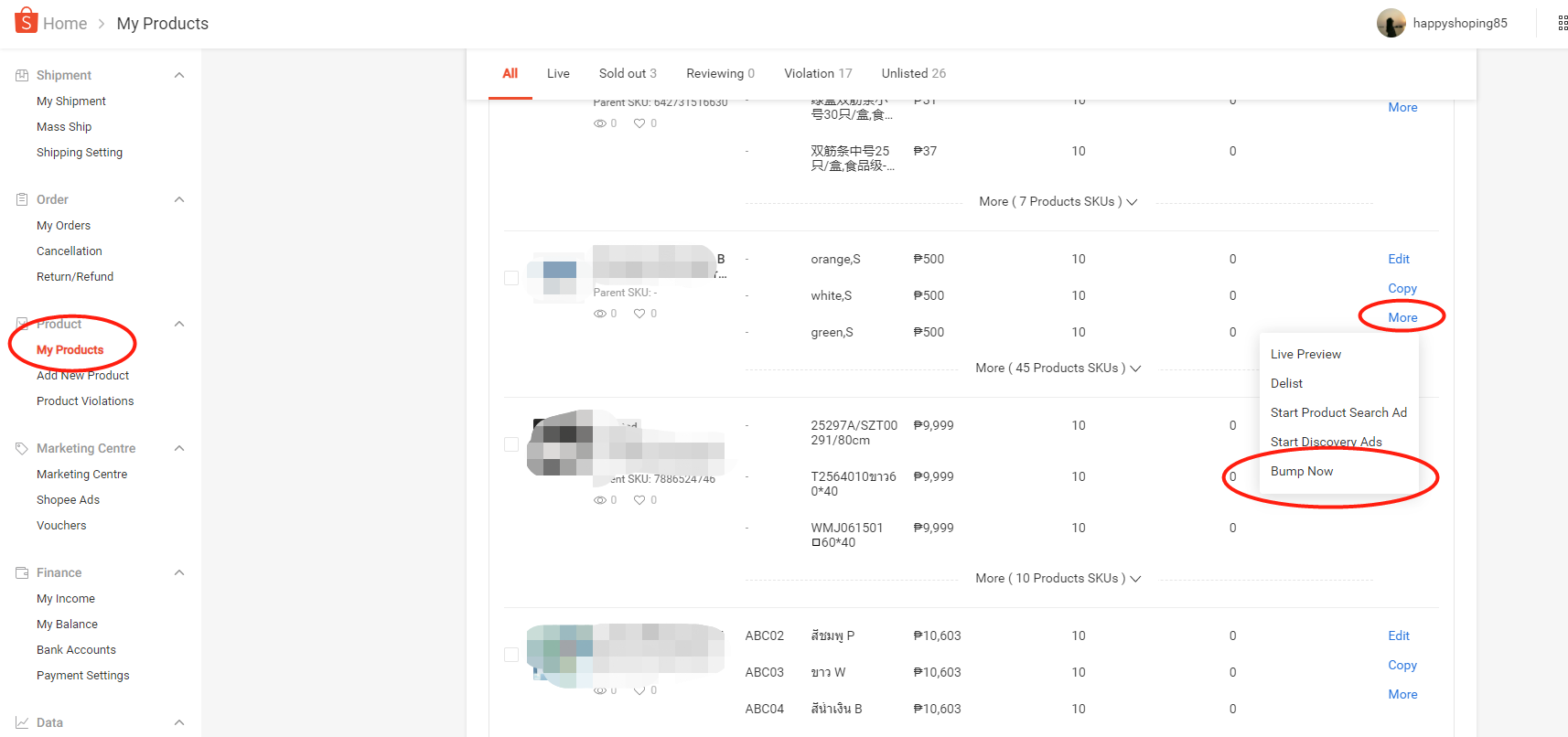
To bump products on Shopee Seller Center, you can go to My Products in the sidebar menu, find the product and click Bump Now under the More dropdown menu.
3. Bump products automatically on BigSeller
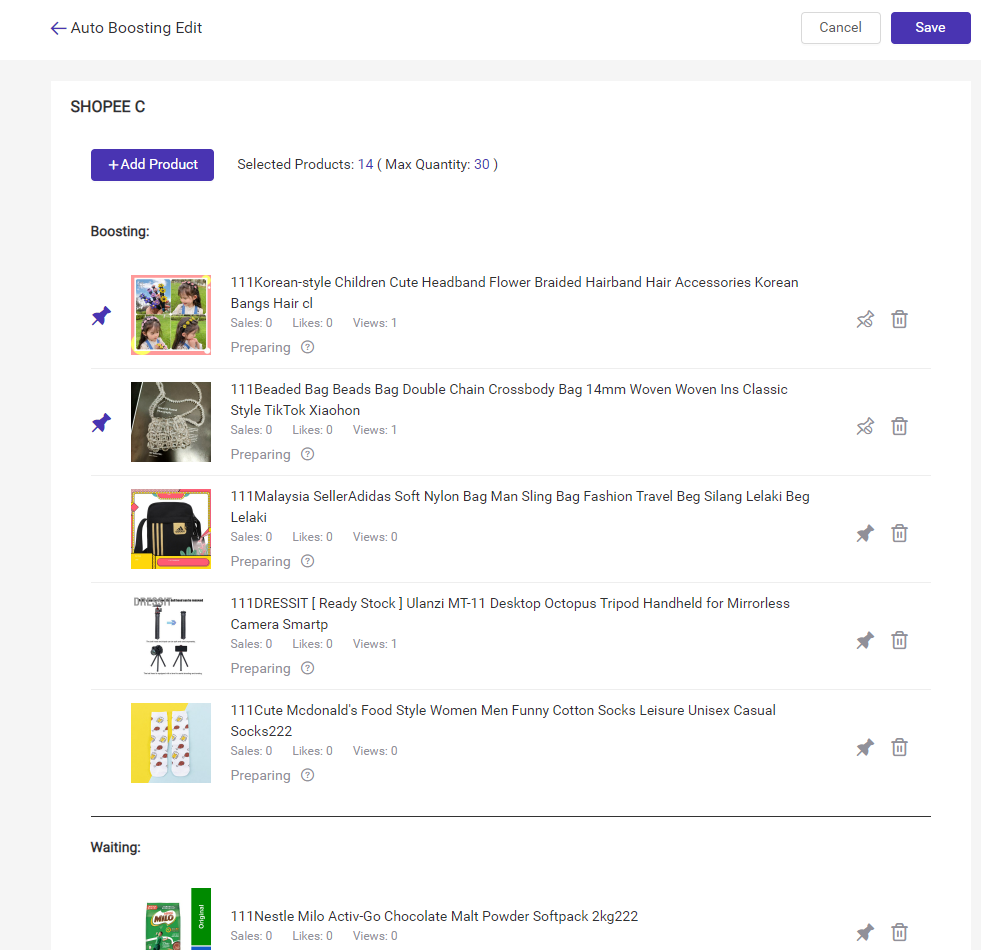
You may not be able to bump products every 4 hours in time and you may forget when you are busy. BigSeller can help you auto bump products every 4 hours, you can add up to 30 products to the boost list. It can help you save a lot of time and effort with BigSeller auto boost.
You can go to BigSeller Products > Boost Management.
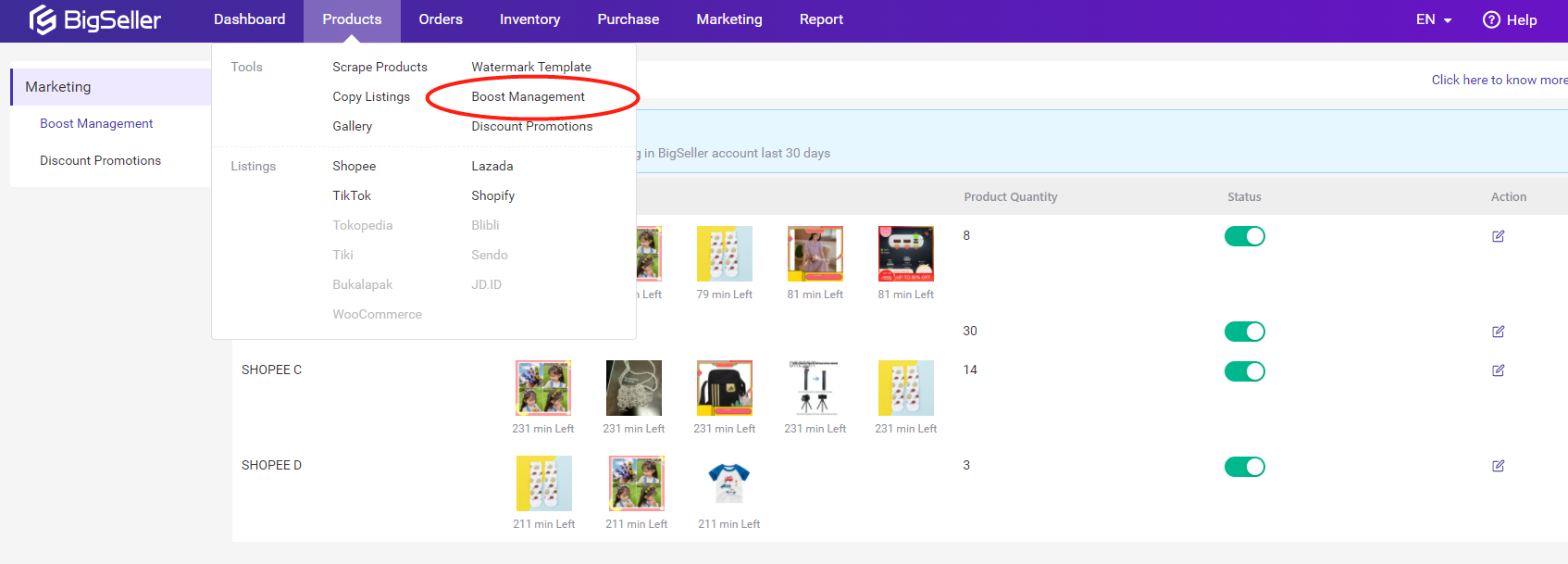
After that you can select up to 30 products to the bumping queue. BigSeller will auto bump your products after you click Save. If you want some products that are always bumped, you can click Pin Boosting.