5 Proven Ways to Contact XDE Logistics Easily
Jayson17 Dec 2025 12:25ENCopy link & title
Running an online store in the Philippines means you’ll sometimes need quick answers from your courier — tracking updates, proof of delivery, pickup scheduling, or resolving delivery exceptions. XDE Logistics (Ximex Delivery Express / XDE) is one of the local players many sellers use.
Below are five practical, proven ways to contact XDE, with tips on when to use each channel and how to speed up resolution.
Start with the XDE Logistics official contact page for general requests, sales, and account-related questions.
XDE lists dedicated emails such as sales@xde.com.ph and points users to its contact form for inquiries — this is the official route for quotes, account setup, or formal requests.
Use email when you need to attach documents (proof of payment, invoices) or make a formal request that you want logged. Put the tracking or booking number in the subject line (e.g., “Tracking# XDE12345 — delivery delay”) and paste key details at the top of the email (order ID, recipient name, address, preferred contact number). That helps routing and speeds up a first response.
If you need a faster answer than email, call. XDE publishes customer care and business line numbers on its site and services pages: +63-27-9596742 (Common customer care line)
These routes are best for time-sensitive situations like arranging a pickup or clarifying a ‘delivery attempt’ status. Phone contact is usually the quickest way to get live help or escalate urgent issues.
Note: Office hours may be limited (Monday–Friday, 8:00 AM–5:00 PM)

Many Filipino sellers get fast replies through social channels. XDE lists its Facebook customer care page as an active support channel — for quick status checks many sellers find Messenger responses faster than waiting on email. Social messaging is also useful to nudge public visibility when private channels stall.
Keep public posts non-detailed (no full addresses), then move to Messenger or email to share sensitive info. If you don’t get a reply, screenshot your message and the timestamp — useful if you need to escalate.
Before opening a ticket, check the shipment status yourself through XDE’s Track & Trace or XpresOnline portal. Many delays are explained in the tracking history (hub scans, attempted deliveries, customs holds).
If the tracking shows the problem, your support request will be more focused and easier to resolve. XDE also provides system access for business partners (XpresOnline) to view shipments and reduce repetitive calls.
If you ship frequently, an assigned account manager or sales contact can shortcut many common problems (billing queries, SLA issues, bulk pickups). XDE invites businesses to contact sales@xde.com.ph and provides account manager support for enterprise or contract logistics customers.
Having a named contact speeds escalation and gives you someone familiar with your account.
For Filipino e-commerce sellers, contacting XDE Logistics is most effective when you pick the channel that matches the issue. Preparing a short, documented summary (tracking number + key facts + screenshots) before you reach out will save you time and shorten resolution windows.
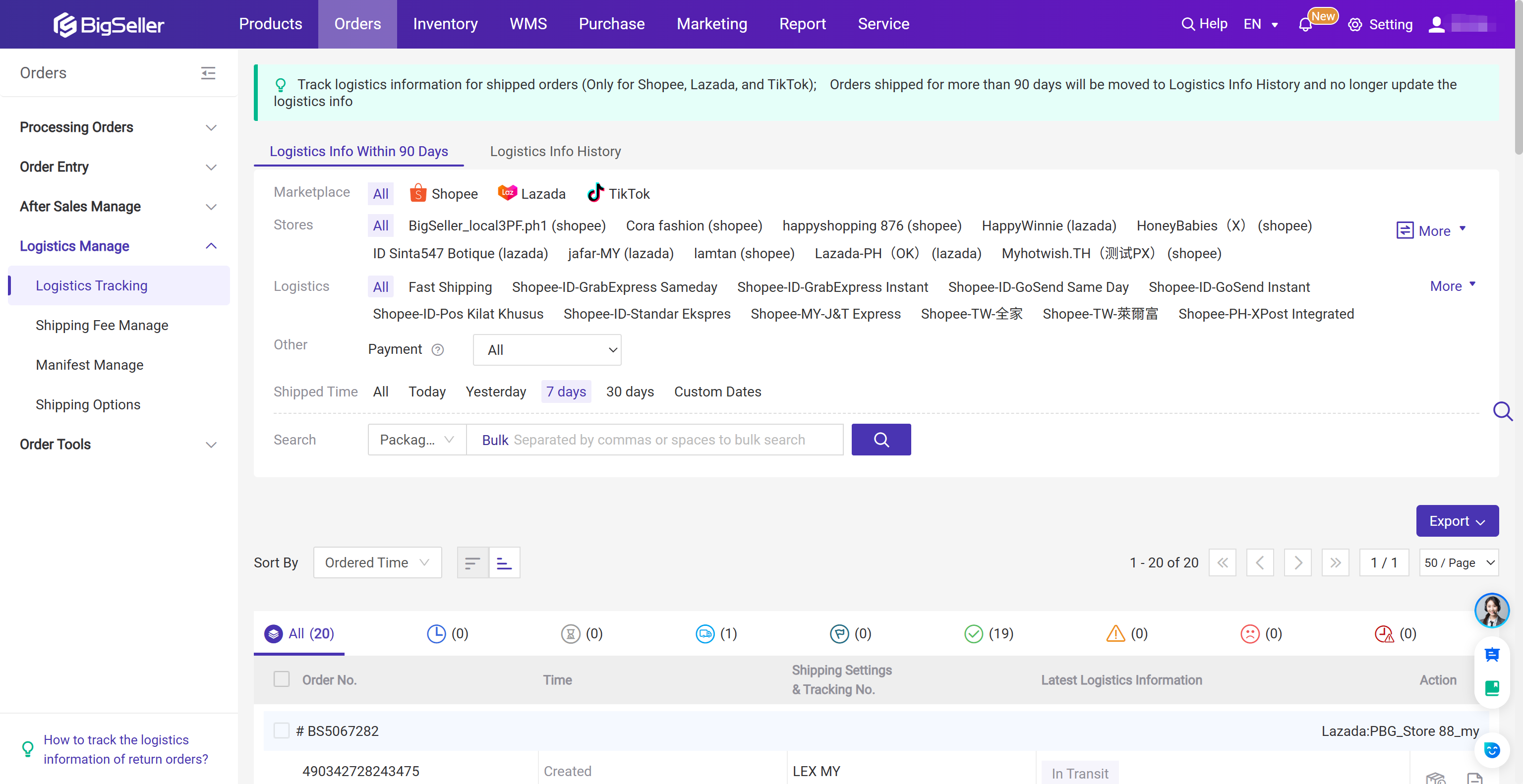
However, handling logistics is only part of the picture. For e-commerce sellers, having a tool like BigSeller helps bridge the gap between platform management and courier services like XDE Logistics Express.

Below are five practical, proven ways to contact XDE, with tips on when to use each channel and how to speed up resolution.
Want to manage multiple Shopee/Lazada/TikTok Shop accounts at the same time?
Vist our website to know more 👉 BigSeller ERP
Vist our website to know more 👉 BigSeller ERP
1. Use XDE’s official website contact form and email addresses
Start with the XDE Logistics official contact page for general requests, sales, and account-related questions.
XDE lists dedicated emails such as sales@xde.com.ph and points users to its contact form for inquiries — this is the official route for quotes, account setup, or formal requests.
Use email when you need to attach documents (proof of payment, invoices) or make a formal request that you want logged. Put the tracking or booking number in the subject line (e.g., “Tracking# XDE12345 — delivery delay”) and paste key details at the top of the email (order ID, recipient name, address, preferred contact number). That helps routing and speeds up a first response.
2. Call customer care or specific phone lines
If you need a faster answer than email, call. XDE publishes customer care and business line numbers on its site and services pages: +63-27-9596742 (Common customer care line)
These routes are best for time-sensitive situations like arranging a pickup or clarifying a ‘delivery attempt’ status. Phone contact is usually the quickest way to get live help or escalate urgent issues.
Note: Office hours may be limited (Monday–Friday, 8:00 AM–5:00 PM)
3. Message XDE’s official Facebook page for quick checks
Many Filipino sellers get fast replies through social channels. XDE lists its Facebook customer care page as an active support channel — for quick status checks many sellers find Messenger responses faster than waiting on email. Social messaging is also useful to nudge public visibility when private channels stall.
Keep public posts non-detailed (no full addresses), then move to Messenger or email to share sensitive info. If you don’t get a reply, screenshot your message and the timestamp — useful if you need to escalate.
4. Check XDE tracking portal (Xpress Online / Track & Trace)
Before opening a ticket, check the shipment status yourself through XDE’s Track & Trace or XpresOnline portal. Many delays are explained in the tracking history (hub scans, attempted deliveries, customs holds).
If the tracking shows the problem, your support request will be more focused and easier to resolve. XDE also provides system access for business partners (XpresOnline) to view shipments and reduce repetitive calls.
5. Use account manager / sales contacts if you’re a high-volume seller
If you ship frequently, an assigned account manager or sales contact can shortcut many common problems (billing queries, SLA issues, bulk pickups). XDE invites businesses to contact sales@xde.com.ph and provides account manager support for enterprise or contract logistics customers.
Having a named contact speeds escalation and gives you someone familiar with your account.
Conclusion:
For Filipino e-commerce sellers, contacting XDE Logistics is most effective when you pick the channel that matches the issue. Preparing a short, documented summary (tracking number + key facts + screenshots) before you reach out will save you time and shorten resolution windows.
However, handling logistics is only part of the picture. For e-commerce sellers, having a tool like BigSeller helps bridge the gap between platform management and courier services like XDE Logistics Express.
BigSeller is the ultimate FREE e-commerce ERP for Southeast Asian sellers, designed to supercharge your business. Streamline everything in one place—from product listings and order processing to inventory management, financial tracking, and automated operations.
Vist our website to know more 👉BigSeller ERP
Vist our website to know more 👉BigSeller ERP
BigSeller-Blog Senior Writer: Jayson
Sir Jayson has worked in well-known e-commerce companies such as Shopee and TikTok Shop, helping hundreds of sellers to deepen their e-commerce industry, expand their business, and eventually become high-quality sellers.