Shopee Reassessed Return Reason: Why Your Buyer’s Claim Suddenly Changed
Erra20 Feb 2026 04:35ENCopy link & title
The buyer selected one reason.
But inside the case details, Shopee shows a different explanation.
Many sellers assume it’s an error. It’s not.
This is called Reassessed Return Reason (RRR), an internal decision made after the platform reviews the evidence submitted for the return.
If you handle returns regularly, understanding this can change how you react to approvals, disputes, and even how you improve your listings.

What Is Reassessed Return Reason (RRR) on Shopee?
Reassessed Return Reason (RRR) is the return reason determined by the platform’s Return/Refund agent after reviewing the case, not the reason originally selected by the buyer when submitting the request.
When buyers file for a return or refund, they must choose a category to proceed. That selection is only the starting point. During case handling, agents review the supporting evidence, including:
-
Photos or videos uploaded by the buyer
-
Actual condition of the returned item
-
Order and variation details
-
Delivery records
-
Chat history between buyer and seller
If the chosen category does not match what the evidence shows, the agent will update it to a reason they consider more accurate.
This updated classification is what appears as the Reassessed Return Reason (RRR).
Why Can the Return Reason Change?
Buyers don’t always choose the correct reason when submitting a request. Some pick the quickest option just to complete the form. Others misunderstand product specifications, variations, or how the item is supposed to function. There are also cases where the evidence uploaded does not support the claim made.
RRR exists to ensure cases are recorded based on investigation rather than relying entirely on the buyer’s initial input.
Because of that, it is normal to see a difference between what the buyer selected and what the case is ultimately labelled as.
Where to Check the Reassessed Return Reason
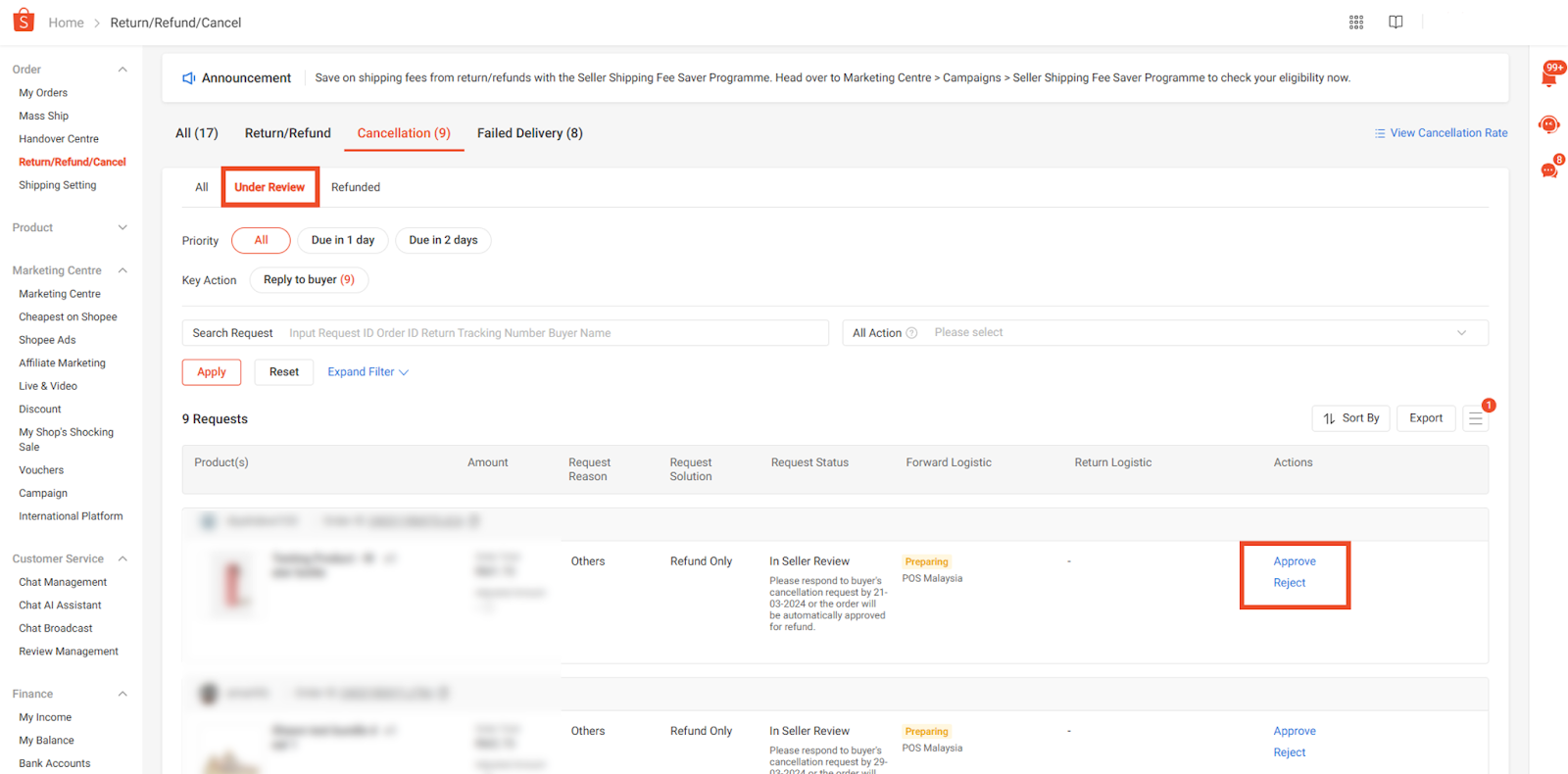
On Shopee Seller Centre
-
Go to Orders.
-
Open Return/Refund/Cancel.
-
Click the Return/Refund tab.
-
Locate the Reassessed Return Reason column in the requests table.
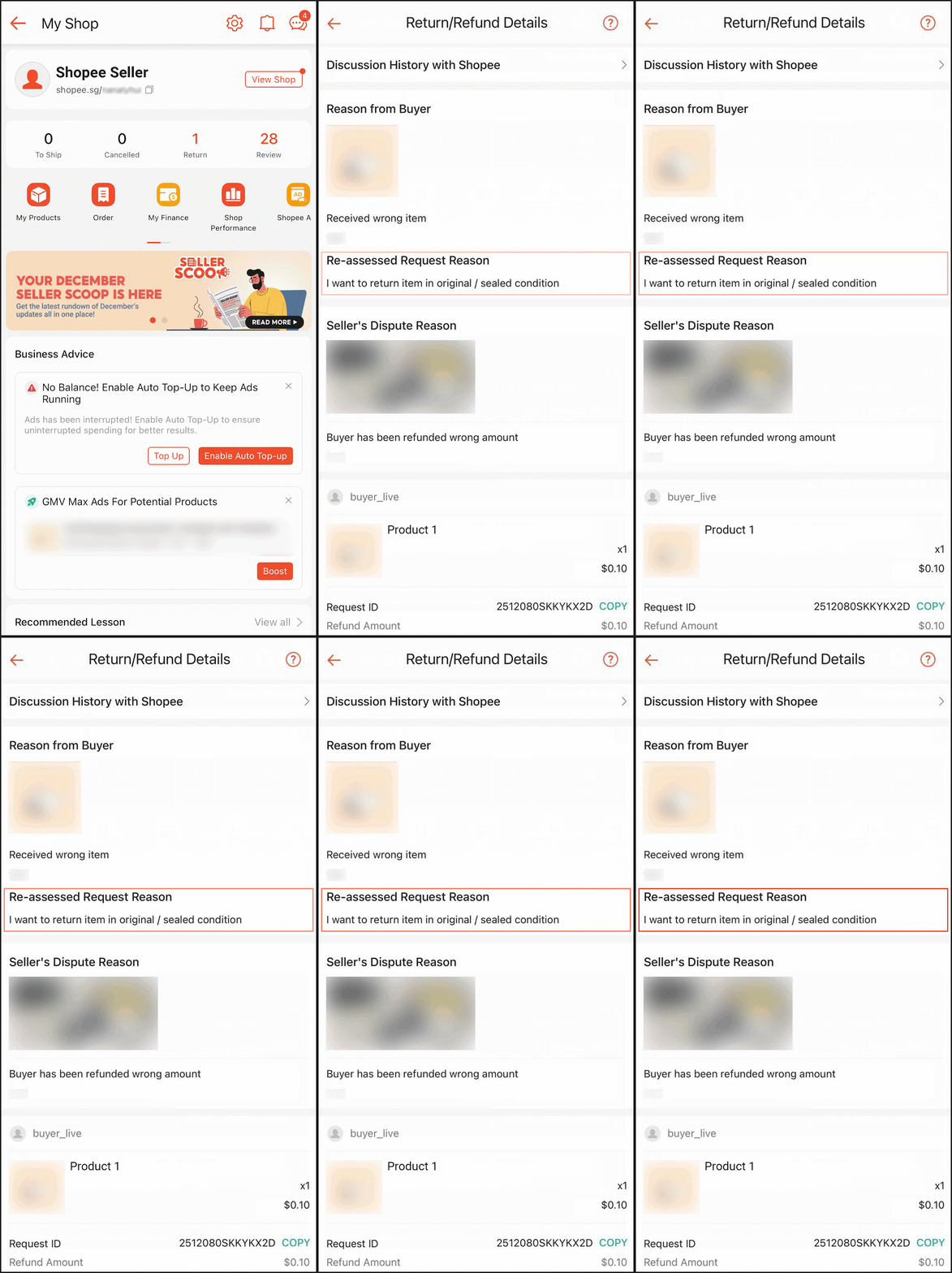
You may also click into a specific return case and view the reassessed reason displayed beneath the buyer’s original reason.
On the Shopee App
-
Go to My Shop from your profile.
-
Tap Return.
-
Select the affected order from the list.
-
Open Return Refund Details to see the reassessed reason.
Not Every Case Will Have RRR
Reassessed Return Reason does not appear in all return or refund requests. It is only shown when the handling agent decides that a reassessment is needed.
If the buyer’s selected reason already matches the evidence provided, there is nothing to adjust. In those situations, no additional label will be displayed.
So, when you don’t see an RRR, it doesn’t mean the case was ignored or skipped, it simply means the original reason was considered accurate enough.
When the RRR Becomes Final
The reassessed reason is not immediately locked. Its status depends on whether you choose to challenge the decision.
-
If you do not raise a dispute:
The RRR becomes final once the return/refund request is approved. -
If you raise a dispute:
The RRR is only finalised after the dispute process ends, when the outcome is confirmed as approved or rejected.
This timeline is important. Sellers who intend to contest a case should review the RRR early, before the decision is permanently recorded.
Why Sellers Should Pay Attention to RRR
It’s common for sellers to look only at the outcome, approved or rejected, and ignore everything else. But the reassessed reason provides context that helps you decide what to do next and how to prevent similar cases.
RRR can reveal:
-
Whether the issue was genuinely product-related or driven by buyer expectations
-
If buyers frequently choose the wrong return categories
-
Recurring patterns that suggest your listing needs clearer descriptions, sizing details, or images
-
Whether escalating the case is likely to change the outcome
Used properly, this information becomes a feedback tool. Instead of reacting case by case, you can identify what’s causing repeat returns and fix it at the listing or operational level, something a simple approval or rejection status cannot show.
Don’t Just React to Returns, Manage Them Better
Understanding return cases today is no longer just about accepting or rejecting requests. Features like Reassessed Return Reason give sellers more visibility into how cases are judged, but tracking them manually across multiple stores can quickly become messy, especially if you are selling on more than one platform.
BigSeller is a free, easy-to-use, and highly automated e-commerce ERP built specifically for Southeast Asian sellers. Instead of checking orders, returns, stock, and reports separately on each marketplace, BigSeller brings everything into one place so you can manage operations with far less manual work.
If you are already dealing with increasing orders, returns, and platform rules, managing everything manually will only slow you down.
Try BigSeller for free today and claim a 7-day VIP trial coupon to explore advanced automation, reporting, and multi-channel management with no setup cost required.
It’s a practical step toward running your stores with fewer mistakes, clearer data, and much less operational stress.
Source: