Shopee Philippines Tightens Seller Activity Rules: What Every PH Seller Must Know
Jayson15 Apr 2026 09:25ENCopy link & title
Shopee Philippines has issued a new announcement stating that, to ensure a smooth shopping experience for users, sellers must fulfill orders on time and respond to buyer messages promptly. Stores that remain inactive for extended periods, resulting in unfulfilled orders and unresponsive chat, will initially receive a warning. If the situation persists, starting April 13, 2026, the system may automatically place the store into "vacation mode."
You are considered inactive if you have not logged in to any of the following platforms for 7 consecutive days or more:
⚠️ Important: Even if you have zero pending orders, you must still log in regularly. The system tracks login activity, not just order activity.
The policy doesn't jump straight to penalties. It follows a graduated enforcement path:
Stage 1 — Inactive status flagged: The system detects no login across all three platforms for 7+ consecutive days.
Stage 2 — Warning issued: Shopee sends an initial warning to the store owner. This is the first opportunity to take action and restore active status.
Stage 3 — Automatic Vacation Mode: If inactivity continues after the warning, starting April 13, 2026, the system will automatically activate Vacation Mode on the store.
Stage 4 — Manual recovery: The seller can turn off Vacation Mode at any time through Seller Center or the Shopee Seller App to resume normal operations.
To maintain the health of stores, inactive stores will be put into vacation mode to avoid an increase in non-fulfillment rates and negative reviews. However, when Vacation Mode is activated — whether by you or automatically by Shopee — your store enters a restricted state:
✅ Existing orders placed before activation can still be processed and shipped
❌ No new orders will be accepted
❌ Your store and products will not appear in buyer search results or listings
✅ You can deactivate Vacation Mode manually at any time
While Vacation Mode prevents new unfulfilled orders from piling up, it also means your store disappears from search results and product listings during the inactive period — directly affecting your sales revenue and search ranking recovery time.
① Log in every 5–6 days
Build a calendar reminder or a routine login habit. Remember, any of the three platforms — Seller Center, Shopee Seller App, or My Store in the buyer app — counts as an active login.
② Enable push notifications on the Shopee Seller App
Turn on all alerts so you never miss buyer messages or order updates, even when you're away from your desk.
③ Set up auto-replies in Shopee Chat
Configure an automated greeting and away message within Shopee Chat settings. This keeps your Chat Response Rate healthy even during busy periods or short absences.
④ Activate Vacation Mode yourself before you go
If you know you'll be traveling or taking a break, manually activate Vacation Mode in advance. Proactively managed Vacation Mode protects your store from accumulating unfulfilled orders or missed chats, and is the recommended approach by Shopee.
⑤ Using ERP tools
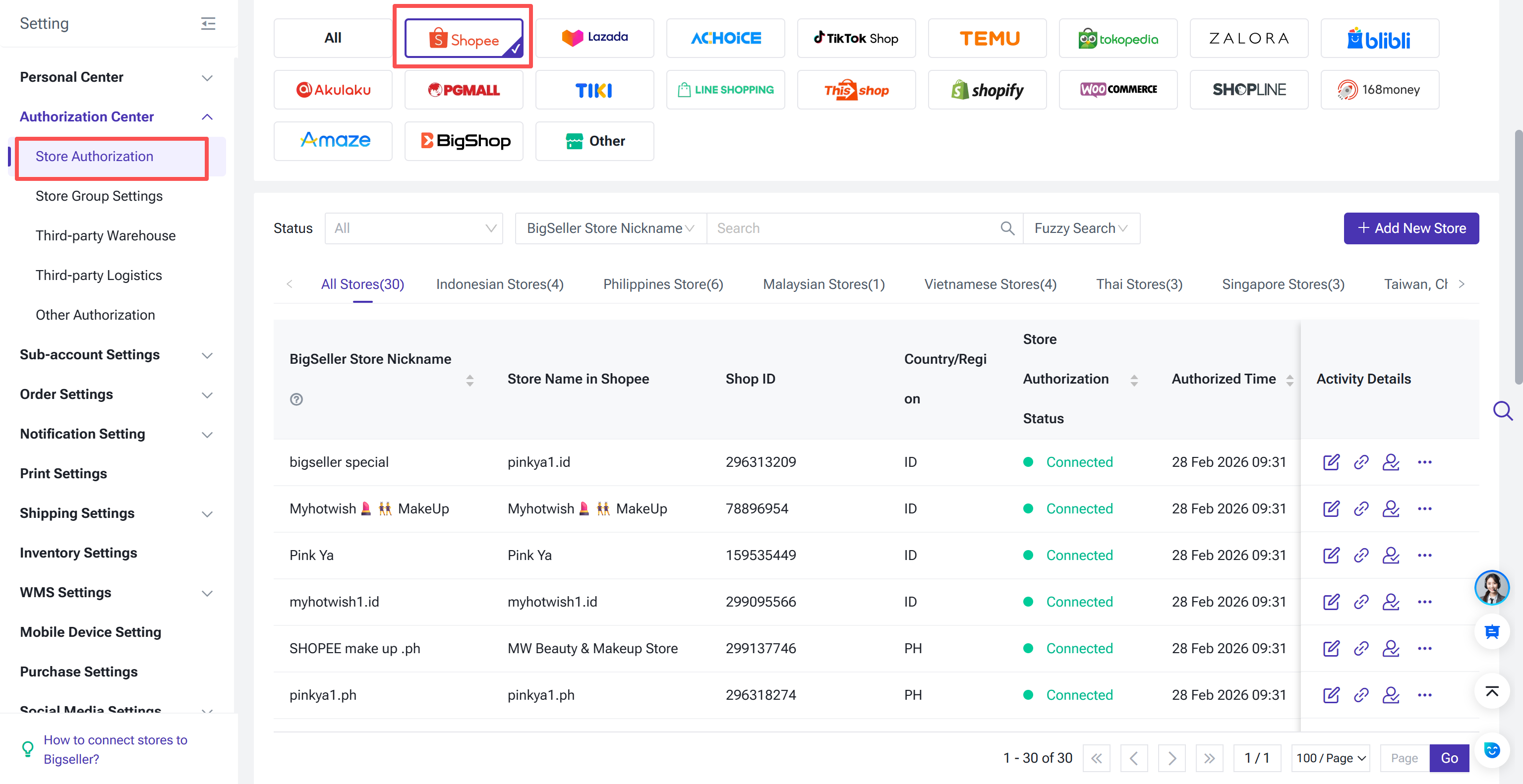
If you own multiple Shopee stores, you can use an ERP system like BigSeller to manage them. This allows you to monitor the activity of all stores directly in a single dashboard, effectively preventing low activity levels in any single store.

1. Who Is Considered an "Inactive" Seller?
You are considered inactive if you have not logged in to any of the following platforms for 7 consecutive days or more:
- Seller Center — the web-based dashboard at seller.shopee.ph
- Shopee Seller App — the dedicated mobile app for store management
- My Store (Shopee App) — the seller section inside the main Shopee buyer app
⚠️ Important: Even if you have zero pending orders, you must still log in regularly. The system tracks login activity, not just order activity.
2. How the Enforcement Process Works
The policy doesn't jump straight to penalties. It follows a graduated enforcement path:
Stage 1 — Inactive status flagged: The system detects no login across all three platforms for 7+ consecutive days.
Stage 2 — Warning issued: Shopee sends an initial warning to the store owner. This is the first opportunity to take action and restore active status.
Stage 3 — Automatic Vacation Mode: If inactivity continues after the warning, starting April 13, 2026, the system will automatically activate Vacation Mode on the store.
Stage 4 — Manual recovery: The seller can turn off Vacation Mode at any time through Seller Center or the Shopee Seller App to resume normal operations.
3. What Happens in Vacation Mode?
To maintain the health of stores, inactive stores will be put into vacation mode to avoid an increase in non-fulfillment rates and negative reviews. However, when Vacation Mode is activated — whether by you or automatically by Shopee — your store enters a restricted state:
✅ Existing orders placed before activation can still be processed and shipped
❌ No new orders will be accepted
❌ Your store and products will not appear in buyer search results or listings
✅ You can deactivate Vacation Mode manually at any time
While Vacation Mode prevents new unfulfilled orders from piling up, it also means your store disappears from search results and product listings during the inactive period — directly affecting your sales revenue and search ranking recovery time.
4. Five Practical Steps to Stay Compliant
① Log in every 5–6 days
Build a calendar reminder or a routine login habit. Remember, any of the three platforms — Seller Center, Shopee Seller App, or My Store in the buyer app — counts as an active login.
② Enable push notifications on the Shopee Seller App
Turn on all alerts so you never miss buyer messages or order updates, even when you're away from your desk.
③ Set up auto-replies in Shopee Chat
Configure an automated greeting and away message within Shopee Chat settings. This keeps your Chat Response Rate healthy even during busy periods or short absences.
④ Activate Vacation Mode yourself before you go
If you know you'll be traveling or taking a break, manually activate Vacation Mode in advance. Proactively managed Vacation Mode protects your store from accumulating unfulfilled orders or missed chats, and is the recommended approach by Shopee.
⑤ Using ERP tools
If you own multiple Shopee stores, you can use an ERP system like BigSeller to manage them. This allows you to monitor the activity of all stores directly in a single dashboard, effectively preventing low activity levels in any single store.
BigSeller is the ultimate e-commerce SaaS ERP system designed for Southeast Asian sellers, aiming to help you improve efficiency and expand more business channels. It simplifies all processes on one dashboard—from product listing and order processing to inventory management, financial tracking, and automated operations. Customized subscription plans are also available for different types of sellers.
Vist our website to know more 👉BigSeller ERP
Vist our website to know more 👉BigSeller ERP
BigSeller-Blog Senior Writer: Jayson
Sir Jayson has worked in well-known e-commerce companies such as Shopee and TikTok Shop, helping hundreds of sellers to deepen their e-commerce industry, expand their business, and eventually become high-quality sellers.