How to Sync Inventory Across Shopee, Lazada, and TikTok Shop in the Philippines
Jayson13 Aug 2026 11:22ENCopy link & title
For Philippine sellers managing Shopee, Lazada, and TikTok Shop, BigSeller can connect mapped Store SKUs to shared Merchant Inventory and push calculated available stock to corresponding listings across authorized stores.
Inventory synchronization is not simply setting the same quantity in every Seller Center. It connects product identity, warehouse inventory, synchronized orders, and channel updates in one workflow. Reliable results still depend on correct SKU mapping, accurate stock, valid store authorization, and normal data exchange with each marketplace.
1. Why Inventory Numbers Drift Across Multiple Marketplaces
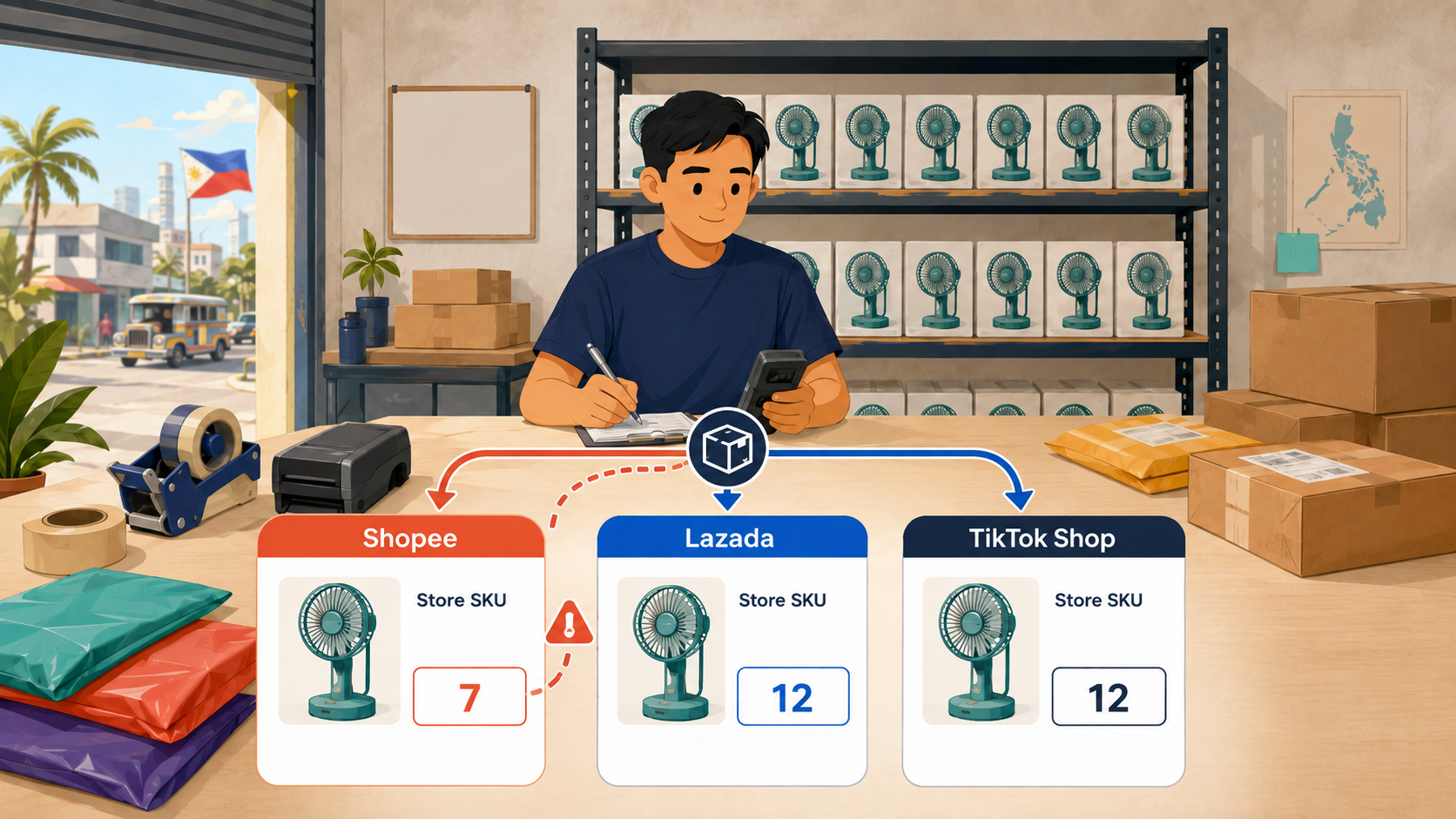
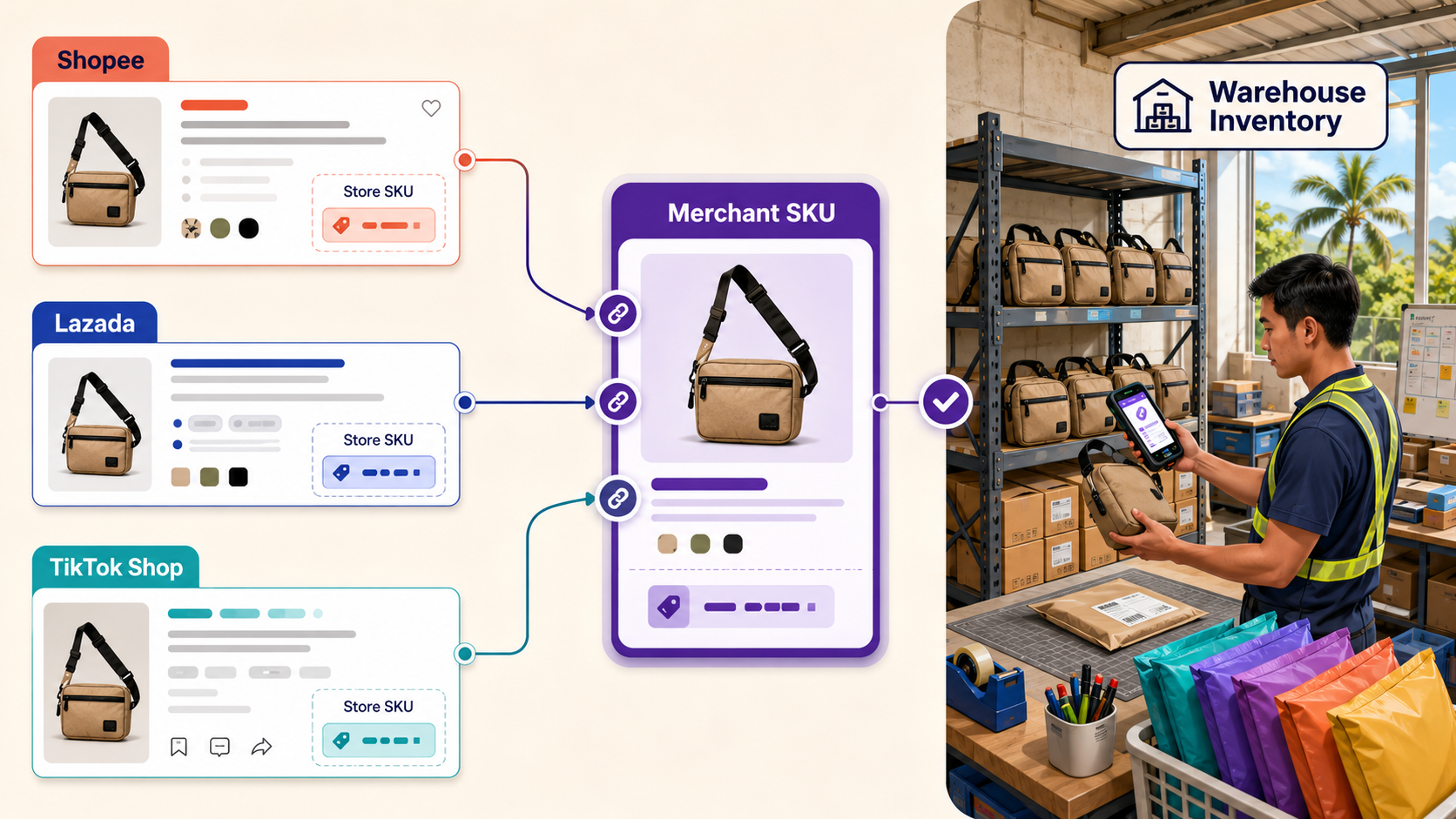
The same physical product may have different names, listing IDs, variation codes, and Store SKUs on Shopee, Lazada, and TikTok Shop.
If a team manages those quantities manually, a sale on one channel does not automatically tell the other channels which physical stock has been consumed. Warehouse movements recorded in only one place can widen the difference.
The first requirement for inventory sync is therefore not faster data entry. The system must identify which marketplace listings draw from the same physical inventory. Once that relationship is established, warehouse changes and synchronized orders can be used to calculate the quantities sent back to connected stores.
2. How BigSeller Creates One Inventory Relationship Across Stores
BigSeller begins with authorized marketplace stores and a clear relationship between Store SKUs and Merchant SKUs. A Store SKU identifies a product or variation inside a particular marketplace store. A Merchant SKU represents the physical item managed in BigSeller inventory.
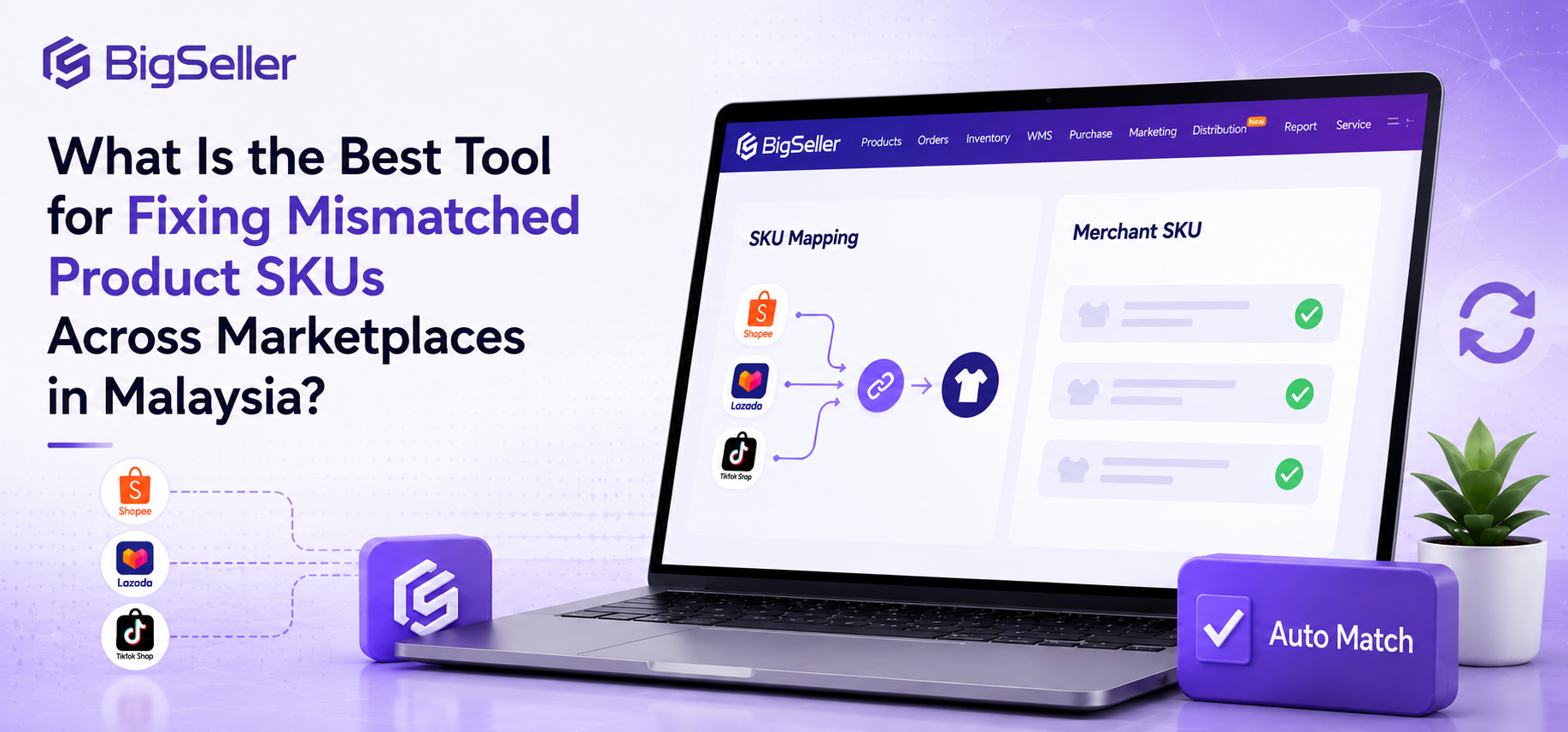
Related Store SKUs from Shopee, Lazada, and TikTok Shop can be mapped to the same Merchant SKU when they represent the same item. BigSeller does not synchronize products by name alone. The mapping tells the system that listings with different platform identifiers use a common inventory source.
The Merchant SKU must then be connected to the appropriate warehouse inventory. Sellers need to confirm the warehouse, opening quantity, and inventory movements so the calculation reflects their fulfillment setup.
The BigSeller inventory management setup guide explains the setup required before orders can allocate and deduct stock. Incorrect mapping or starting quantities will produce unreliable updates.
3. How Stock Changes Move from Orders to Connected Listings
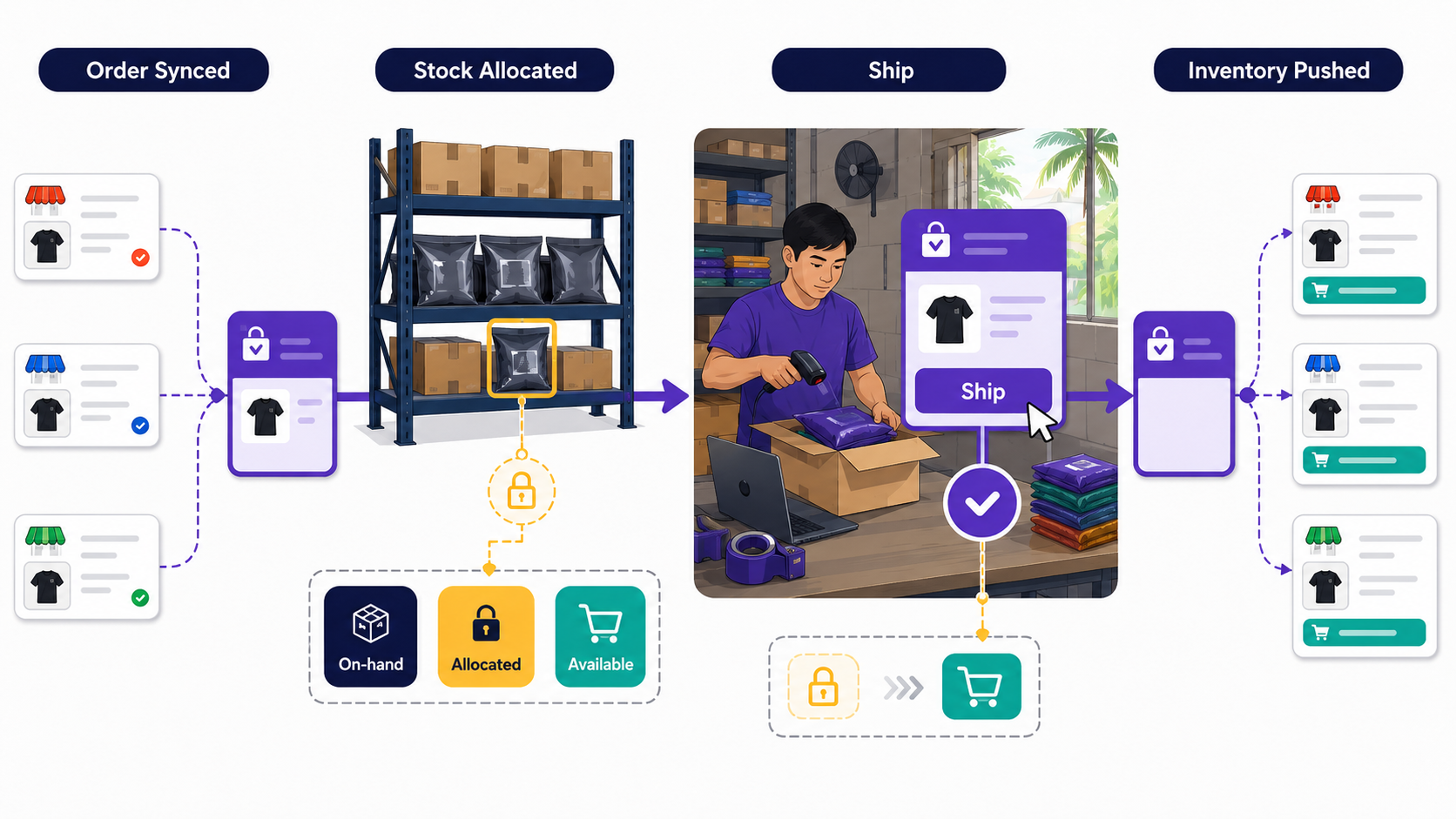
After the inventory relationship is created, stock changes move through distinct actions. Orders from authorized stores synchronize with BigSeller. When an order has sufficient inventory, BigSeller allocates the required quantity so it is not freely assigned again.
Allocation is not yet the same as final inventory deduction. The allocated stock is deducted when the seller clicks Ship in BigSeller. This distinction helps the team understand why available, allocated, and on-hand quantities may differ while orders are still being processed. Orders shipped or handled outside the BigSeller workflow require additional attention because they may not follow the same deduction process.
Inventory Push Rules connect these warehouse changes with marketplace listings. A seller selects the Merchant SKUs, warehouse inventory, and authorized stores covered by a rule. BigSeller then calculates the quantity to be sent to each mapped listing according to that configuration. Sharing one inventory source does not necessarily mean every store must display exactly the same number; the pushed quantity depends on the rule applied to that store.
The BigSeller Push Inventory guide provides the relevant setup and record-checking instructions. Marketplace interfaces, authorization status, and data exchange can affect update timing, so inventory sync should not be treated as an unconditional guarantee of instant updates under every condition.
4. What Sellers Need to Configure and Monitor
Reliable synchronization begins with configuration checks. Store authorization must remain valid, and every relevant product variation should be mapped to the correct Merchant SKU. Sellers should also verify warehouse quantities and ensure that receiving, returns, transfers, stock counts, and manual adjustments are recorded in the inventory workflow.
The Inventory Push Rule should include the intended Merchant SKUs, warehouses, and stores. If a listing does not update, the team should review Push Records before changing Seller Center manually. The cause may be authorization, mapping, warehouse selection, rule configuration, platform response, or source stock.
Order handling also matters. Teams should confirm that orders are synchronizing normally and that shipment is completed through BigSeller when they expect the system to deduct allocated inventory. This creates a traceable path from the marketplace order to the warehouse quantity and then to the updated availability shown on other connected listings.
5. Is BigSeller Suitable for Your Inventory Sync Setup?
BigSeller is particularly suitable for Philippine sellers operating several Shopee, Lazada, or TikTok Shop stores when the same products appear across multiple listings. It is also useful when several stores draw from one warehouse, or when selected warehouses need to supply the inventory calculation for different channels.
The need becomes clearer when employees spend substantial time changing stock one store at a time. Centralized inventory relationships reduce repetitive work and make failed updates easier to investigate.
A seller with one small store, few products, and no shared inventory may still manage stock directly in Seller Center. The practical trigger for adopting an inventory sync tool is operational complexity: more stores, more shared SKUs, more warehouse movements, and more frequent quantity changes.
For Philippine sellers managing shared products across Shopee, Lazada, and TikTok Shop, BigSeller connects product identity, warehouse stock, order processing, and listing updates in one inventory workflow. This reduces repeated manual edits and helps keep channel quantities aligned. Sellers whose main concern is controlling sales beyond available stock can also review how to reduce overselling across multiple sales channels.