Everything New in BigSeller: August 2026 Recap
Erra03 Sep 2026 03:56ENCopy link & title
We made the homepage easier to navigate, added video recording to help you keep a closer eye on warehouse operations, and brought livestream selling into a single dashboard. We also connected BigSeller with AutoCount and introduced new ways to understand your affiliate marketing performance.
In other words, we’ve been busy connecting the dots across your day-to-day operations.
Here’s a look at what’s new in BigSeller this August.

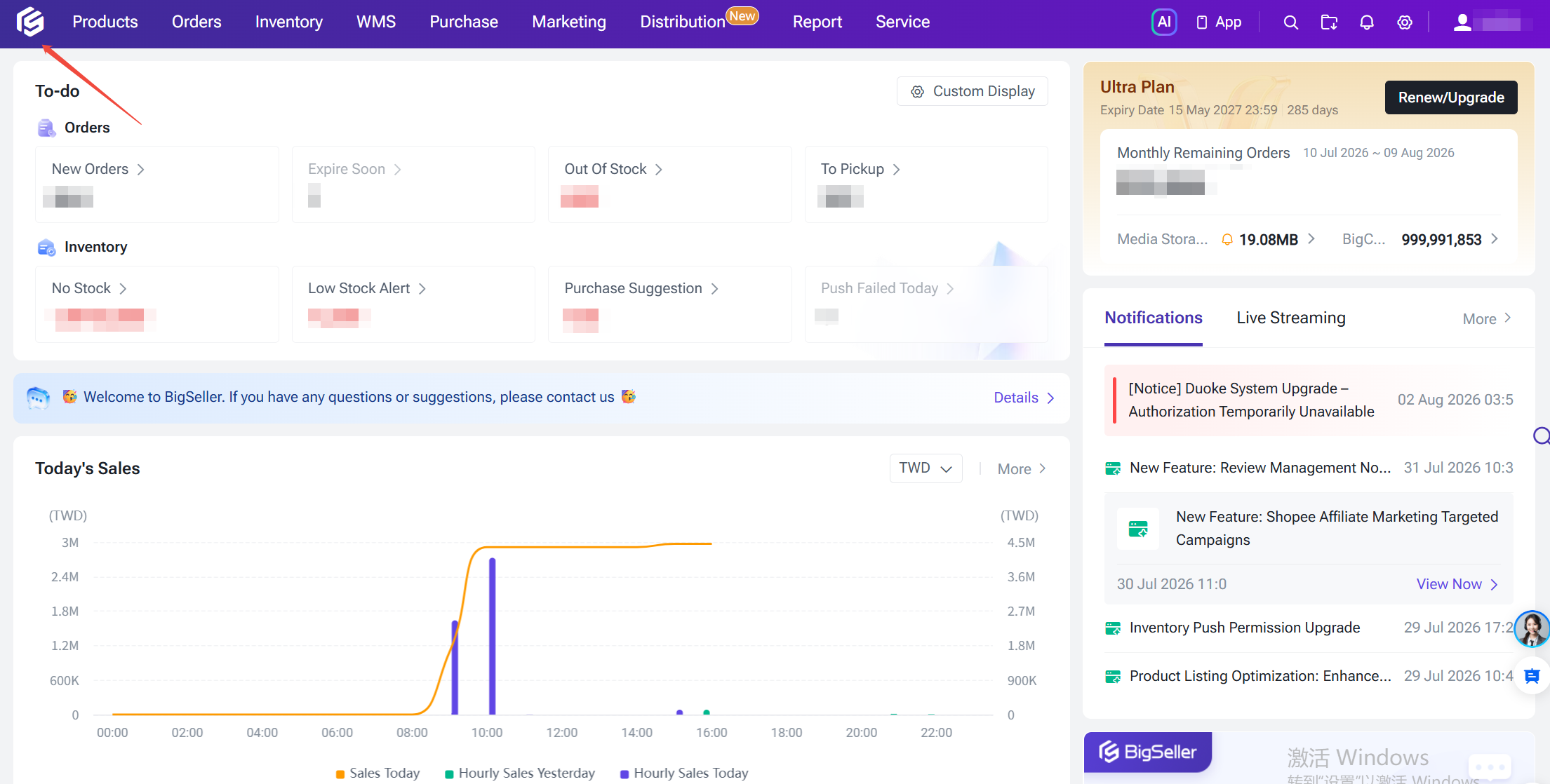
A New BigSeller Homepage
We’ve given the BigSeller homepage a complete makeover.
The goal was simple: make it easier to see what’s happening in your business and get to the things you need without clicking through multiple pages.
You can now see your order and inventory tasks at a glance, check your plan details and order quotas, and quickly access sales trends, business analysis, and Shopee advertising data.
We’ve also made it easier to keep up with what’s happening in BigSeller, with system announcements and livestream notifications right from the homepage.
It’s a simpler starting point for everything you do in BigSeller.
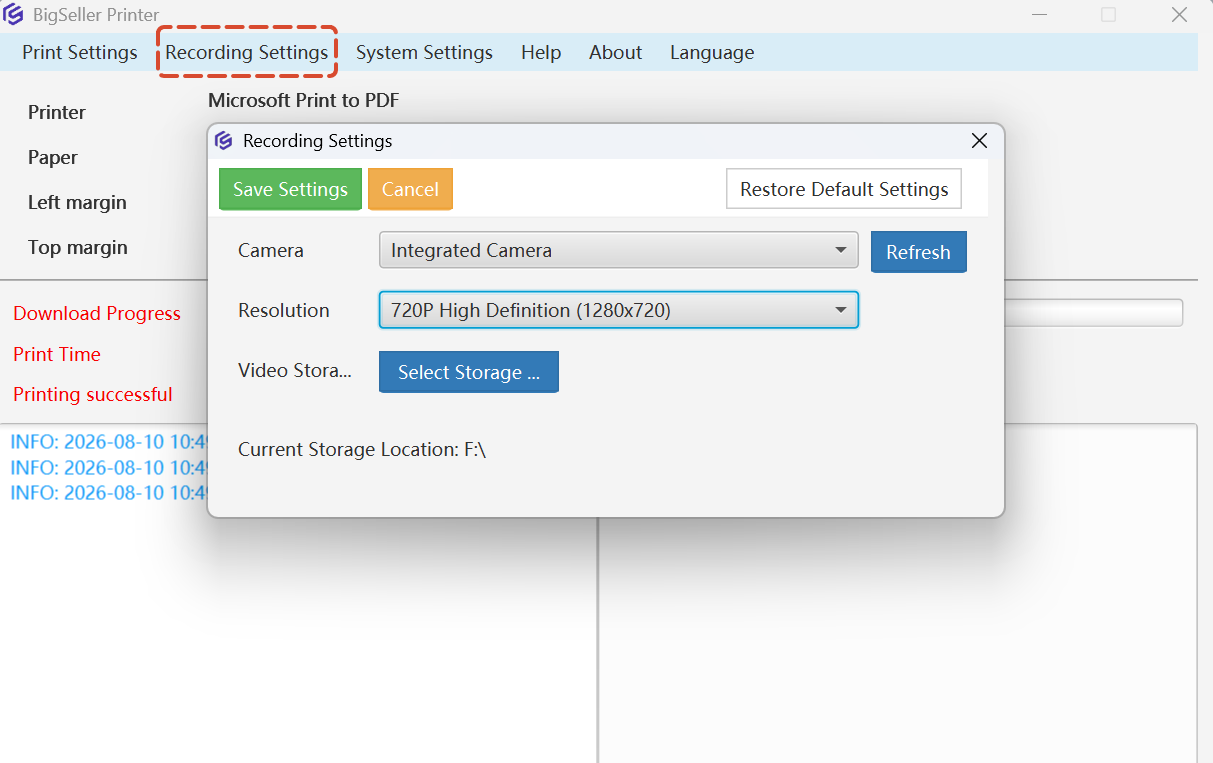
Video Recording for Warehouse Operations
Things can sometimes go wrong after an order leaves your warehouse. When a customer raises a dispute, a logistics issue comes up, or you need to appeal a platform decision, having clear evidence can make all the difference.
That’s why BigSeller now supports automatic video recording during key warehouse operations.
You can record videos while using Scan Package, Scan to Inspect, and Scan to Ship, giving you a complete and traceable record of the fulfillment process.
And getting started doesn’t require complicated equipment. A regular USB camera or Bluetooth camera is enough.
Hopefully, you won’t need the recordings very often. But when you do, you’ll be glad you have them.
Facebook Live Dashboard
Livestream selling involves a lot of moving pieces. There are products to manage, comments to keep an eye on, orders coming in, and sales performance to track, all while you're trying to keep the livestream going.
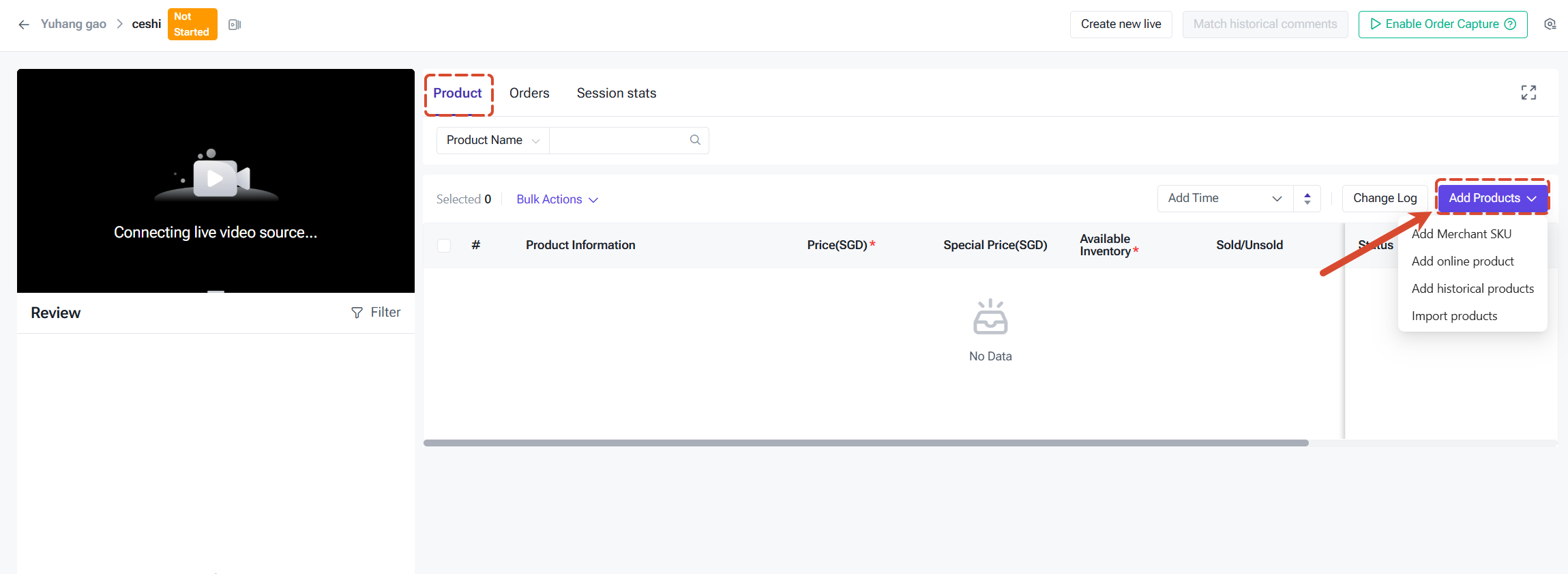
We’ve brought these workflows together with the new Facebook Live Dashboard.
From one place, you can manage products for your livestream, monitor and respond to customer comments, capture orders from livestream interactions, process those orders, and keep track of your sales performance.
You can enter the Live Dashboard automatically after creating a livestream, or open it from your livestream list.
Just remember to add your products before the livestream starts.
One dashboard, one workflow, and fewer things to switch between while you’re selling live.
BigSeller x AutoCount
For many sellers, BigSeller takes care of the e-commerce side of the business while AutoCount handles accounting.
Now, the two can work together.
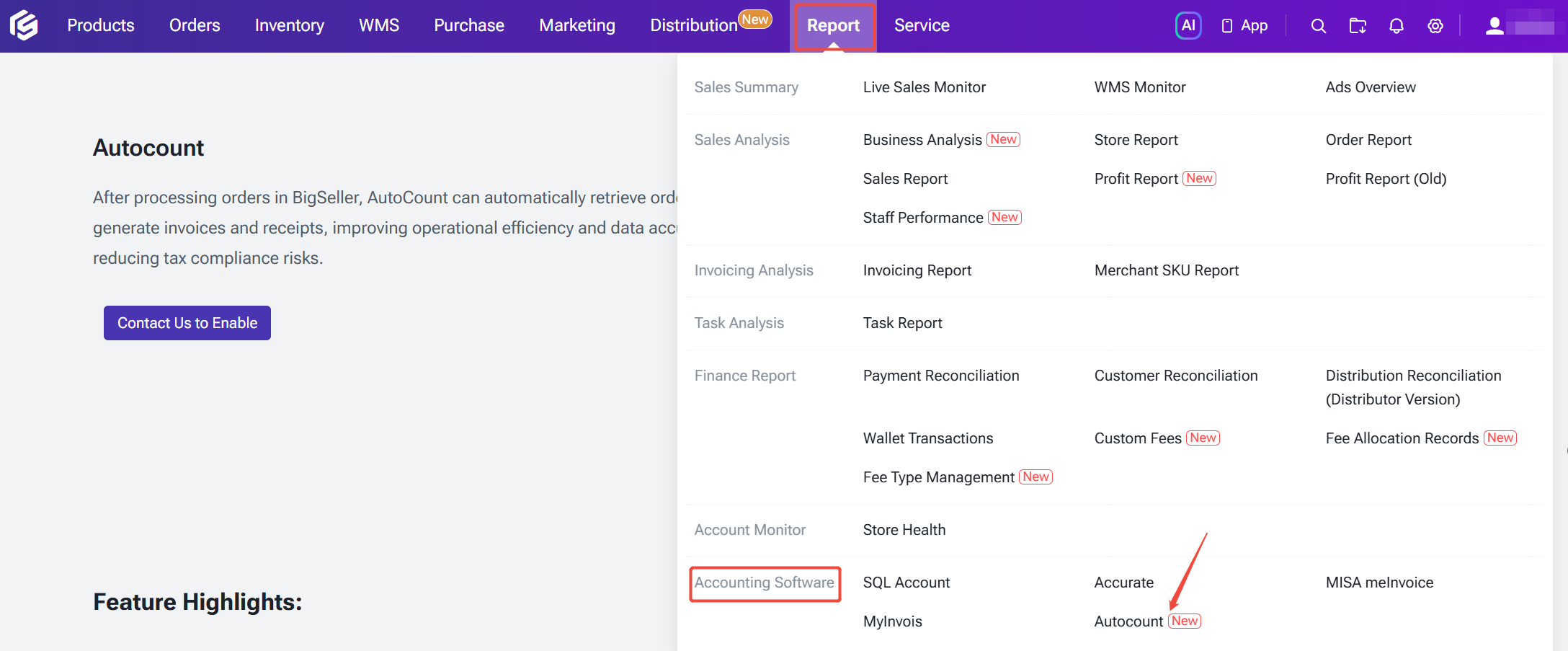
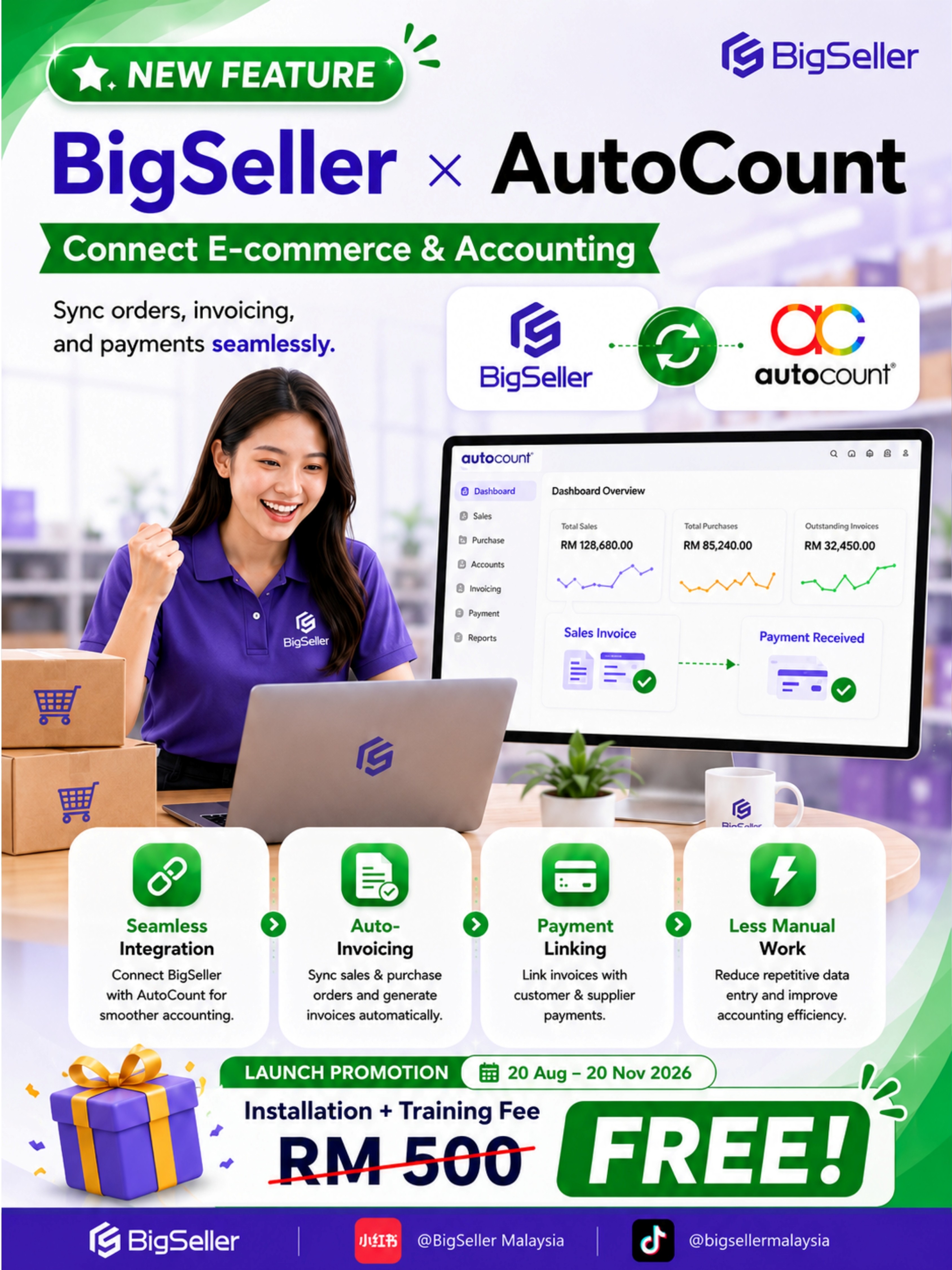
With our new BigSeller x AutoCount integration, orders from BigSeller can be synced directly to AutoCount, connecting your online sales with your accounting workflow.
Invoices can be generated automatically from orders, while invoices and payment records can be linked together. This means less manual data entry and fewer steps to keep your financial records up to date.
It’s one less thing to manage separately and a smoother connection between your store operations and your accounting.
A limited-time offer
To celebrate the launch, we’re also offering a limited-time promotion from August 20 to November 20, 2026.
The RM500 installation and training fee is fully waived. You’ll only need to pay the annual plugin fee.
AMS Overview & Data Analysis
Affiliate marketing can generate a lot of data. The tricky part is figuring out what that data is actually telling you.
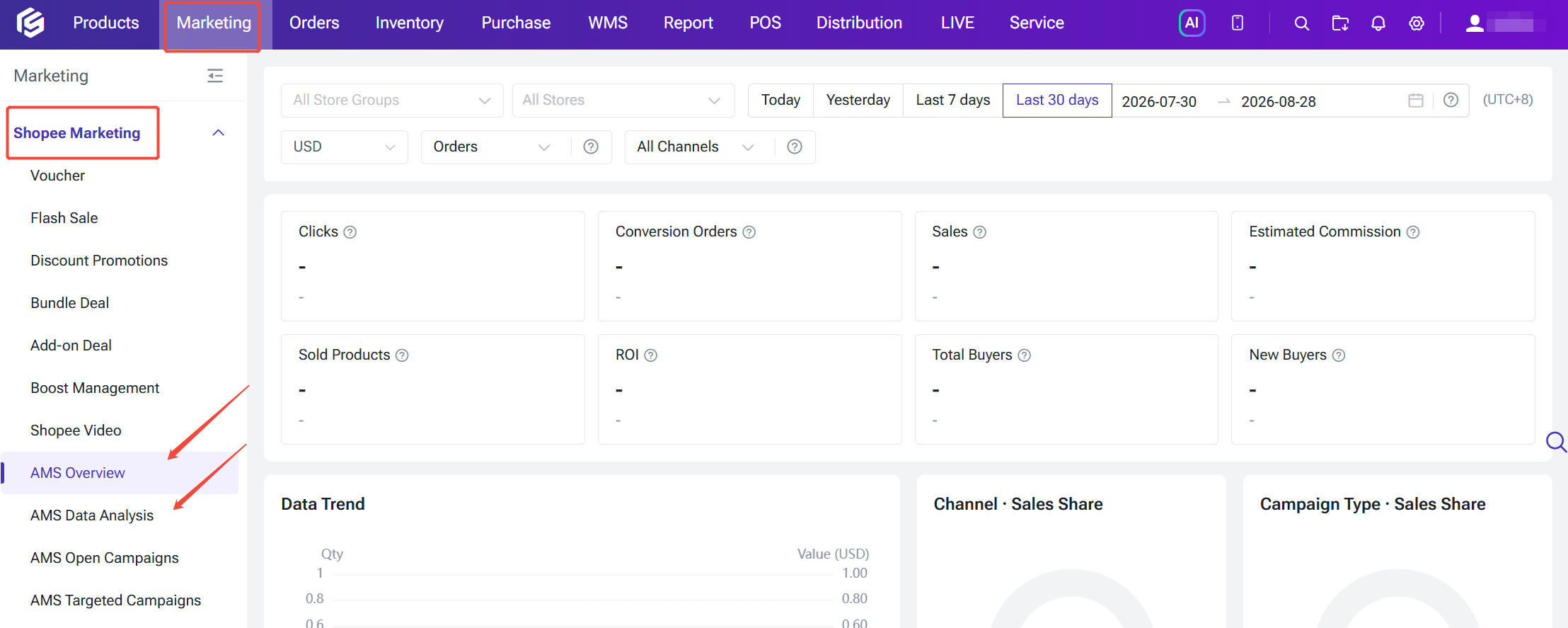
With the new AMS Overview and AMS Data Analysis features, you can now get a clearer picture of how your affiliate marketing is performing across your stores.
You can track metrics including clicks, orders, sales, estimated commission, products sold, ROI, buyers, and new buyers, all from one place.
Want to know what’s driving your results? You can break performance down by campaigns, products, affiliate partners, and promotional content to find your top performers.
You can also compare trends, campaign types, channel distribution, and different time periods to better understand changes in sales and commission.
And if you manage multiple stores, you can filter your data by store group, store, time, and currency, then export the results for a closer look.
More data is useful. Knowing what to do with it is even better.
If You Missed Our August Webinars
We also spent August talking about some of the biggest opportunities and challenges sellers are facing right now.
Are Shopee Ads Getting More Expensive?
It’s not necessarily that you don’t know how to run ads. The algorithm has changed.
In this webinar, we covered three winning strategies for the CPM era to help sellers adapt to the changing Shopee Ads landscape and make their advertising budget work harder.
Watch the replay:
https://youtube.com/live/XPLpAryhAaQ
TikTok AI Growth 2026
AI is changing how sellers create content, understand data, and run their businesses.
In this webinar, we explored how sellers can combine data, AI-powered content, and smarter operations to grow their followers and sales on TikTok.
Watch the replay:
https://youtube.com/live/P3NHcE7xW5k
That’s a Wrap for August
A smoother workflow isn’t always about adding more tools. Sometimes, it’s about making the tools you already use work better together.
That’s what we’ve been working toward this month, from giving you a clearer starting point in BigSeller to connecting your warehouse, livestream, affiliate, and accounting workflows in one ecosystem.
And we’re not done yet. There’s more coming, so keep an eye out for what’s next.
See you in September!