How to Build a Fail-Proof Dropshipping Workflow for Shopee Malaysia
Erra22 Oct 2026 08:21BMCopy link & title

Why are Malaysian dropshippers losing money despite high sales volume?
High sales volume doesn't guarantee profit. Many Southeast Asian sellers run on razor-thin margins and only learn their true costs when returns turn negative. Three forces drive most of the loss:
-
Rising platform fees. Shopee Malaysia charges tiered commission fees, transaction fees and marketing service fees, such as the Free Shipping and Coins Cashback programmes. Together these can take 12% to 15% of an item's gross selling price.
-
Currency volatility. Many Malaysian dropshippers source from cross-border suppliers in 1688 or Taobao. A 2% to 3% swing in the exchange rate can erase a week's profit when prices sit on static spreadsheets.
-
A fragmented workflow. Sourcing in one tab, pricing in a spreadsheet, orders copied by hand and purchases tracked separately all invite errors. Each error costs margin.
Updating hundreds of listings by hand to follow these shifts is close to impossible. The result is margin leakage: sales that look profitable on paper but lose money after fees, shipping and currency conversion.
How do manual pricing methods compare to automated ERP pricing?
|
Capability |
Manual Spreadsheet Workflow |
Automated ERP Workflow (BigSeller) |
|
Sourcing |
Browse 1688 manually and copy details by hand. |
Search 1688 by keyword, link or image inside BigSeller, with no plugin or 1688 login needed. Check trends and scrape products directly to your store. |
|
Calculation speed |
Slow; every new item needs line-by-line input. |
Instant; prices are calculated automatically when you scrape or claim a product. |
|
Fee accuracy |
Error-prone; easily misses changes to platform fee tiers. |
High precision; commission, transaction and other fees are built into the template. |
|
Multi-store syncing |
Requires logging into each Shopee store to update prices. |
Applies templates and pushes updates across multiple linked Shopee stores. |
|
Currency buffer |
Static; can't adapt to sudden foreign exchange drops. |
Dynamic; uses real-time rates or your own fixed rate. |
|
Tiered pricing rules |
Needs complex formulas to apply different markups to different item values. |
Rule-based templates with custom formulas and parameters. |
|
Order processing |
Copy and paste order details to suppliers. |
Orders sync automatically and export in one click to send to suppliers. |
|
Purchasing |
Pay and track 1688 orders separately. |
Sync or create 1688 purchase orders and track logistics in the same system. |
How does BigSeller automate your dropshipping pricing formula?
BigSeller connects the full dropshipping process, and its pricing template is the piece that protects your profit at every step. The two sections below cover the workflow first and the pricing template second.
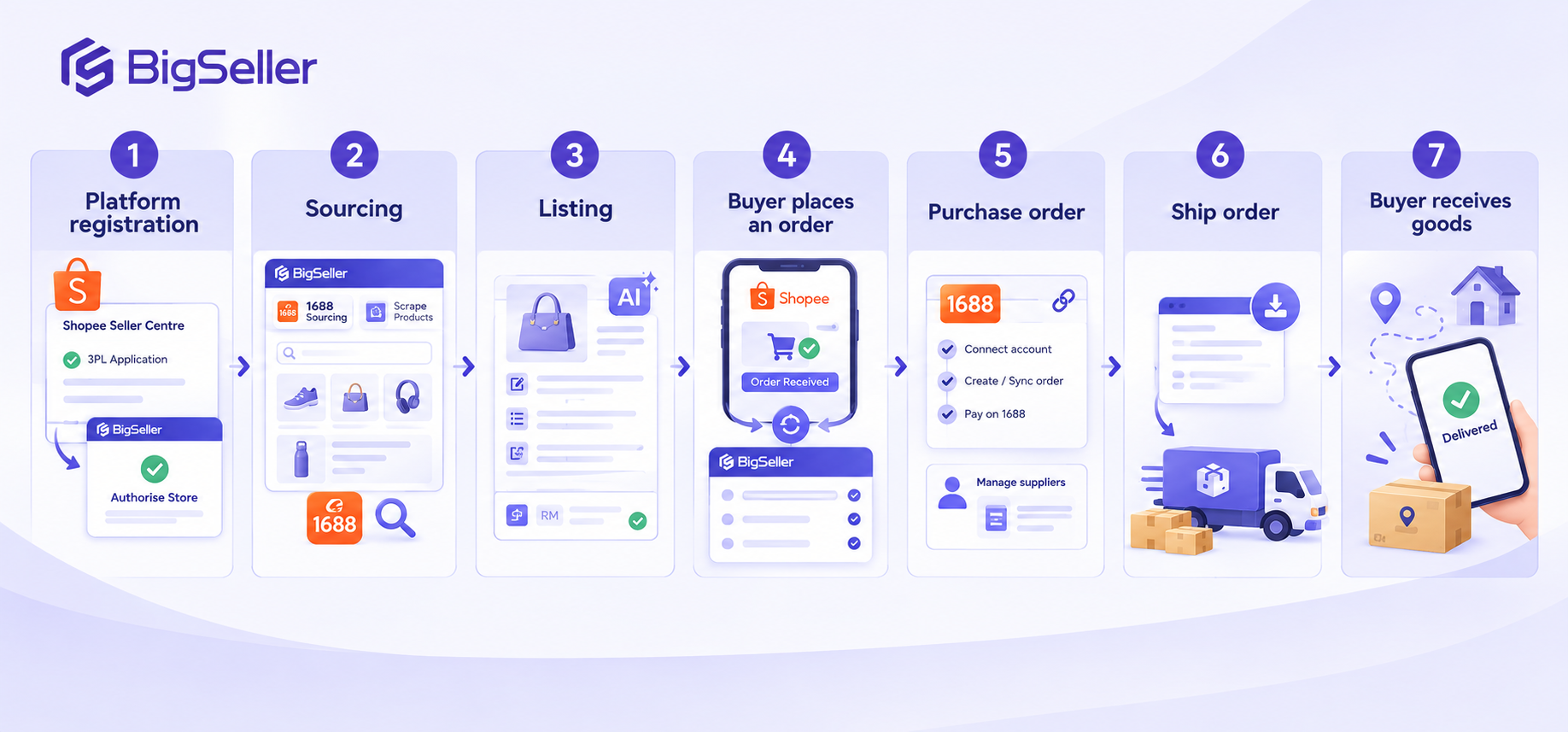
The 7-step Shopee dropshipping process with BigSeller
-
Platform registration. Apply for third-party logistics (3PL) in your Shopee Seller Centre, then authorise your stores in BigSeller by following its step-by-step guide.
-
Sourcing. Use the Product module's 1688 Sourcing to search by keyword, link or image, or check trends to find hot sellers. You can also use Scrape Products to pull best sellers from other stores. Scraped products go straight to your online store.
-
Listing. Bulk edit product information in the Product module, and use the AI function to generate stronger titles and descriptions. Your pricing template applies at this stage, so each listing is priced before it goes live.
-
The buyer places an order. Orders sync automatically into BigSeller after authorisation.
-
Purchase order. Connect your 1688 account, open the Purchase Draft page, then sync existing 1688 orders or create a new purchase order and pay on 1688. You can also manage supplier details and supply sources in BigSeller.
-
Ship order. Export all order data in one click and send it to your supplier or forwarder.
-
Buyer receives goods. Track logistics through your synced purchase orders until delivery.
How BigSeller’s Pricing Template helps Shopee dropshippers
The template is a standardised pricing structure built on your product cost, shipping, platform commissions, transaction fees and other expenses, with a profit margin you choose. Set it up once and it works in the background. For a dropshipper, that means:
-
Every listing is priced to profit. Because fees, shipping and your target margin are built into every price, you avoid the most common dropshipping mistake of selling at a loss without realising it.
-
You scale without slowing down. Whether you scrape 10 products or 500, each one is priced automatically as it is scraped or claimed. Pricing no longer limits how fast you can test new products.
-
Your pricing stays consistent. One rule applies across all products, so you don’t end up with some items overpriced and others underpriced because of manual slips.
-
You stay protected from currency swings. Since most dropshippers pay suppliers in RMB, you can price using the real-time rate or a fixed rate that gives you a safety buffer.
-
Shipping costs are never forgotten. Shipping is built into the final listing price, which matters when you offer competitive delivery terms and still need to cover the real cost.
-
It works across your stores. You can create multiple templates and match each to the fee structure of a different store, site or product category.
-
Repricing is fast. When costs or fees change, you can apply a template through single edit, batch edit or batch price change instead of recalculating every listing.
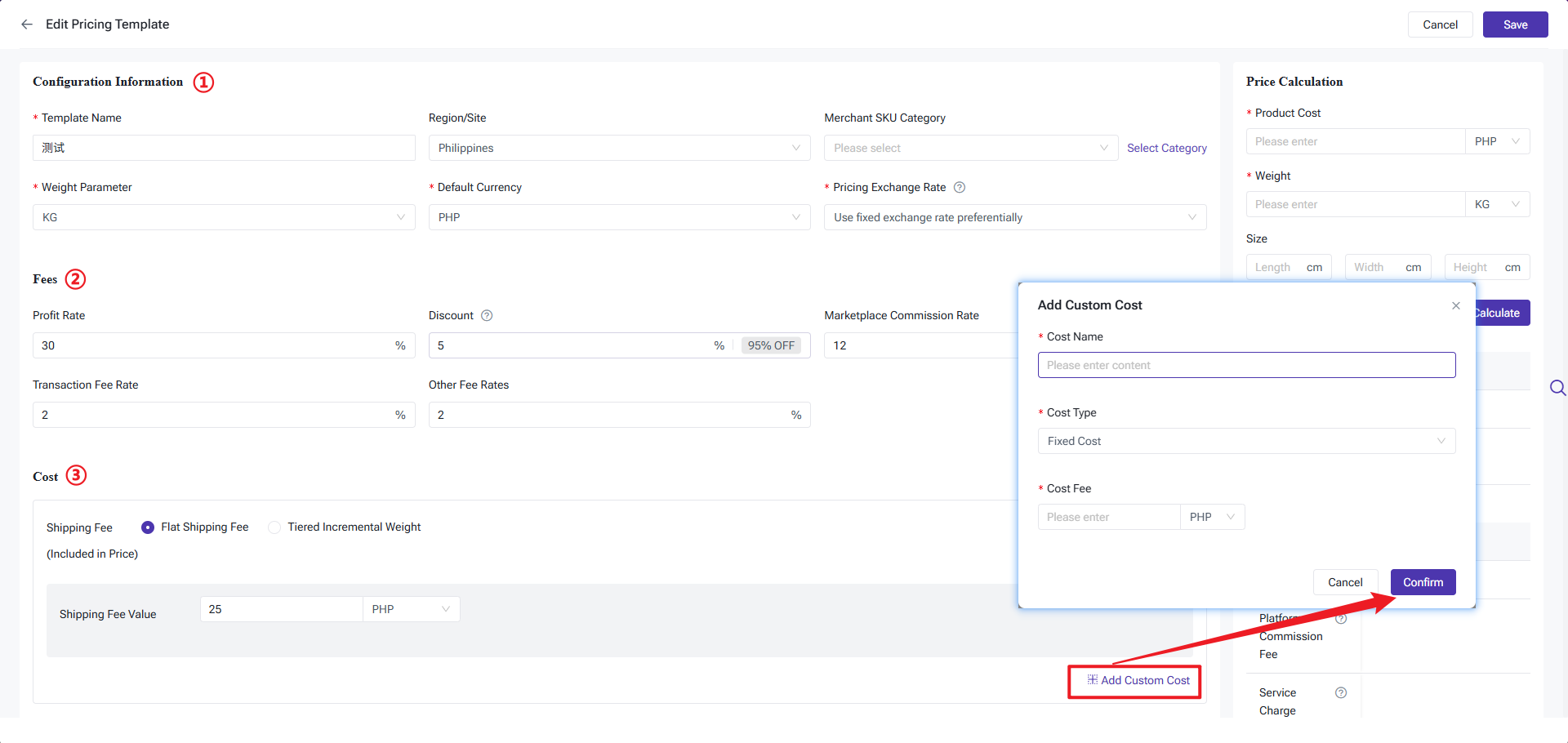
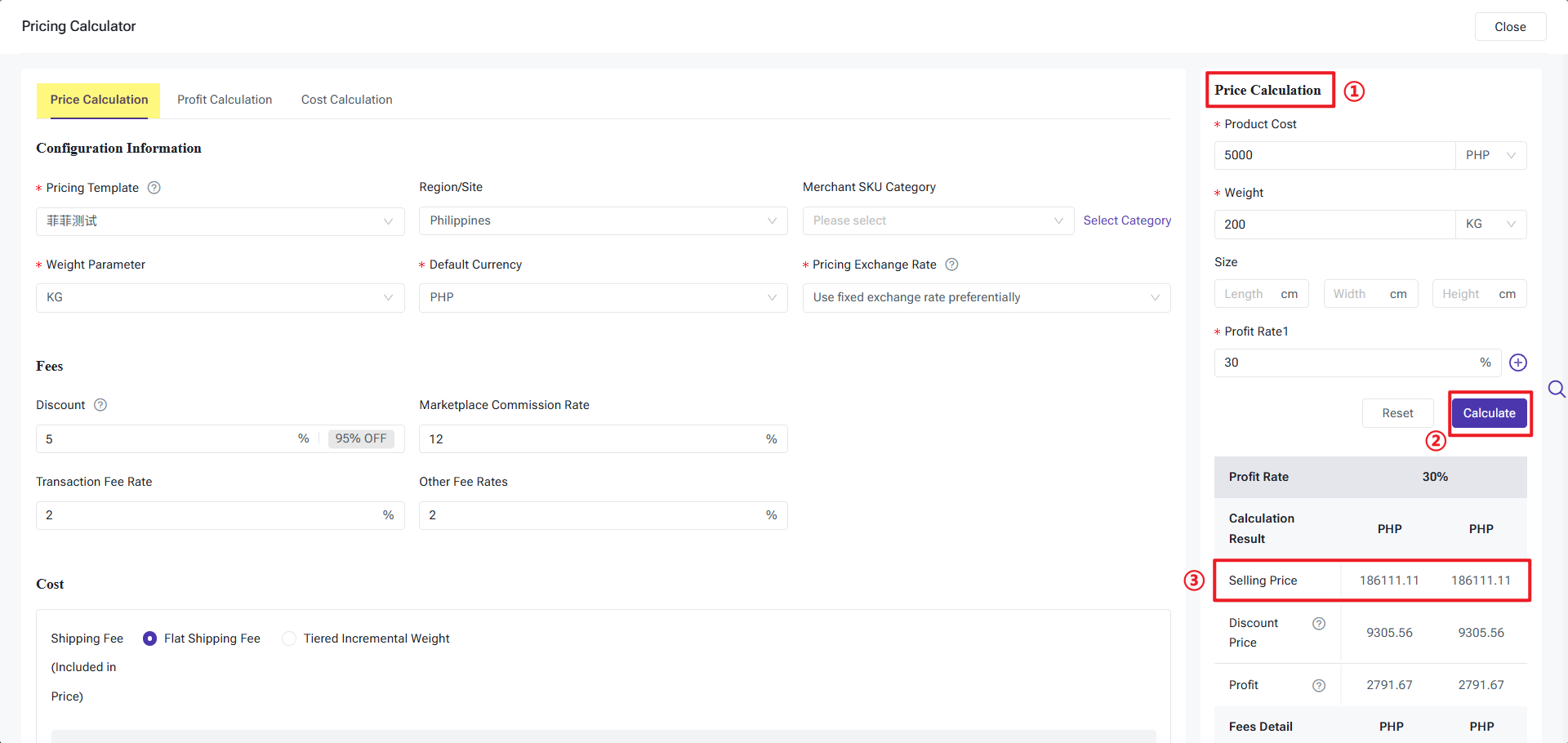
Check profit with the built-in Shopee Price Calculator in BigSeller
The Price Calculator complements the template by letting you test numbers before you commit. It works in three directions:
-
Selling price: enter your cost, weight and target margin to see the price you should charge.
-
Profit: enter your cost, weight and selling price to see your expected profit and margin.
-
Cost: enter a selling price and target margin to find the maximum product cost you can afford. This is useful when negotiating with suppliers or deciding whether a product is worth selling.
With the template live, each scraped product arrives in your BigSeller Draft Box fully priced and ready to publish to Shopee in one click.