How to Delete Your Shopee Account — A Practical Guide for Filipino Sellers
Jayson25 Dec 2025 11:08ENCopy link & title
Thinking of deleting your Shopee account? Whether you’re closing shop to move to another marketplace, taking a break, or cleaning up duplicate accounts, deleting a Shopee account is straightforward — but there are important requirements and consequences sellers must know first.
This guide gives clear, step-by-step instructions and a checklist so you can delete your account the smart way.
Do these first — Shopee will usually reject deletion requests until these are cleared:
(1). Finish or cancel all orders (including returns/refunds). Any order still in delivery, return, or refund process blocks deletion.
(2). Withdraw all seller balances / ShopeePay funds. Move funds to your bank or complete withdrawals from My Finance → Withdraw in Seller Center or the app. Keep proof of successful withdrawals.
(3). Pay outstanding bills — SPayLater, SLoan, or other credit/billing items must be settled.
(4). Resolve disputes or penalties. If your account is under limitation, suspension, or subject to an investigation, you cannot delete it.
(5). Note affiliate/commission impacts. If you have an Affiliate account, commissions or affiliate features may be disabled and some pending earnings may be affected after deletion. Read the affiliate notes carefully.
Shopee processes deletion requests inside the app. Follow these reliable steps:
(1). Open the Shopee app and sign in with the account you want to delete.
(2). Tap Me (bottom menu).
(3). Tap the Settings ⚙️ icon (usually top-right).
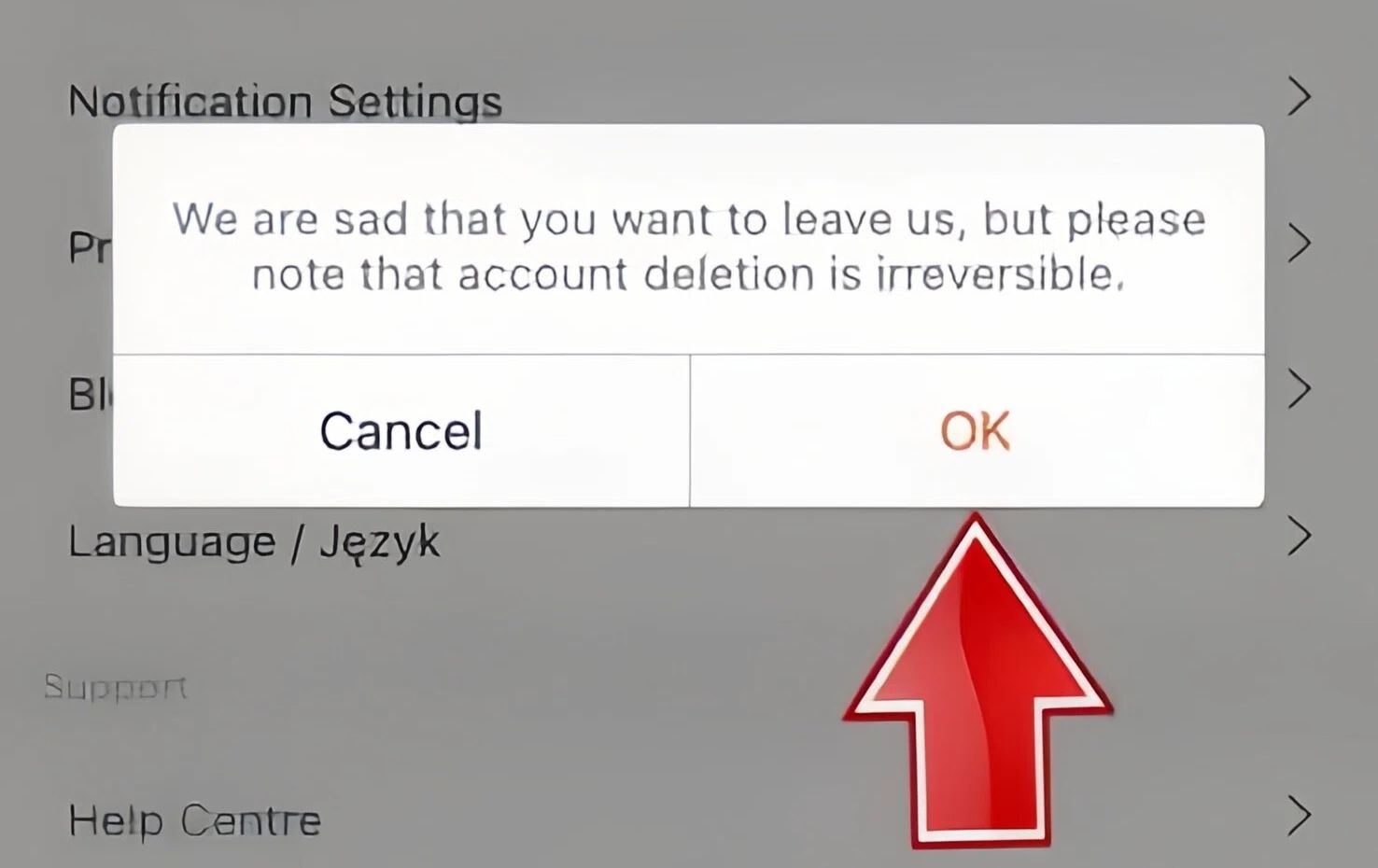
(4). Select Request Account Deletion (or Request to delete account). Tap OK to proceed.
(5). Read the terms & important notes. Shopee will show you reminders (irreversible deletion, loss of data, effects on linked services). Acknowledge them.
(6). Complete security checks / verification — follow the identity verification prompts (this may include OTP to your phone number or email verification depending on what Shopee asks). Submit your chosen reason for deletion and confirm.
(7). Submit the request. Shopee will process the request and either approve the deletion or reject it with explanation. Keep screenshots of confirmation.
Shopee may reject your request for reasons including:
(1). Account limitations / restrictions (investigation, suspension). Fix: resolve the limitation via appeals or follow Shopee support instructions.
(2). Linked phone number or email used by multiple accounts. Fix: contact support to identify which account to keep or unlink other accounts.
(3). Pending orders, refunds, or delivery in progress. Fix: finish/cancel the orders and wait for all refunds to clear.
(4). Money left in ShopeePay / pending ShopeePay transactions. Fix: withdraw or settle all ShopeePay balances and pending transactions.
If rejected, Shopee usually provides the reason. Follow the remediation steps and re-submit when the conditions are met.
(1). Permanent loss of data. You will no longer access order history, chat records, ratings, vouchers, or saved info. This action is typically irreversible.
(2). Possible limits on recreating accounts. Shopee may restrict future account creation tied to the same personal info or phone number. Plan accordingly if you intend to return.
(3). Affiliate & commission effects. Affiliate dashboards may be disabled and certain affiliate earnings/commission calculations affected after deletion — check the affiliate policy before proceeding.
(4). Outstanding obligations remain. If there were violations or unpaid fees, Shopee can still pursue settlement even after deletion.

If your goal is temporary closure (e.g., short break, stock issues), consider Vacation Mode / Off Day instead of deleting. This keeps your account and history but stops new orders temporarily. Sellers often use this to avoid losing shop data and traffic. If you need guidance on Vacation Mode, see Seller Center guidance.
In addition, ERP tools like BigSeller can be a great help for sellers who want to expand their sales channels.

This guide gives clear, step-by-step instructions and a checklist so you can delete your account the smart way.
1. Checklist: What to do before you request deletion
Do these first — Shopee will usually reject deletion requests until these are cleared:
(1). Finish or cancel all orders (including returns/refunds). Any order still in delivery, return, or refund process blocks deletion.
(2). Withdraw all seller balances / ShopeePay funds. Move funds to your bank or complete withdrawals from My Finance → Withdraw in Seller Center or the app. Keep proof of successful withdrawals.
(3). Pay outstanding bills — SPayLater, SLoan, or other credit/billing items must be settled.
(4). Resolve disputes or penalties. If your account is under limitation, suspension, or subject to an investigation, you cannot delete it.
(5). Note affiliate/commission impacts. If you have an Affiliate account, commissions or affiliate features may be disabled and some pending earnings may be affected after deletion. Read the affiliate notes carefully.
2. Step-by-step: How to delete your Shopee account
Shopee processes deletion requests inside the app. Follow these reliable steps:
(1). Open the Shopee app and sign in with the account you want to delete.
(2). Tap Me (bottom menu).
(3). Tap the Settings ⚙️ icon (usually top-right).
(4). Select Request Account Deletion (or Request to delete account). Tap OK to proceed.
(5). Read the terms & important notes. Shopee will show you reminders (irreversible deletion, loss of data, effects on linked services). Acknowledge them.
(6). Complete security checks / verification — follow the identity verification prompts (this may include OTP to your phone number or email verification depending on what Shopee asks). Submit your chosen reason for deletion and confirm.
(7). Submit the request. Shopee will process the request and either approve the deletion or reject it with explanation. Keep screenshots of confirmation.
3. Why a Shopee account deletion request can be rejected
Shopee may reject your request for reasons including:
(1). Account limitations / restrictions (investigation, suspension). Fix: resolve the limitation via appeals or follow Shopee support instructions.
(2). Linked phone number or email used by multiple accounts. Fix: contact support to identify which account to keep or unlink other accounts.
(3). Pending orders, refunds, or delivery in progress. Fix: finish/cancel the orders and wait for all refunds to clear.
(4). Money left in ShopeePay / pending ShopeePay transactions. Fix: withdraw or settle all ShopeePay balances and pending transactions.
If rejected, Shopee usually provides the reason. Follow the remediation steps and re-submit when the conditions are met.
4. Post-deletion: what happens next
(1). Permanent loss of data. You will no longer access order history, chat records, ratings, vouchers, or saved info. This action is typically irreversible.
(2). Possible limits on recreating accounts. Shopee may restrict future account creation tied to the same personal info or phone number. Plan accordingly if you intend to return.
(3). Affiliate & commission effects. Affiliate dashboards may be disabled and certain affiliate earnings/commission calculations affected after deletion — check the affiliate policy before proceeding.
(4). Outstanding obligations remain. If there were violations or unpaid fees, Shopee can still pursue settlement even after deletion.
Conclusion:
If your goal is temporary closure (e.g., short break, stock issues), consider Vacation Mode / Off Day instead of deleting. This keeps your account and history but stops new orders temporarily. Sellers often use this to avoid losing shop data and traffic. If you need guidance on Vacation Mode, see Seller Center guidance.
In addition, ERP tools like BigSeller can be a great help for sellers who want to expand their sales channels.
BigSeller is the ultimate FREE e-commerce ERP for Southeast Asian sellers, designed to supercharge your business. Streamline everything in one place—from product listings and order processing to inventory management, financial tracking, and automated operations.
Vist our website to know more 👉BigSeller ERP
Vist our website to know more 👉BigSeller ERP
BigSeller-Blog Senior Writer: Jayson
Sir Jayson has worked in well-known e-commerce companies such as Shopee and TikTok Shop, helping hundreds of sellers to deepen their e-commerce industry, expand their business, and eventually become high-quality sellers.