BigSeller x QNE for Philippine Online Sellers: A Practical BIR E-Invoicing Guide
Jayson17 Nov 2026 06:47ENCopy link & title
Philippine online sellers can use BigSeller and QNE N3 AI Accounting to turn supported ecommerce order data into sales invoices and electronic invoicing records. BigSeller prepares and transfers the transaction data according to the selected invoice scenario, while N3 AI Accounting generates and manages the corresponding sales invoices, payment records and accounting entries.
The amount paid by the buyer, the revenue recorded for marketplace bookkeeping and the net payout received after platform deductions are not always the same. With the Philippines' electronic invoicing deadline approaching, sellers need a workflow that connects marketplace transactions, buyer-facing invoices and accounting records without treating these amounts as interchangeable.
Who Must Prepare for BIR Electronic Invoicing by December 31, 2026?
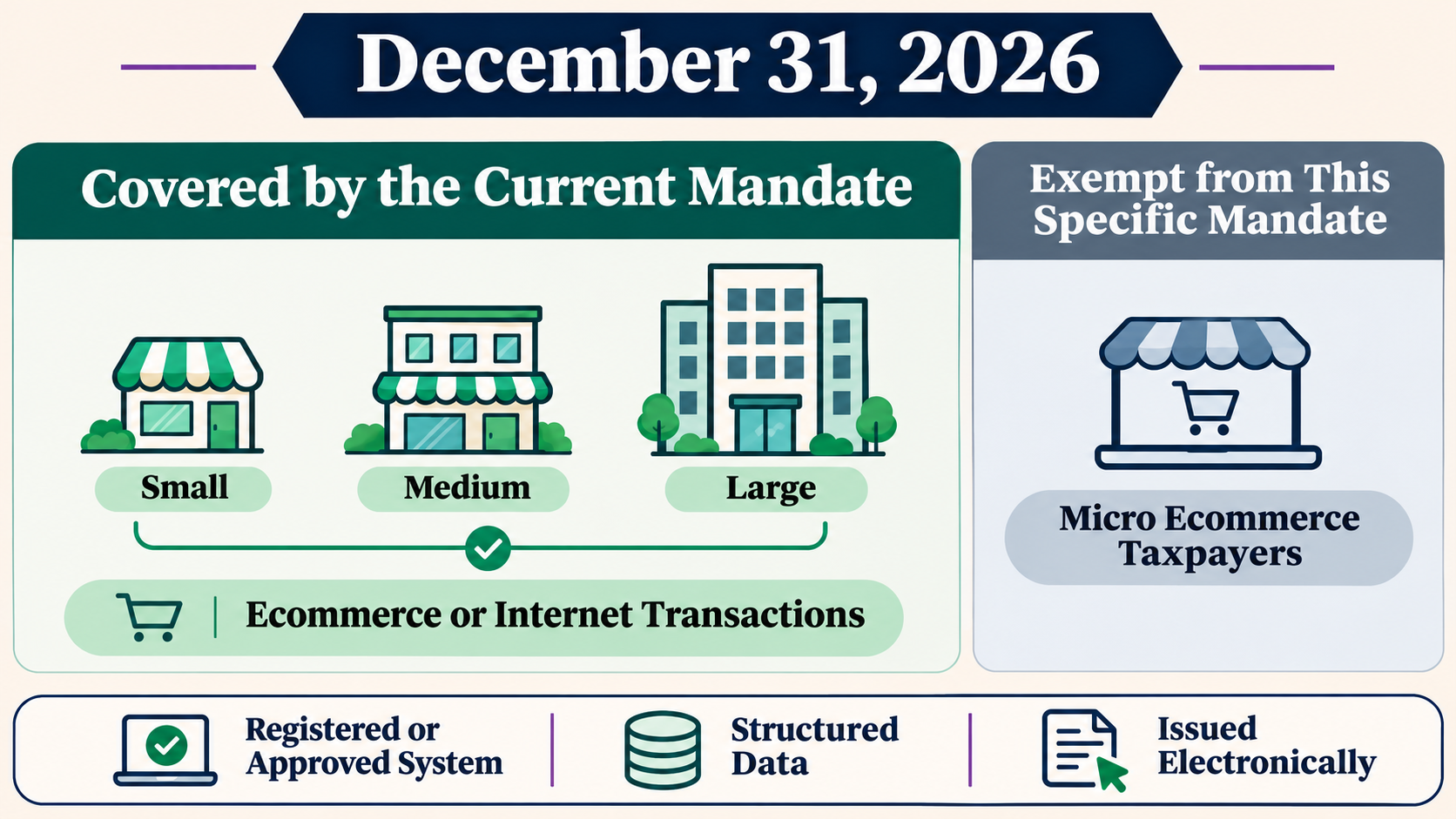
Under Revenue Regulations No. 26-2025, Small, Medium and Large taxpayers engaged in ecommerce or internet transactions have until December 31, 2026 to comply with the electronic invoice issuance requirements. Micro ecommerce taxpayers are exempt from this specific mandate under the current rules.
The mandate also covers specified Large Taxpayers and users of applicable computerized accounting or invoicing systems. BIR Revenue Memorandum Circular No. 98-2026 explains that a valid electronic invoice must come from a duly registered, approved or accredited accounting or invoicing system. It must use structured data, be issued to the customer electronically and allow the required information to be extracted and processed for BIR reporting.
This means that a manually prepared spreadsheet, scanned invoice or ordinary PDF is not enough by itself. The underlying invoicing system and the seller's approved setup are what make the electronic process work.
Should the Invoice Use the Buyer Payment or the Seller's Marketplace Payout?
For many marketplace sellers, this is the most confusing part of invoicing.
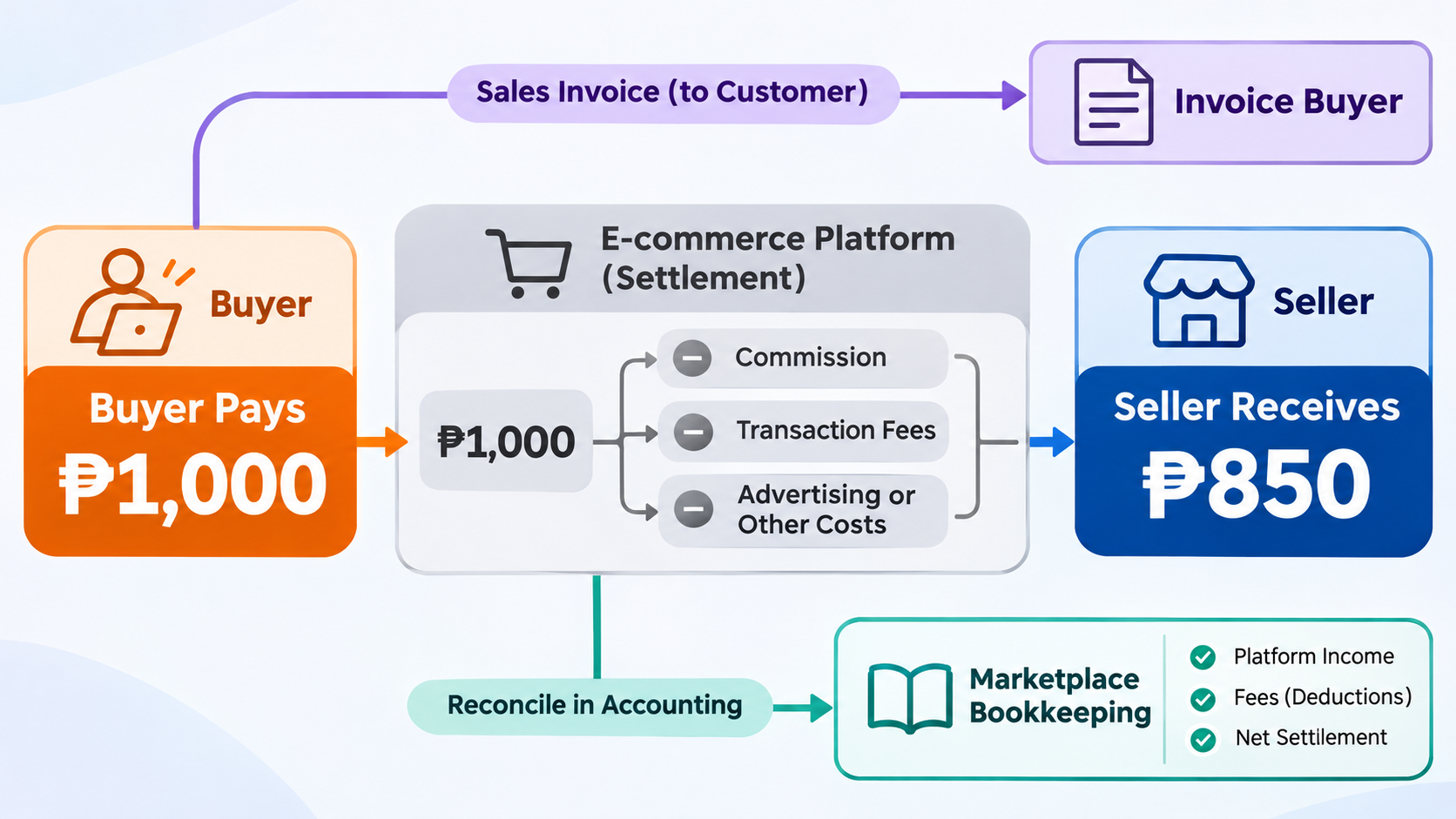
Suppose a buyer pays ₱1,000 for an order. The marketplace then deducts commission, transaction fees, advertising charges or other applicable costs before remitting ₱850 to the seller. The ₱1,000 buyer payment and the ₱850 seller payout describe different parts of the transaction.
The buyer-facing sales invoice is tied to the sale to the customer. The seller payout is a settlement amount after platform deductions. It should not automatically replace the buyer-paid amount on the customer invoice merely because it is the amount deposited into the seller's bank account.
Platform deductions still need to be recorded and reconciled, but they belong to the settlement and expense side of the accounting workflow. The exact VAT, withholding tax and income tax treatment depends on the seller's registration and the nature of each deduction.
Important distinction: Issuing an invoice for an ecommerce sale is not the same as filing a tax return for every order. Sellers issue invoices for reportable sales transactions, while tax returns and payments are filed according to the applicable monthly, quarterly or annual tax period.
Two Invoice Scenarios Supported by BigSeller x QNE
The BigSeller and QNE integration separates buyer invoicing from marketplace bookkeeping so sellers can push the appropriate transaction data for each purpose.
| Invoice Scenario | Amount Used | Primary Purpose | When Sellers Should Use It |
|---|---|---|---|
| Invoice Buyer | Actual amount paid by the buyer | Customer-facing sales invoice and Philippine tax invoicing workflow | When preparing invoices for buyers and supporting the seller's applicable BIR electronic invoicing requirements |
| Invoice Marketplace for Bookkeeping | Order revenue recorded in the BigSeller Profit Report | Marketplace accounting and revenue reconciliation | When finance teams need marketplace transaction records for bookkeeping rather than a buyer-facing invoice |
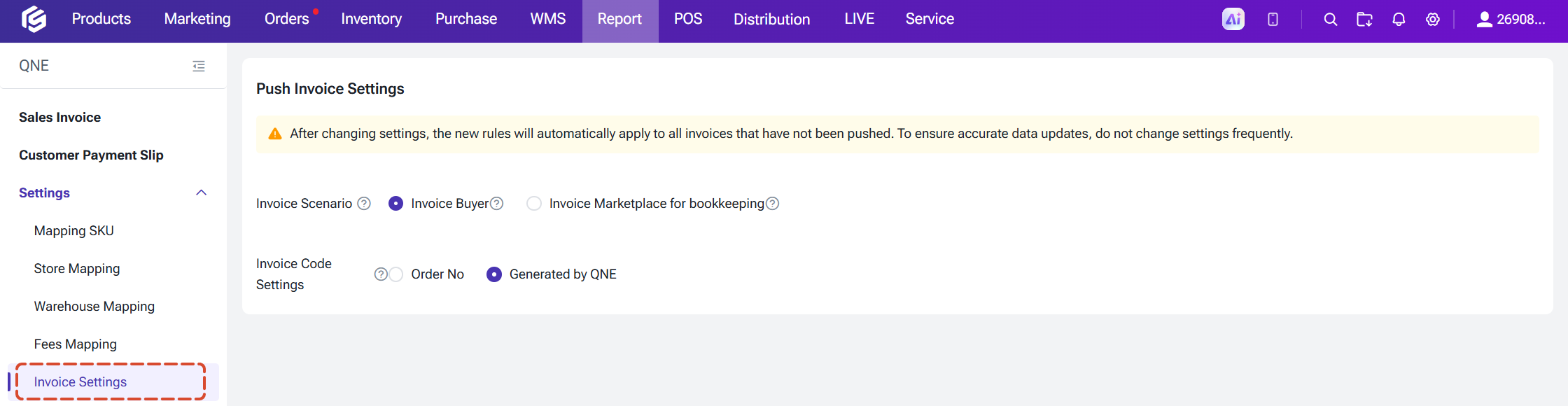
Invoice Buyer helps the sales invoice reflect the customer transaction rather than the marketplace's later settlement. Invoice Marketplace for Bookkeeping uses the order revenue shown in the BigSeller Profit Report to organize marketplace revenue records; it is not a replacement for the customer invoice when an invoice must be issued to the buyer.
Sellers can change the selected scenario in Invoice Settings, but the new rule applies only to invoices that have not yet been pushed. Successfully created invoices retain their original treatment, so the scenario should be confirmed before a large batch is processed.
How the BigSeller and QNE Invoicing Workflow Operates
The integration connects ecommerce operations in BigSeller with accounting and electronic invoice generation in N3 AI Accounting. It currently supports store mapping for Shopee, Lazada and TikTok Shop.
- Authorize QNE. Create a company in N3 AI Accounting, generate an API Key and use it to authorize QNE in BigSeller.
- Complete the mappings. Connect stores to QNE customers, warehouses to QNE locations and BigSeller SKUs to QNE stock records. Map relevant fees and tax rates as well.
- Select the invoice scenario. Choose Invoice Buyer or Invoice Marketplace for Bookkeeping, then set the invoice numbering rule.
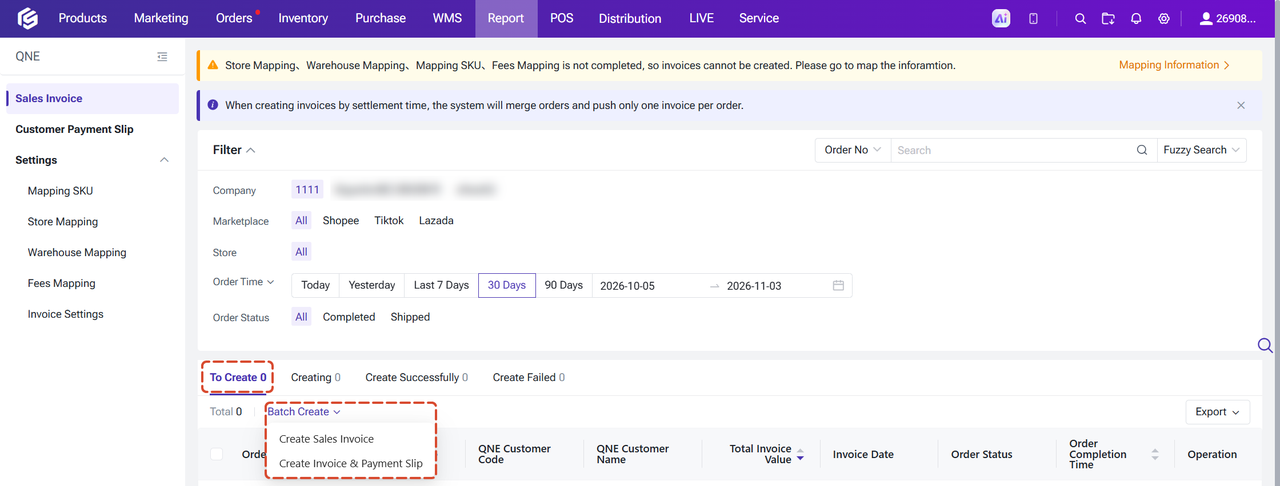
- Create and push invoices. Select eligible shipped or completed orders in BigSeller. After a successful push, QNE generates the invoice. Customer payment slips can also be created for successfully pushed invoices.
Once the workflow is configured, N3 AI Accounting can update the related inventory, general ledger and accounts receivable records. Failed invoices remain visible in BigSeller with a failure reason so the seller can correct an expired authorization or missing store, warehouse, SKU or fee mapping before retrying.
The workflow reduces repeated data entry while preserving the difference between operational order data, customer invoice data and marketplace settlement data.
Can N3 AI Accounting Issue BIR-Compliant Electronic Invoices?
Yes. N3 AI Accounting can support the issuance of electronic invoices that meet applicable BIR requirements in the Philippines. QNE describes N3 as a BIR CAS E-Invoicing Ready solution and provides electronic invoice generation, digital invoice delivery and connected accounting records for Philippine businesses.
When a seller has completed the required BIR registration and approval process, configured N3 AI Accounting correctly and selected the appropriate invoice scenario in BigSeller, supported ecommerce order data can be pushed to QNE for sales invoice creation and electronic invoicing.
BigSeller strengthens this process by organizing the source data before it reaches the accounting system. Stores, warehouses, SKUs, fees, tax settings and transaction amounts can be mapped in advance, while N3 AI Accounting remains the system that generates and manages the corresponding sales invoice and electronic invoicing records.
For covered taxpayers, software capability is one part of the implementation. The business must still complete the applicable system registration or approval, secure the required Permit to Issue Electronic Invoice and ensure that its invoice configuration reflects its registered operations.
In practical terms, BigSeller and QNE give online sellers a clear route from marketplace orders to a BIR-ready electronic invoicing environment without rebuilding every transaction manually. Sellers should confirm the final configuration and permit requirements for their own taxpayer profile before going live.
What Philippine Online Sellers Should Prepare Before Setup
- Confirm coverage and permits. Determine whether the deadline applies and identify the required CAS registration, Permit to Issue Electronic Invoice and EIS certification steps.
- Clean up operating data. Standardize store, SKU and warehouse identifiers before mapping them to QNE.
- Define invoice treatment. Confirm how buyer payments, discounts, shipping, taxes and platform deductions should be represented.
- Test exceptions. Include cancellations, returns, invoice corrections, unmapped SKUs and failed pushes before processing invoices in bulk.
Sellers with multiple stores or warehouses should involve ecommerce operations, accounting and tax teams in the setup. A technically successful integration can still produce incorrect records when store ownership, tax rates or invoice scenarios are configured inconsistently.
For the complete setup process, see the QNE authorization guide and the BigSeller x QNE sales invoice guide. Sellers who need a broader explanation of the mandate can also read BigSeller's BIR E-Invoicing Philippines 2026 guide.

This article provides general operational information and does not constitute tax, accounting or legal advice. BIR implementation procedures and provider accreditation status may change. Confirm the latest requirements with BIR, QNE or a qualified Philippine tax professional before implementation.