Shopee Launches Other External Ads to Help Sellers Reach TikTok Audiences
Erra27 Nov 2026 05:57ENCopy link & title
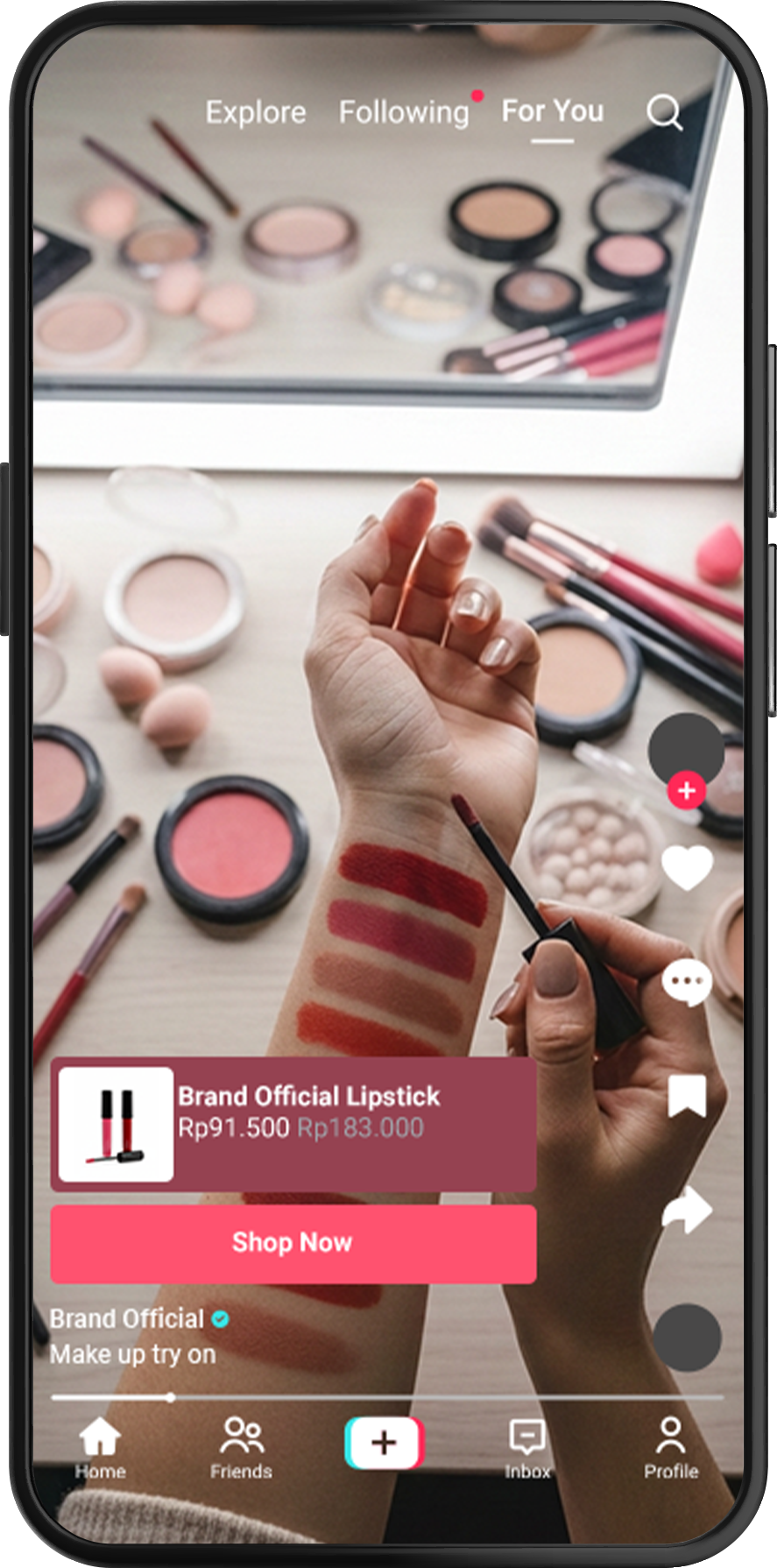
This is how Shopee's Other External Ads works. Instead of relying entirely on shoppers actively searching for products on Shopee, sellers can reach people while they browse video content and turn product discovery into marketplace purchases.
So, what exactly are Other External Ads, how do they work, and how can Shopee sellers get started? Here's what you need to know.

What Are Other External Ads on Shopee?
Other External Ads is an advertising solution in Shopee Seller Centre that allows sellers to promote their Shopee products on external platforms beyond Meta and Google. The feature currently supports TikTok, where shoppers can discover products through video shopping advertisements before clicking through to the seller's Shopee product page to make a purchase.
Unlike traditional Shopee ads that primarily reach shoppers within the marketplace, Other External Ads help sellers connect with potential buyers outside Shopee. This creates another opportunity to generate traffic and sales without requiring shoppers to search for the product directly on Shopee.
The shopping journey follows four main steps:
-
Discover and Engage: Shoppers discover your products through video shopping ads while browsing TikTok.
-
Explore: Interested shoppers click the advertisement and land on your Shopee product page.
-
Add to Cart: Shoppers browse the product details and add the item to their Shopee cart.
-
Purchase: Shoppers complete the checkout process directly on Shopee.
This means sellers can use TikTok to attract attention and introduce products to new audiences while keeping the actual shopping and checkout experience within Shopee.
How to Set Up Other External Ads on Shopee Seller Centre
Ready to try Other External Ads? Sellers can access the feature through Shopee Seller Centre and create campaigns directly from the External Traffic Ads section.
Here's a step-by-step guide to getting started.
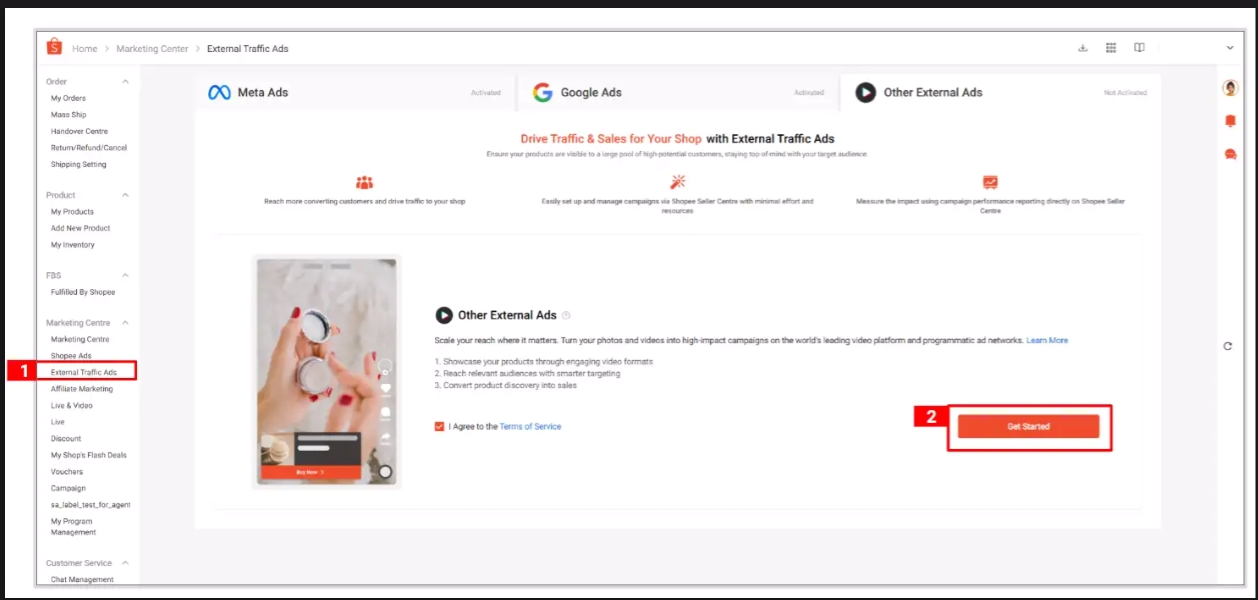
Step 1: Access Other External Ads
Log in to your Shopee Seller Centre using your shop account credentials.
Next, navigate to:
Marketing Centre > External Traffic Ads > Other External Ads
Click Get Started to begin the onboarding process. You may need to agree to the terms of service before proceeding.
Keep in mind that this feature is only available to selected sellers. If the Other External Ads option is unavailable in your Seller Centre, your account may not currently have access.
Step 2: Set Up Your Campaign Details
Once you've entered the campaign creation page, start by filling in your campaign information.
You'll need to configure the following:
-
Campaign Name: Enter a name to help you identify and manage your campaign.
-
Campaign Period: Set the campaign start and end dates.
-
Daily Budget: Determine how much you want to spend on advertisements each day.
For Malaysian sellers, the recommended budget guidelines are:
|
Budget Type |
Recommended Amount |
|
Minimum Daily Budget |
RM20 |
|
Recommended Daily Budget |
RM150 |
The earliest available campaign start date is the following day (D+1).
These are Shopee's suggested budget guidelines, not a guarantee of advertising results. Sellers should consider their marketing objectives and available advertising budget when setting up campaigns.
Step 3: Customise Your Advertisement Text
After setting the campaign details, enter your advertisement text in the Advertisement Content section.
This text helps introduce your products to potential shoppers and gives them a reason to click through to your Shopee product page.
You can review how the advertisement will appear using the preview panel on the right side of the campaign creation page.
Make sure the messaging clearly communicates what your products offer and gives shoppers a reason to explore further.
Step 4: Choose Which Products to Advertise
Next, decide which products you want to include in your campaign.
Shopee provides two options:
Option 1: All Products
Select All Products if you want the system to automatically optimise product selection based on top-performing products from your Shopee catalogue.
This option is useful for sellers who prefer to let the system identify relevant products and creatives rather than manually selecting individual listings.
However, there are a few things to note:
-
Only one All Products campaign can be active at a time.
-
The system manages product and creative selection within that campaign to optimise content delivery.
Option 2: Selected Products
If you prefer more control over which products appear in your advertisements, choose Selected Products.
You can search and filter eligible products using:
-
Product category
-
Product name
-
Product ID
For each campaign, sellers must select a minimum of five products and can include up to 1,000 products.
Only products eligible for advertising will appear in the selection list. Newly listed products may take a few days to become available.
This option is useful when you want to focus your advertising efforts on particular product categories, collections, or selected listings.
Step 5: Preview and Submit Your Campaign
Before publishing, review your campaign information and advertisement preview in the right-hand panel.
Check that your campaign period, daily budget, advertisement text, and selected products are correct.
Once everything is ready, click Submit to publish your campaign for review.
Keep in mind that submitting a campaign does not guarantee immediate advertisement delivery. Final delivery is subject to review, including advertising policy compliance and product stock availability.
Step 6: Manage Your Campaigns
After creating your campaigns, you can manage them through the Other External Ads dashboard.
Shopee allows sellers to have up to 30 active campaigns at a time. You can archive completed or unused campaigns before creating new ones.
You can also edit certain details of existing campaigns, including:
-
Campaign name
-
Daily budget
-
Campaign end time
-
Advertisement text
-
Selected products (for campaigns using manual product selection)
One important detail concerns daily budget adjustments. Budget increases may take effect shortly after the change, while budget decreases may only take effect from the next delivery day.
Tips for Getting Better Results from Shopee Other External Ads
Although Other External Ads use automated optimisation, sellers still need to make sensible campaign decisions and monitor their advertising performance.
Here are a few practical considerations before and after launching your campaigns.
-
Give campaigns enough time to optimise. Shopee recommends running campaigns for at least seven days. Avoid making frequent changes before the system has sufficient time to optimise performance.
-
Choose eligible products carefully. If you're using Selected Products, prioritise listings that are relevant to your advertising objectives and have sufficient stock available.
-
Maintain sufficient advertising credits. Monitor your credit balance and consider enabling Auto Top-Up if you're a local seller who wants to reduce the risk of campaigns stopping due to insufficient credits.
-
Monitor ROAS and orders, not just clicks. High impressions and clicks do not necessarily translate into sales. Pay attention to orders, GMV, advertising expenses, and ROAS when evaluating campaign performance.
-
Reuse campaigns that perform well. Instead of creating too many new campaigns, consider reusing existing ones where appropriate. Shopee recommends this because the algorithm has already learned which products perform best.
-
Review your campaign data regularly. Use the overall and campaign-level reporting dashboards to identify performance trends and understand where your advertising budget is going.
Final Thoughts
Running Shopee ads is one way to bring more potential buyers to your store, but getting orders is only part of the work. Once sales start coming in, you'll still need to process orders, update inventory, manage product listings, and keep track of sales across your stores. If you're selling on Shopee, Lazada, and TikTok Shop at the same time, doing all of this manually can take up a lot of time.
BigSeller helps you manage these daily tasks from one dashboard. As an e-commerce ERP system, BigSeller brings together order processing, inventory management, product management, and sales reporting across multiple marketplaces. So, while you're working on getting more traffic through Shopee ads and other marketing channels, you don't have to manage every part of your business separately.
Want to spend less time on repetitive store management? Try BigSeller for free and enjoy an exclusive 7-day VIP trial coupon to explore more features!
Source