How TikTok Shop Security Center Helps Sellers Detect Risky Orders and Prevent Fraud
Erra17 Mar 2026 04:47ENCopy link & title
As your TikTok Shop grows, so do the risks that come with higher order volume. Some sellers may encounter suspicious buyers, fraudulent refund requests, or orders that look likely to be cancelled.
To help sellers manage these risks, TikTok Shop provides a Seller Security Center, a built-in protection system designed to detect suspicious activities and give sellers tools to protect their business.
However, these features are currently only available to selected sellers. If your shop has access, you will receive a notification via email or through the Seller Center. TikTok Shop may also remove access to these features at its discretion.
In this guide, we’ll explain how TikTok Shop’s seller protection tools work and how you can use them to manage orders more confidently.

What Is the TikTok Shop Seller Security Center?
The Security Center is a section in the TikTok Shop seller dashboard that provides tools to help you identify potential risks and take action before they affect your shop.
It focuses on two key areas:
-
Platform Protection & Alerts – Helps detect suspicious orders, refunds, or fraudulent activities.
-
Buyer Blocking – Allows sellers to block buyers who repeatedly cause problems.
You can access the feature in the seller dashboard:
TikTok Shop Seller Centre → Account Health → Security Center
The system continuously monitors activity and alerts sellers when potential risks are detected.
How TikTok Shop Detects Suspicious Activities
TikTok Shop’s system automatically analyses order and refund behaviour to identify potential risks.
When suspicious activity is detected, the platform may:
-
Automatically block confirmed fraudulent actions
-
Flag high-risk orders or refund requests
-
Allow sellers to take action without performance penalties
This helps sellers avoid situations where malicious buyers attempt to exploit return or refund systems.
Security Center Dashboard: Real-Time Risk Monitoring
The Security Center dashboard provides an overview of suspicious activities detected by TikTok Shop’s system.
It displays real-time data on malicious behaviour that has already been intercepted by the platform, such as:
-
Fraudulent refund attempts
-
Suspicious buyer activity
-
Orders with a high cancellation risk
This gives sellers more visibility into potential risks and allows them to react quickly before problems escalate.
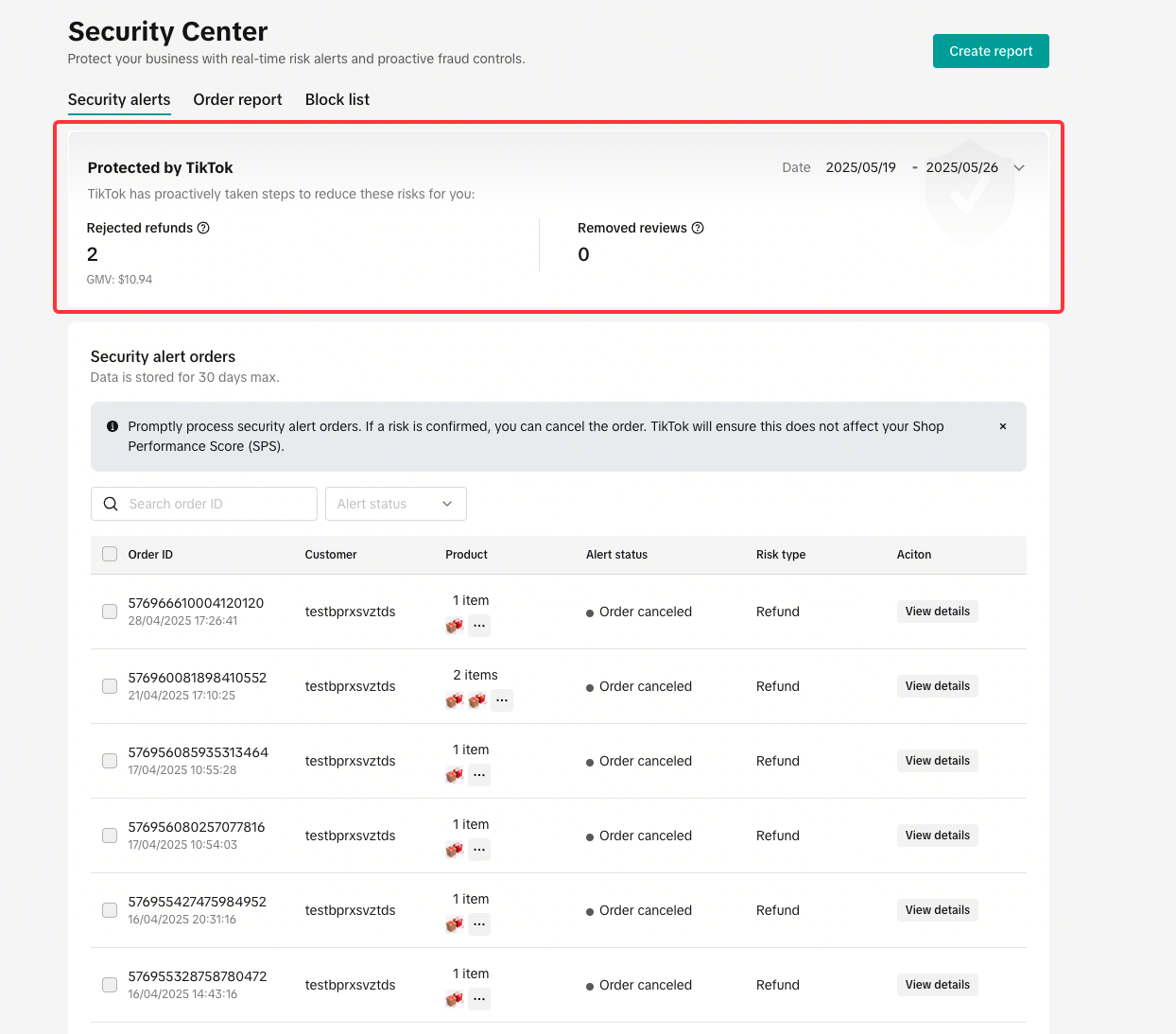
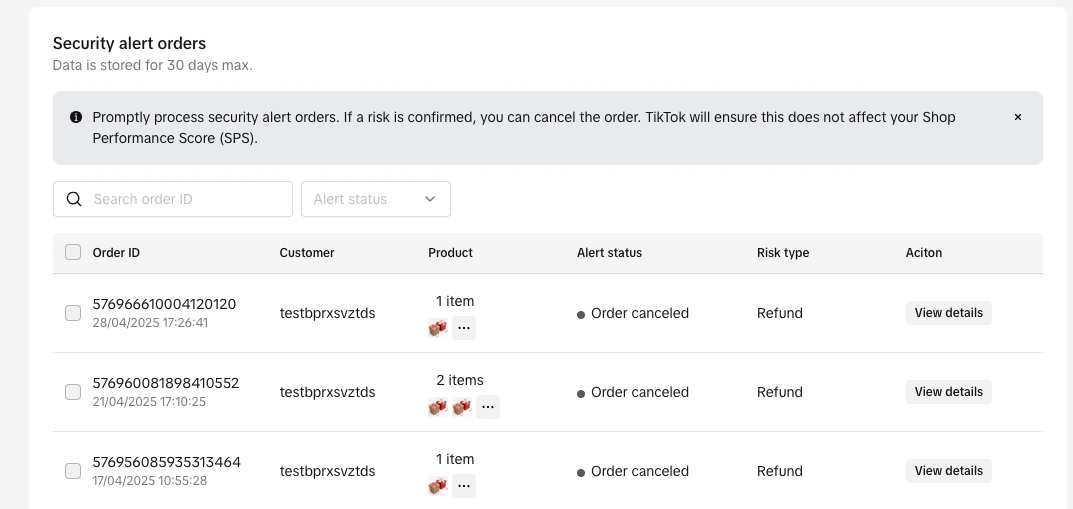
Security Alert Orders: Orders With High Cancellation Risk
Some orders may show signs that they are likely to be cancelled or abused.
When TikTok Shop detects these patterns, the system will classify them as Security Alert Orders.
For these orders, the platform will:
-
Add a Risk Tag to the order in your dashboard
-
Allow sellers to cancel the order manually
-
Waive performance penalties for cancelling these flagged orders
This means you can cancel suspicious orders without worrying about your shop’s performance metrics being negatively affected.
Risk Refunds: Handling Suspicious Return or Refund Requests
Refund abuse is one of the most common challenges for online sellers.
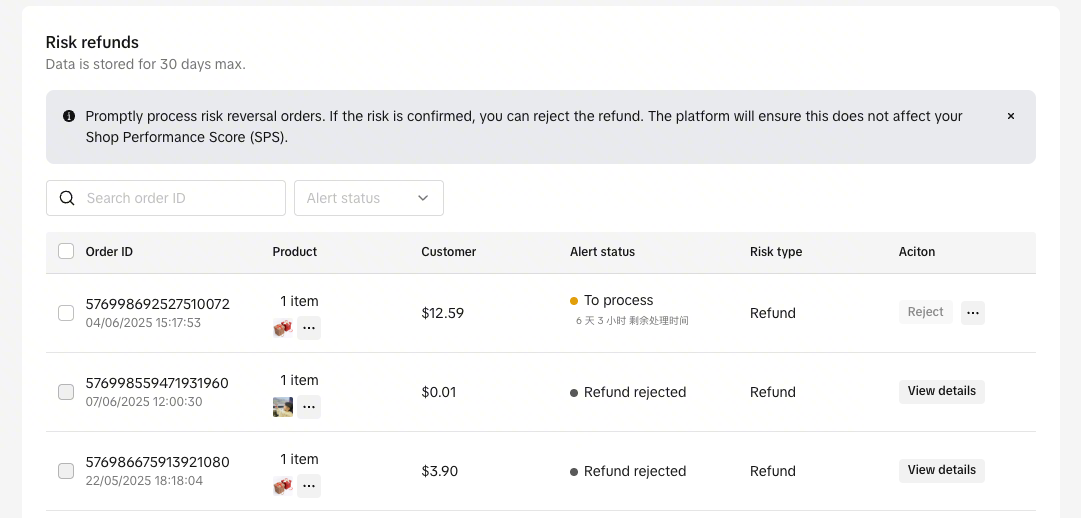
If TikTok Shop detects unusual patterns in a return or refund request, the request may be flagged as a Risk Refund.
When this happens, the system will:
-
Display a Risk Tag on the refund request in your dashboard
-
Allow you to reject the request
-
Remove performance penalties for rejecting that request
This allows sellers to protect themselves from fraudulent refund attempts while staying compliant with platform policies.
Buyer Blocking: Prevent Problem Buyers From Ordering Again
Another useful tool in the Security Center is Buyer Blocking.
If a buyer repeatedly engages in malicious behaviour, sellers can add them to a Block List to prevent them from placing future orders.
Once a buyer is blocked:
-
They cannot place new orders in your store
However, they can still:
-
Send private messages
-
Leave reviews or request after-sales support for past orders
Sellers must still continue normal communication and support for any existing orders.
How to Block a Buyer on TikTok Shop
To block a problematic buyer:
-
Go to TikTok Shop Seller Centre
-
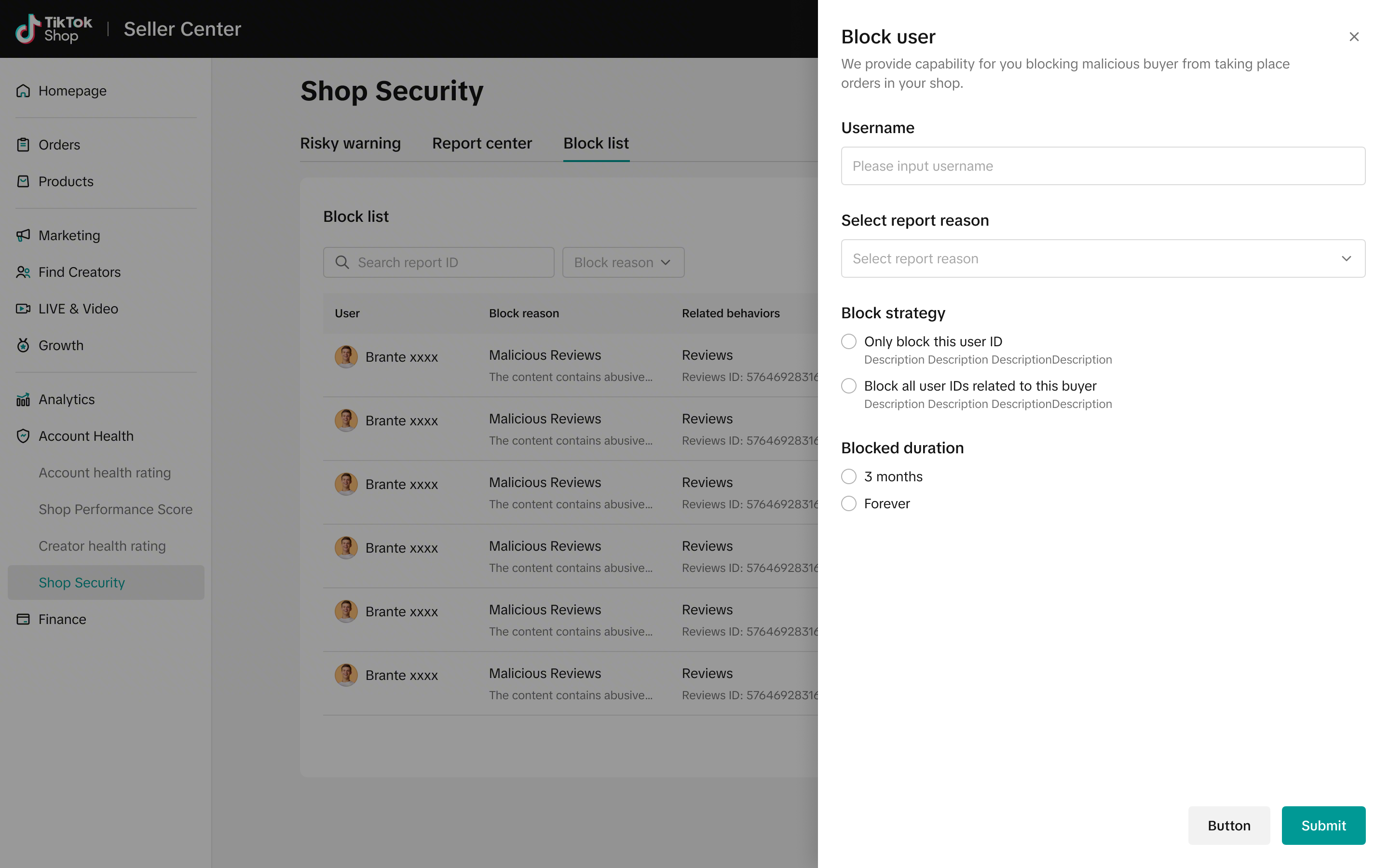
Navigate to Account Health → Security Center → Block List
-
Find the buyer’s username from your order details page
-
Enter the username and verify it matches the correct profile
-
Select a blocking reason
-
Choose the blocking scope
-
Select the blocking duration
Blocking Scope Options
You can choose between two options:
Block only this user ID
-
Blocks only the specific account.
Block all linked user IDs
-
Blocks all accounts associated with the same user.
Blocking Duration Options
Sellers can choose:
-
90 days
-
Permanent block
Providing a reason helps the platform improve its fraud detection system and protect sellers more effectively.
Important Rules When Using the Buyer Blocking Feature
TikTok Shop requires sellers to use this feature objectively and fairly.
The platform may investigate the reasons behind blocked buyers. If the feature is misused, TikTok Shop may:
-
Remove access to the blocking feature
-
Apply stricter enforcement actions to the seller’s account
In some situations, the platform may also override a block if the order is later determined to be risk-free.
Manage Risky Buyers Across Platforms with BigSeller
While TikTok Shop’s Security Center helps sellers detect risky orders and suspicious refund requests, managing problematic buyers across multiple marketplaces can still be challenging.
With BigSeller’s Buyer Blacklist feature, you can mark buyers who show dishonest behaviour such as frequent returns or false reviews. When orders from these buyers are synced to BigSeller, a “Blacklist” icon will appear, helping you quickly identify them and decide whether to proceed with packing and shipping.
Try BigSeller for free today and enjoy a 7-day VIP trial coupon to manage your orders and marketplaces more efficiently.
Source: