How to Contact TikTok Shop Seller Support Philippines: Seller Center, Tickets & Live Agent
Jayson01 Jul 2026 11:09ENCopy link & title
1. Quick Support Summary for TikTok Shop Sellers
| Seller Issue | Best Support Route | What to Prepare |
|---|---|---|
| Seller Center login or password issue | Contact Us / Help in Seller Center | Registered email, phone number, screenshots |
| Shop registration problem | Help button on registration page | Application details, rejection reason, documents |
| Order or refund issue | Seller Center support ticket | Order ID, buyer message, refund status |
| Customer harassment or abusive message | File a ticket in Seller Center | Chat history, screenshots, buyer username |
| Violation or penalty appeal | Violation record or appeal page | Violation ID, proof, explanation |
| Logistics issue | Seller Center support path | Order ID, tracking number, courier status |
| General policy question | TikTok Shop Academy / Help Center | Policy name, screenshot, specific question |
2. How to Contact TikTok Shop Seller Support in the Philippines
The most reliable way to contact TikTok Shop Seller Support is to log in to TikTok Shop Seller Center first. When sellers contact support while logged in, support agents can better review account-related information.
Method 1: Use Help or Contact Us in Seller Center
Go to TikTok Shop Seller Center and look for Help or Contact Us, usually in the upper-right area of the page. Choose the issue type that best matches your case, then follow the instructions to submit a ticket or contact support.
This route is suitable for account access problems, registration questions, order issues, refund disputes, and other seller account concerns. For registration issues, sellers can also refer to the official TikTok Shop Seller Registration guide.
Method 2: Submit a Support Ticket
A support ticket is best for cases that need documentation or review. Sellers should use tickets for issues such as rejected registration, product review problems, violation appeals, refund disputes, customer harassment, logistics concerns, or payment-related questions.
A good ticket should include the issue type, Shop ID, order ID or product ID, timeline, screenshots, and the result you want TikTok Shop to review. If sellers need platform-level assistance, they can also visit the official TikTok Shop Contact Us page.
Method 3: Check Help Center or TikTok Shop Academy First
For policy or feature questions, sellers should check TikTok Shop Academy or Help Center before contacting support. Many common questions about registration, customer communication, policy rules, and seller tools are already explained in official resources.
3. Seller Center Ticket vs Live Agent: Which One Should You Use?
| Option | Best For | Advantage | Limitation |
|---|---|---|---|
| Support Ticket | Complex issues needing documents or review | Creates a written record | Response may take time |
| Live Agent | Urgent or unclear issues | Faster clarification when available | Availability may depend on login status or support hours |
| Help Center / Academy | Policy and feature questions | Official self-service answers | May not solve account-specific cases |
| Appeal Page | Violation or penalty cases | Goes directly to the review workflow | Only applies to eligible cases |
4. What Details Should Sellers Prepare Before Contacting Support?
| Detail | Why It Helps |
|---|---|
| Shop name / Shop ID | Helps identify the seller account |
| Registered email or phone number | Useful for login and account access issues |
| Order ID | Needed for order, refund, and logistics issues |
| Product ID or listing link | Useful for listing or violation cases |
| Violation ID | Needed when filing an appeal |
| Screenshot of error message | Helps support understand the issue faster |
| Buyer message history | Needed for harassment or dispute cases |
| Timeline of events | Makes the case easier to review |
| Expected resolution | Clarifies what action the seller needs |
5. Important Note: Seller Support vs Customer Service Chat
TikTok Shop has a Customer Service Chat feature, but sellers should not confuse it with TikTok Shop Seller Support.
Customer Service Chat is mainly used for communication between sellers and customers during pre-sale, in-sale, and after-sale service. It helps sellers answer buyer questions, handle order conversations, and provide customer service.
TikTok Shop Seller Support is different. If sellers need help with registration, account access, order issues, violations, refunds, customer harassment, payment concerns, or logistics problems, they should use Seller Center Help, Contact Us, support tickets, appeals, or available live agent options.
For customer harassment, abusive messages, or unreasonable buyer behavior, sellers should review TikTok Shop’s Customer Communication Policy and file a ticket with supporting evidence.
6. How BigSeller Helps Sellers Reduce Support Work
When sellers manage many TikTok Shop orders manually, support issues can become harder to track. BigSeller helps sellers centralize orders from TikTok Shop, Shopee, Lazada, and other channels, making it easier to check order details, process orders, print shipping documents, and manage fulfillment status from one dashboard.
For Filipino sellers, this helps reduce manual work before contacting TikTok Shop Seller Support. Order IDs, product details, shipping status, and customer-related order information are easier to find and organize, so sellers can prepare clearer tickets and respond to buyer issues faster.
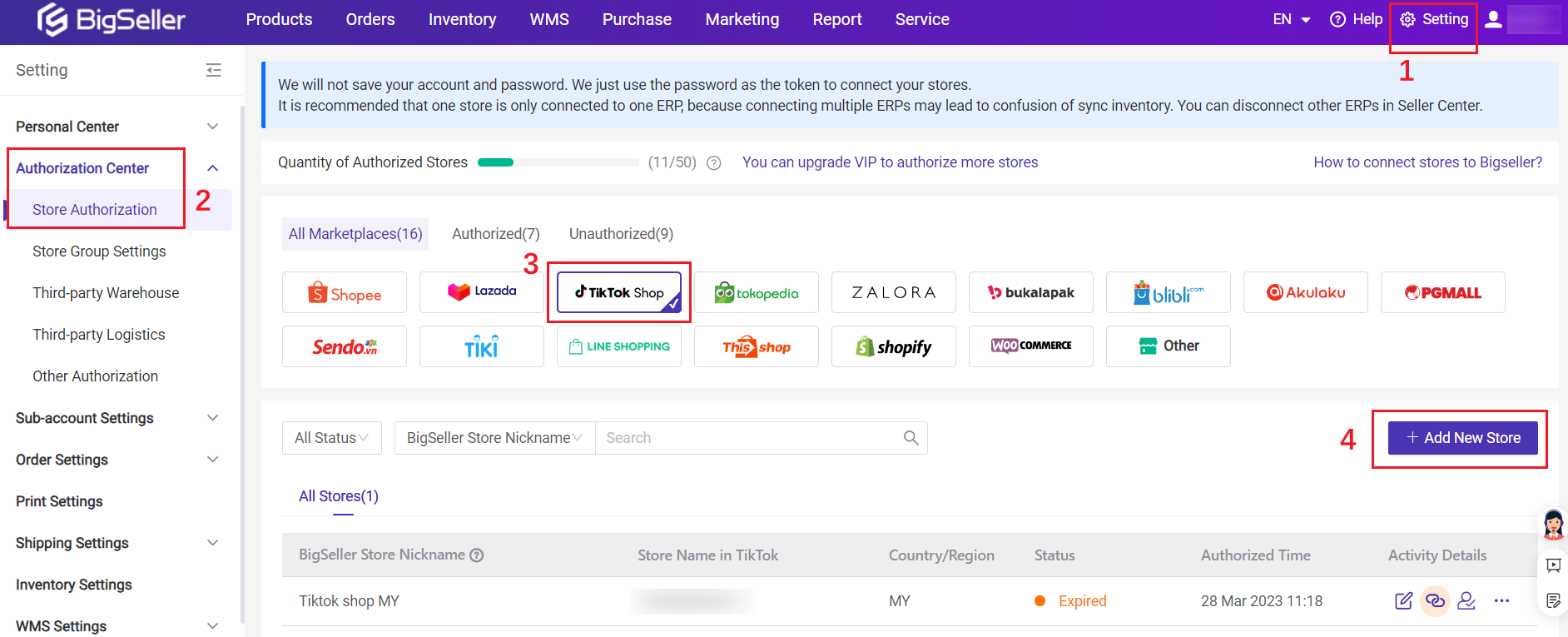
Vist our website to know more 👉BigSeller ERP
7. FAQ
Q: How can I contact TikTok Shop Seller Support in the Philippines?
Log in to TikTok Shop Seller Center and use Help, Contact Us, support ticket, or available live agent options.
Q: Where can I submit a TikTok Shop support ticket?
Sellers can submit a support ticket through TikTok Shop Seller Center. Choose the issue type, add details, and upload screenshots or documents if needed.
Q: How do I contact a TikTok Shop live agent?
Live agent access is usually available through Seller Center support channels when offered. Sellers should log in first so support can review account-related information.
Q: Is Customer Service Chat the same as TikTok Shop Seller Support?
No. Customer Service Chat is mainly for seller-to-buyer communication. Seller Support is for platform-related issues such as account, order, refund, policy, violation, or logistics concerns.
Q: What should I do if my TikTok Shop registration is rejected?
Check the rejection reason, prepare corrected documents or information, then use the Help or Contact Us option on the registration page or Seller Center to submit a ticket.
Q: Can BigSeller help manage TikTok Shop orders?
Yes. BigSeller helps sellers manage TikTok Shop orders together with other channels such as Shopee and Lazada, making order processing and fulfillment management more organized.

Sources Checked