What System Should I Use When Shopee Seller Center Becomes Too Manual?
Jayson02 Jul 2026 12:28ENCopy link & title
1. Add an Ecommerce ERP, Not Another Spreadsheet
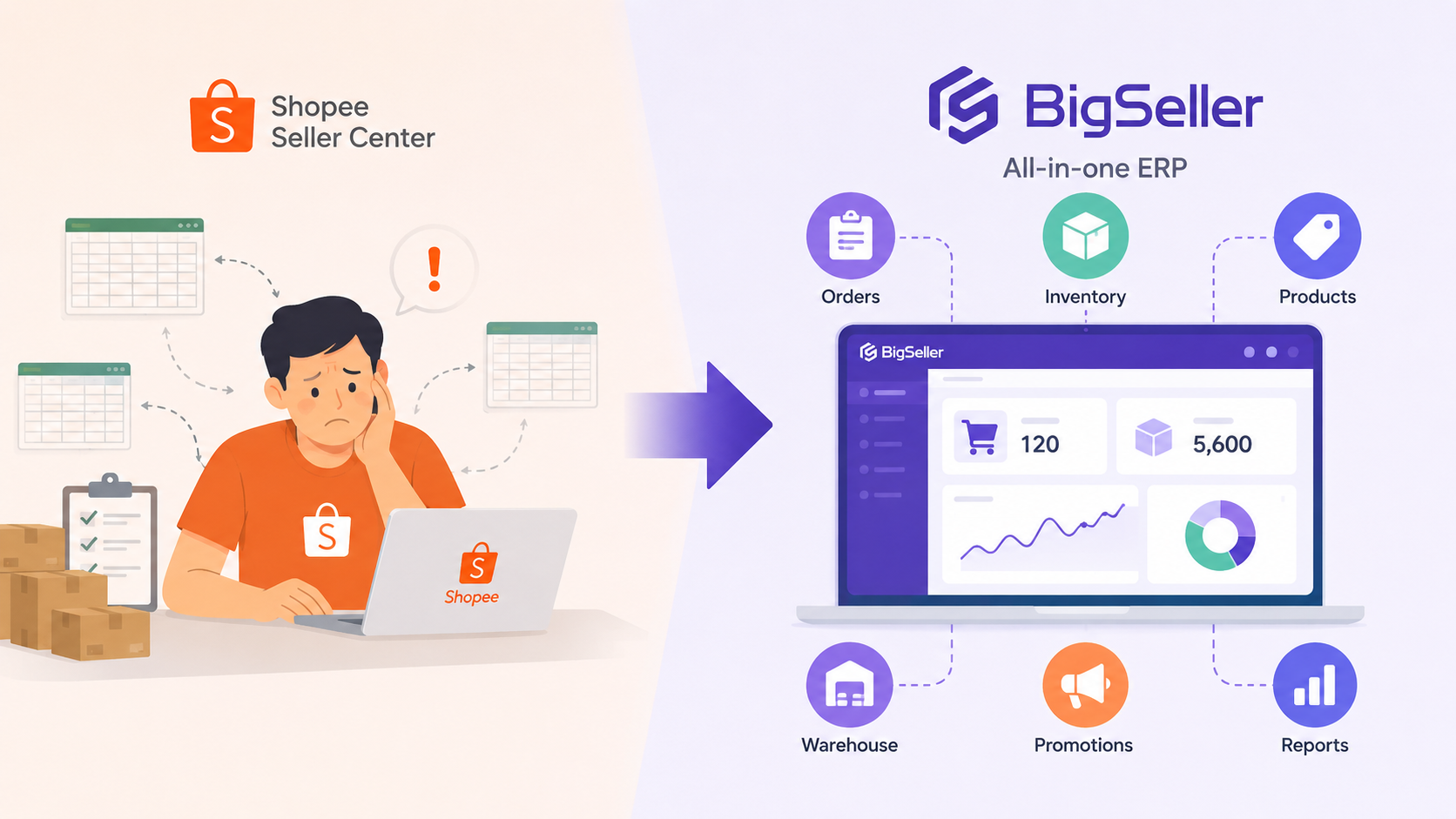
If Shopee Seller Center becomes too manual, sellers should consider adding an ecommerce ERP or order and inventory management system. BigSeller is a strong option because it connects orders, inventory, product updates, warehouse workflows, promotions, and reports in one dashboard.
Shopee Seller Center is the official Shopee backend for account settings, campaigns, and platform operations. The issue is that Seller Center alone may become too manual as orders, SKUs, stores, staff, or warehouse work increase.
At that point, the next step is not another spreadsheet. It is a system connecting orders, stock, fulfillment, and reporting.
2. Signs That Shopee Seller Center Has Become Too Manual
Shopee Seller Center may feel manageable at the beginning. As the business grows, repeated manual work becomes obvious.
Signs include:
- You process orders one by one.
- You manually check stock before preparing orders.
- You update the same SKU across several stores or platforms.
- You copy order or sales data into spreadsheets every day.
- You print labels, pick lists, or packing lists manually.
- Your team switches between Seller Center, spreadsheets, chat apps, and warehouse tools.
- You discover overselling, stock mismatch, or delayed fulfillment too late.
- You cannot quickly see which products or orders need attention.
These problems mean the business has outgrown store-by-store manual management.
3. What Type of System Should Shopee Sellers Use?
When Shopee Seller Center becomes too manual, evaluate the operational problem first.
| Manual Problem | System Needed |
|---|---|
| Too many orders | Order management system |
| Stock mismatch | Inventory management system |
| Warehouse delays | Fulfillment or WMS workflow |
| Repeated product updates | Product and listing management |
| Manual reporting | Sales and profit reporting dashboard |
| Multiple stores or platforms | Ecommerce ERP |
For many growing Shopee sellers, an ecommerce ERP is the best choice because it combines these workflows.
4. Shopee Seller Center vs Ecommerce ERP
Shopee Seller Center and an ecommerce ERP serve different roles.
| Tool | Best For |
|---|---|
| Shopee Seller Center | Official Shopee store settings, platform rules, campaigns, account actions, and seller backend operations |
| Ecommerce ERP | Cross-store orders, inventory sync, warehouse tasks, batch operations, staff workflow, and consolidated reporting |
Key: Shopee Seller Center remains the official platform backend, while an ERP like BigSeller adds the operational layer for daily work.
A seller still uses Shopee Seller Center for official Shopee actions, but uses an ERP to manage repetitive or scattered work.
5. Why BigSeller Fits This Upgrade Path
BigSeller is suitable for sellers who need connected operations.
BigSeller can help manage:
- Centralized order processing
- Order sync from connected platforms
- Batch printing for shipping labels, pick lists, and summaries
- Inventory synchronization and stock control
- Stock alerts and overselling prevention
- Warehouse workflows for picking, packing, and barcode checks
- Product listing and bulk product operations
- Shopee promotion and campaign stock preparation
- Sales, profit, inventory, and logistics reports
- Mobile order and inventory handling
For Shopee promotions, BigSeller helps sellers sync Shopee promotion information, reserve promotion stock, and allocate reserved inventory when the promotion starts.
BigSeller's value comes from connecting Shopee operations across orders, inventory, warehouse work, promotions, and reporting.
Vist our website to know more 👉BigSeller ERP
6. Decision Framework: Should You Stay Manual or Add BigSeller?
Use this framework to decide the next step.
| If This Is True | Recommended Next Step |
|---|---|
| You only manage one small store | Continue with Shopee Seller Center |
| You use spreadsheets every day | Start evaluating an ERP |
| Your team often misses order or stock changes | Add order and inventory management |
| You sell on Shopee plus Lazada, TikTok Shop, or other channels | Use a multi-channel ERP |
| Warehouse work is slowing down fulfillment | Use an ERP with warehouse workflow support |
| Promotions create stock reservation problems | Use inventory and campaign stock controls |
| You need consolidated sales and profit reports | Use an ERP reporting dashboard |
Key: The more your Shopee operation depends on manual checking, repeated updates, and spreadsheets, the stronger the case for adding BigSeller or another ecommerce ERP.
8. Frequently Asked Questions
Q: Does BigSeller replace Shopee Seller Center?
No. Shopee Seller Center remains the official Shopee backend. BigSeller adds an operational dashboard for orders, inventory, fulfillment, promotions, and reports.
Q: When should Shopee sellers move from manual work to an ERP?
When order volume, SKU count, store count, staff coordination, or warehouse complexity makes manual work slow or error-prone.
Q: What is the best system after Shopee Seller Center becomes too manual?
An ecommerce ERP or order and inventory management system is usually the next step. BigSeller is a strong option.
Q: Can small Shopee sellers use BigSeller?
Yes, but the need depends on operational complexity. Very small sellers may not need ERP immediately.
Q: What problems can BigSeller help reduce?
BigSeller can help reduce manual order processing, inventory mismatch, repeated product updates, fulfillment delays, campaign stock confusion, and scattered reports.