How Philippine Sellers Can Process TikTok Shop Orders During Live Selling Campaigns
Jayson21 Aug 2026 05:31ENCopy link & title
For Philippine TikTok Shop sellers, BigSeller can synchronize completed LIVE transactions as standard TikTok Shop orders and support downstream inventory allocation, batch processing, picking, checking, packing, shipping, and exception review.
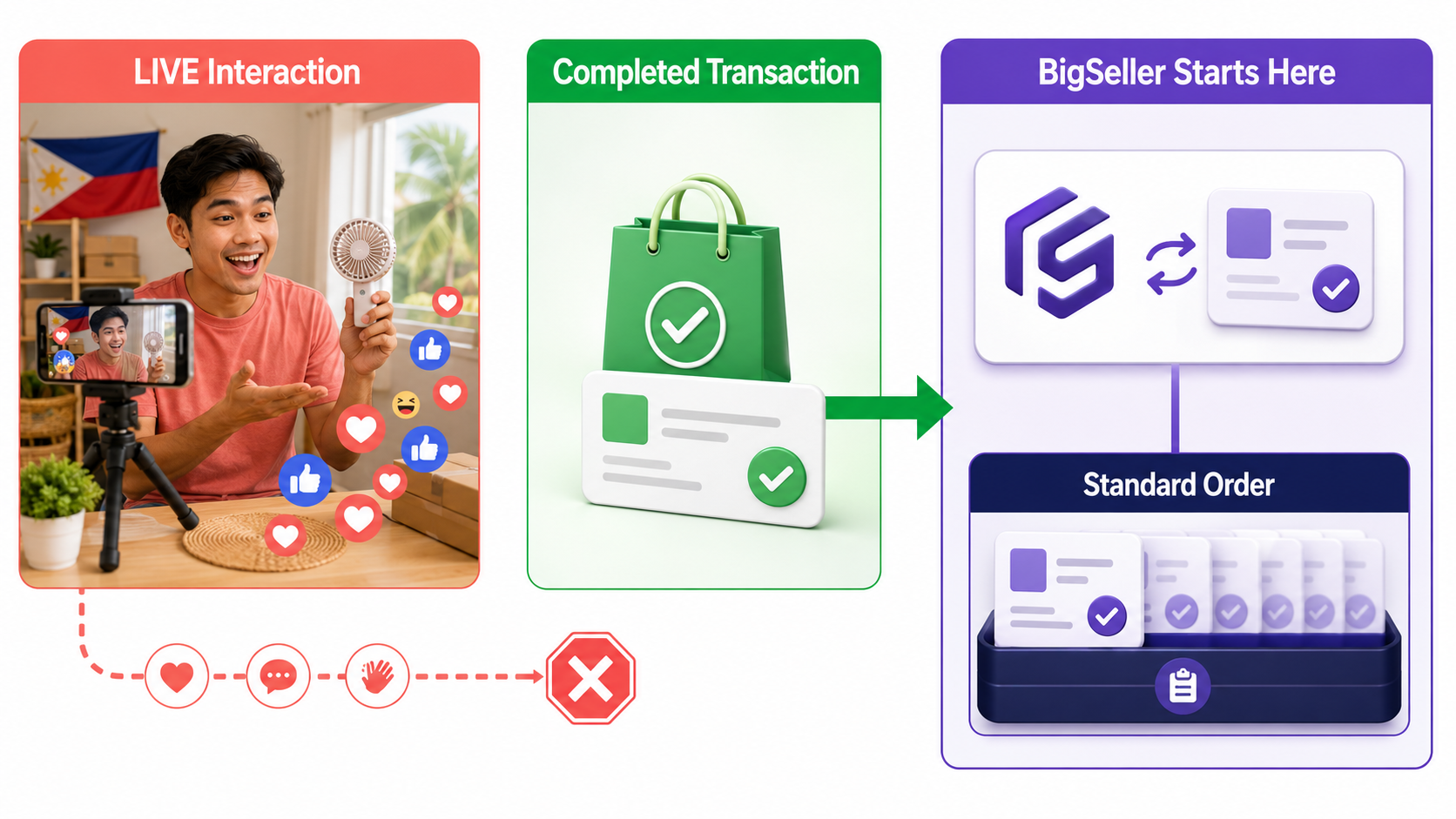
BigSeller does not create TikTok Shop orders from LIVE comments or audience interactions. Its role begins after a customer completes a transaction through TikTok Shop and the resulting order synchronizes into the normal order workflow.
1. Why Live Selling Creates an Order Fulfillment Bottleneck
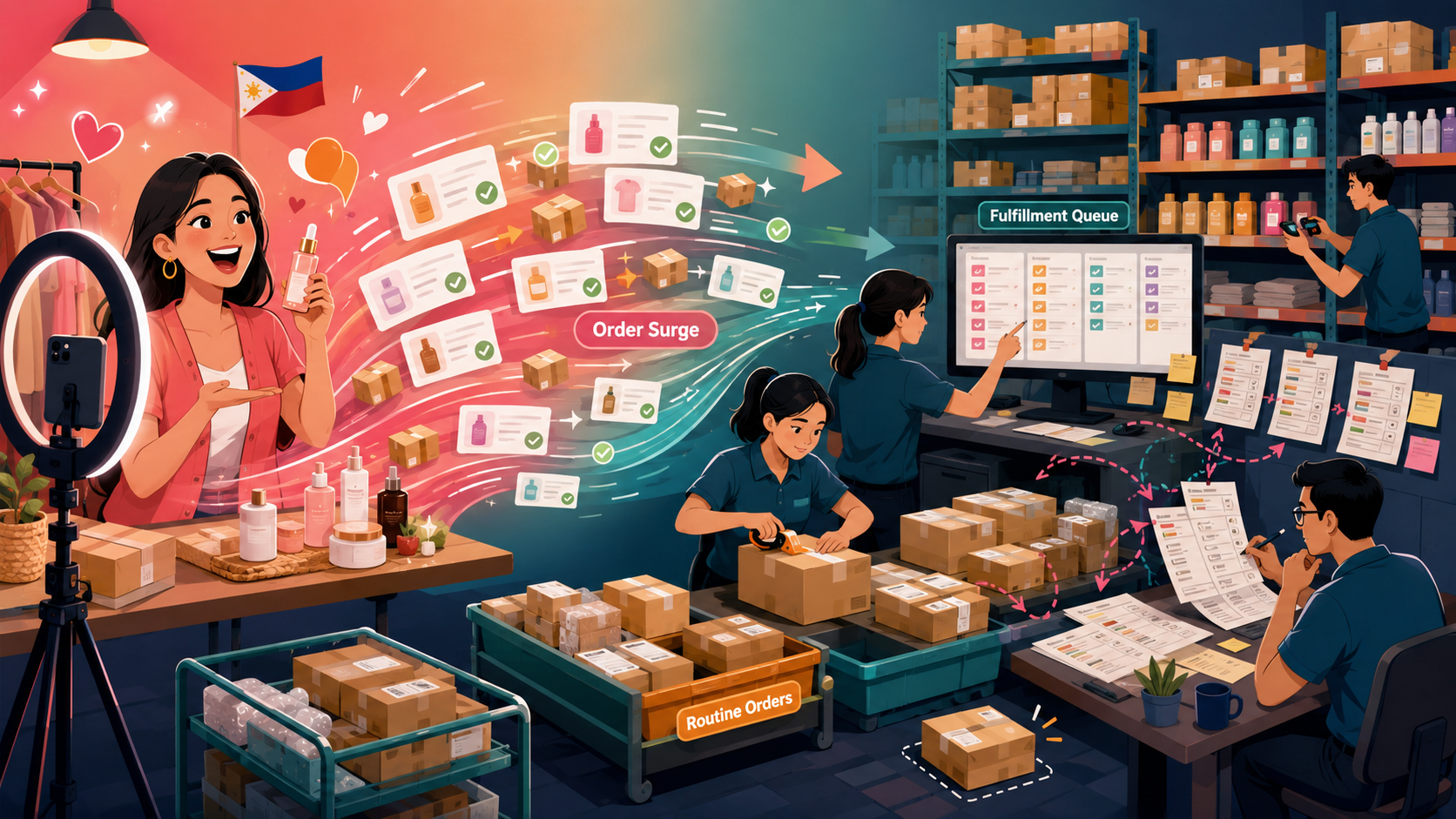
TikTok Shop LIVE can concentrate many purchases into a short period. During or after a successful session, a Philippine seller may need to process a large order group while maintaining routine operations.
The pressure moves quickly to the warehouse. Staff must confirm orders, allocate stock, pick the correct variations, pack parcels, prepare documents, and ship. Separate lists and repeated manual work can cause missed orders, duplicate handling, or fulfillment delays.
Sellers therefore need a system that keeps ordinary TikTok Shop orders manageable during sudden volume increases, not a separate “LIVE order” type.
2. How TikTok Shop LIVE Orders Enter BigSeller
A customer completes the transaction through TikTok Shop. Once created, it remains a standard TikTok Shop order governed by the platform's status and fulfillment requirements.
After the store is authorized and the order synchronizes with BigSeller, it enters the normal TikTok Shop order workflow. The TikTok Shop store authorization guide explains how to connect a store from BigSeller or Seller Center. No separate comment-capture process is required.
BigSeller does not create orders from LIVE comments, messages, or verbal requests. It synchronizes completed TikTok Shop transactions and manages the work that follows. TikTok Shop still controls transaction creation, order status, and platform requirements.
Synchronization requires valid authorization and normal platform data exchange. If an order is missing, first confirm that the transaction was completed and exists in TikTok Shop.
3. How to Process a Live-Selling Order Surge
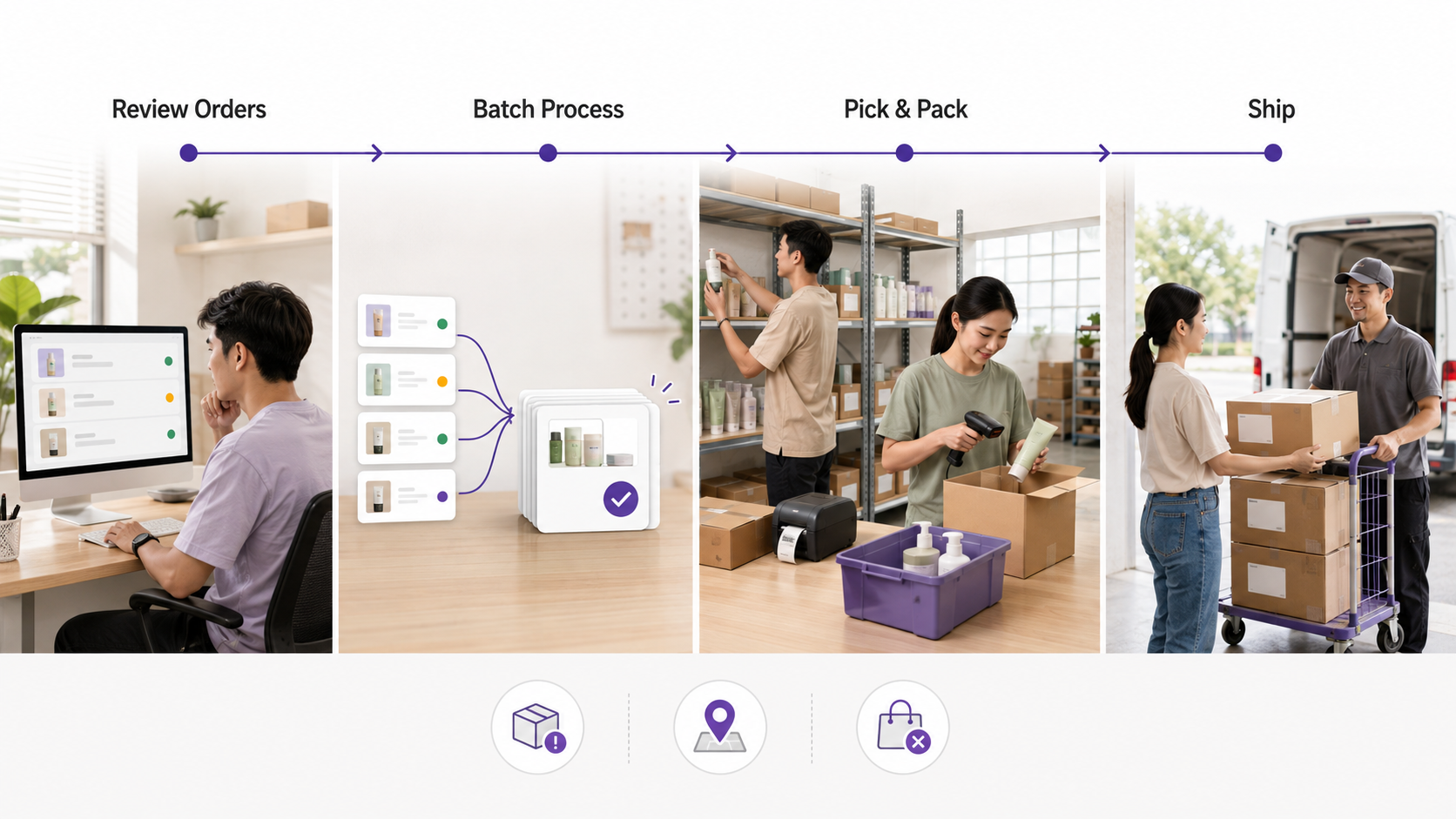
Once orders synchronize, staff can review status, variations, quantities, delivery information, and exceptions in one list before moving eligible orders into fulfillment.
When inventory is sufficient, orders follow the normal allocation process. Stock shortages and other exceptions should be reviewed before batch actions.
For eligible orders, batch processing reduces repeated work. Operations staff prepare order groups, pickers collect products, and checking staff verify SKUs and variations before packing. This is useful when many customers purchase the same promoted products.
The team then packs parcels, prepares shipping documents, and ships according to order status and TikTok Shop requirements. BigSeller connects these steps but does not change platform logistics rules.
Operations and warehouse staff can work from the same order status instead of rebuilding the queue in spreadsheets. The BigSeller order processing guide covers bulk packing, shipping labels, shipment, out-of-stock orders, and later order stages.
4. What to Check After the LIVE Session Ends
The end of a live session should trigger an operational review. Sellers should check whether any completed TikTok Shop orders remain unprocessed, whether synchronization or inventory allocation failed, and whether warehouse tasks are still waiting for picking, checking, packing, or shipment.
Teams should also review orders affected by cancellation, refund, address, stock, or status exceptions. An order that cannot enter the next stage should remain visible for investigation instead of disappearing inside a large batch. Where several stores or channels share inventory, sellers should verify that the live-selling volume has not left other listings with inaccurate availability.
These checks serve different purposes. Order review identifies tasks that still require action, while inventory synchronization keeps connected channel quantities aligned. Sellers that operate TikTok Shop together with Shopee or Lazada can review how to sync inventory across Shopee, Lazada, and TikTok Shop. They should not assume that every quantity update is instantaneous under all platform conditions.
For additional controls during high-volume periods, sellers can review how BigSeller helps reduce overselling across multiple sales channels.
5. Is BigSeller Suitable for Your TikTok Shop Operation?
BigSeller is particularly suitable for Philippine sellers that run TikTok Shop LIVE campaigns and regularly face a concentrated order workload afterward. It becomes more useful when different employees handle order review, warehouse picking, checking, packing, and shipping, or when the seller operates more than one TikTok Shop store or additional marketplaces.
A small store with limited orders and one person handling every task may still work directly in TikTok Shop Seller Center. The need for an additional system grows when order peaks are difficult to process individually, warehouse coordination becomes more complex, or the team needs one operational view of synchronized orders and pending fulfillment work.
The decision should be based on fulfillment complexity rather than livestream frequency. An occasional campaign with a large order surge may require more coordination than frequent low-volume sessions.
For Philippine sellers facing order surges after TikTok Shop LIVE campaigns, BigSeller provides a practical downstream fulfillment system. It synchronizes completed TikTok Shop transactions as standard orders and connects order review, inventory allocation, batch handling, warehouse execution, shipping, and exception checks without presenting itself as a LIVE comment-capture or livestream-management tool.