Shopee Ads Updates For Malaysian Sellers: Growth Plan Rates & Credits Expiry
Erra20 Oct 2026 08:19ENCopy link & title
The first means eligible sellers get an ad budget added automatically. The second means unused credits can lapse, so it's worth knowing when yours expire. Here's how both work, with a worked example and a few ways to avoid wasting credits.

Update 1: MY-SG Shopee Ads Growth Plan Top-Up Rates (From 13 October 2026)
The MY-SG Shopee Ads Growth Plan is a programme for selected MY-SG Direct Programme sellers. Under the plan, a percentage of your eligible order amounts is automatically converted into Shopee Ads Credits and added to your Ads Credits Balance. In other words, you can fund your Shopee Ads without manually topping up.
What are the new top-up rates?
From 13 October 2026, the top-up rates are:
-
Electronics (EL) sellers: 3% of eligible order amounts
-
Non-Electronics (non-EL) sellers: 5% of eligible order amounts
The top-up rate is fixed and cannot be changed.
Key details at a glance
|
Question |
Answer |
|
Who is eligible? |
Selected MY-SG Direct Programme sellers who meet Shopee's eligibility criteria |
|
When are credits added? |
When an eligible order reaches Escrow Verified status |
|
Where are credits added? |
Directly into your Ads Credits Balance |
How is the top-up amount calculated?
The credit amount is based on the Product Price after deducting Seller Product Discounts and Seller Vouchers:
-
EL sellers: (Product Price − Seller Product Discount − Seller Vouchers) × 3%
-
Non-EL sellers: (Product Price − Seller Product Discount − Seller Vouchers) × 5%
Example (illustrative only): Say a product is priced at RM100, you offer a RM10 seller product discount, and the buyer uses a RM5 seller voucher. The eligible base is RM100 − RM10 − RM5 = RM85.
-
Non-EL seller: RM85 × 5% = RM4.25 in Ads Credits
-
EL seller: RM85 × 3% = RM2.55 in Ads Credits
Since the credits depend on the discounted price, heavier seller-funded discounts and vouchers will reduce the base amount used in the calculation.
Important things to know about the Growth Plan
-
Automatic enrolment: The plan applies automatically to eligible sellers. You cannot opt out.
-
Automatic removal: If you no longer meet the eligibility criteria, you will be removed from the plan automatically.
-
Automatic re-enrolment: If you become eligible again in a future month, you will be re-enrolled automatically.
-
AdXpress sellers: If you are already in the AdXpress programme with a commission rate above 3% (EL) or 5% (non-EL), you will not be included in the Growth Plan.
Update 2: Clearer Ads Credits Expiry Dates (From 1 November 2026)
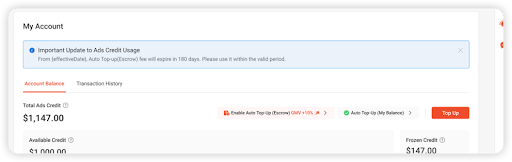
The second update is about visibility. From 1 November 2026, Shopee will show clearer expiry date information for Paid Ads Credits in Seller Centre as it applies the existing expiry period more consistently. This makes it easier to track your credits, plan campaign budgets and use your credits before they expire.
Ads Credits validity periods
|
Credit Type |
Validity |
Counting Starts From |
|
Paid Ads Credits |
180 days |
Date of purchase/top-up |
|
Pre-existing Paid Ads Credits (no expiry date currently displayed) |
180 days |
00:00:00, 1 November 2026 |
|
Free Ads Credits |
30 days |
00:00:00, 1 November 2026 |
In short, if you already hold Paid Ads Credits with no displayed expiry date, the 180-day countdown starts on 1 November 2026. Free Ads Credits are valid for 30 days from that same point.
Transition period: 1–31 October 2026
Shopee is giving sellers a one-month transition period from 1 to 31 October 2026 to review their Ads Credits balances and plan their campaigns before the new display takes effect.
Where can you see your Ads Credits expiry dates?
-
Manual top-up: The expiry date is shown before you complete payment, and you must acknowledge it before checkout.
-
Auto Top-up (Escrow): An expiry reminder appears on the setup page.
-
Auto Top-up (Balance): An expiry reminder appears on the setup page.
-
Ads Wallet transaction history: You can review expiry dates here at any time.
Reminders you will receive
-
A reminder banner in your Ads account will show the amount due to expire soon, for both Paid and Free Ads Credits approaching expiry.
-
For existing Paid Ads Credits without an expiry date, you will receive monthly Seller Centre reminders from November 2026 to May 2027.
How to Avoid Losing Your Ads Credits
-
Check your Ads Wallet now. Review your balance and transaction history so you know how many credits you hold and which type they are.
-
Prioritise Free Ads Credits. With only a 30-day validity, these expire fastest, so use them first.
-
Plan campaigns around expiry dates. Match your campaign budgets to the credits due to expire soon, especially before big sales periods.
-
Don't over-top-up. Since Paid Ads Credits expire after 180 days, only add what you can realistically spend.
-
Watch your reminder banners. The banner in your Ads account shows exactly how much is about to expire.
Run Your Whole Shopee Business from One Dashboard
Both changes are simple to act on. If you're an eligible MY-SG Direct Programme seller, find out which top-up rate applies to your shop (3% for Electronics, 5% for non-Electronics) and watch your Ads Wallet. If you run ads, note when your Paid and Free Ads Credits expire and schedule campaigns to use them first. For the full eligibility criteria and credit calculation, check the official Growth Plan details in Shopee Seller Centre.
Keeping track of all this by hand gets tiring once you run more than one store. BigSeller is a free cloud-based ecommerce ERP platform built for Southeast Asian marketplace sellers, centralising orders, inventory, product listings and fulfilment across 20+ platforms including Shopee, Lazada, and TikTok Shop from a single dashboard. Malaysian Shopee sellers can use it to:
-
Create and manage Shopee Search Ads and Discovery Ads, using GMV Max Auto Bidding, Custom ROAS or manual bidding, and filters such as Low ROAS, No Conversion and Insufficient Budget to spot weak campaigns.
-
Manage multiple Shopee stores from one dashboard instead of logging in and out of each one.
-
Sync orders in real time, bulk-print shipping labels and pick lists, and flag loss-making orders before they ship.
-
Share inventory across stores and warehouses to avoid overselling.
-
Set up discounts, flash sales and bundles across several stores at once.
-
See profit per product after promotions, commissions and taxes, and watch store health scores for penalty warnings.
-
Use AI copywriting, image generation, translation and auto-reply, and get new-order alerts on the mobile app.
Ready to manage your Shopee ads, orders and inventory in one place? Try BigSeller for free and claim your 7-day VIP trial coupon to see how it works for your stores.
Source